
Belkin WIZ040 vs WIZ023: Is the 25W Dock Worth It?
3-IN-1 WIRELESS CHARGING
A faster foldable dock or an adjustable desk stand?
Both Belkin stations can charge a compatible phone, Apple Watch and wireless earbud case together. Your phone’s charging limit and where you use the stand determine which one earns its spot.
As an Amazon Associate I earn from qualifying purchases. We may also earn a commission through other affiliate links at no extra cost to you.
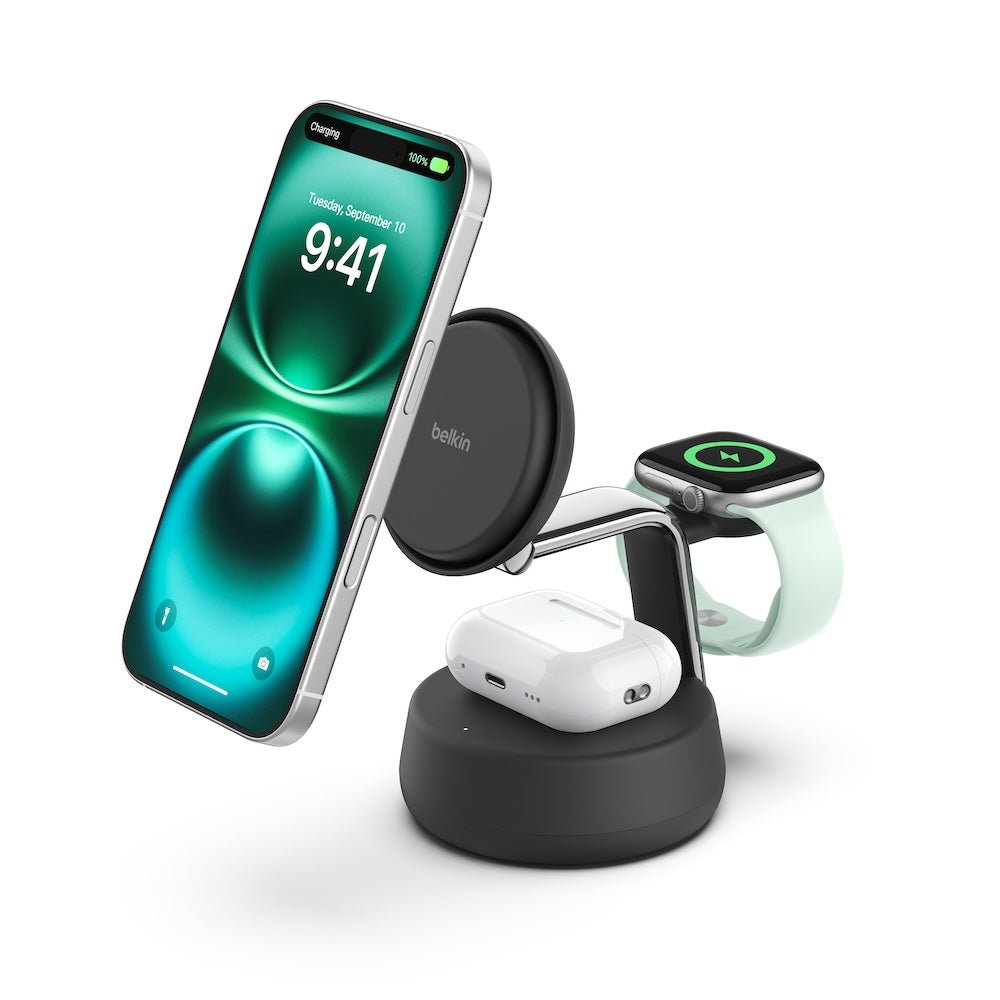
WIZ040 · Qi2 25W, active cooling and a folding design.
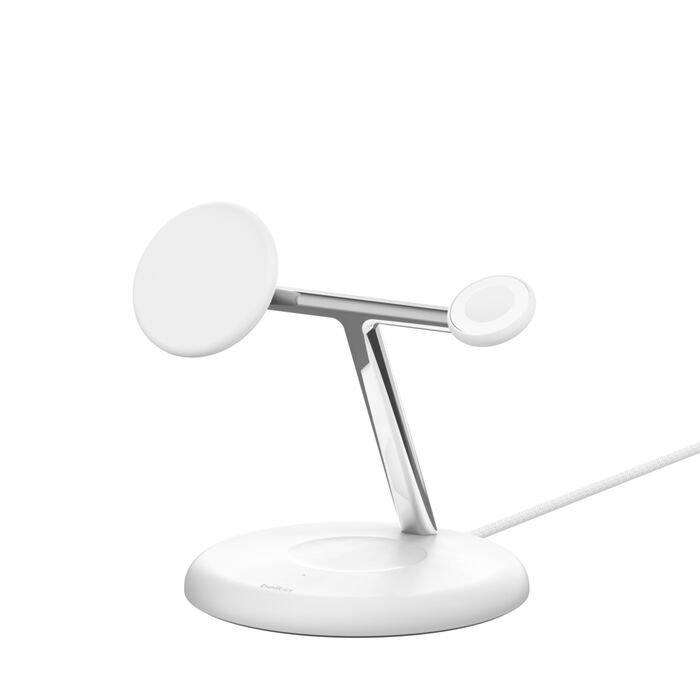
WIZ023 · Qi2 15W and a phone mount with adjustable tilt.
Retailer links open model searches. Verify the exact model, seller and included adapter before checking out.
Belkin WIZ040 vs WIZ023 at a glance
| Feature | WIZ040 UltraCharge Pro | WIZ023 BoostCharge Pro |
|---|---|---|
| Phone pad | Up to 25W with a compatible Qi2 25W device | Up to 15W with a compatible Qi2 device |
| Stand design | Foldable dock | Upright stand with 90° of adjustable tilt |
| Active cooling | Belkin ChillBoost smart fan | Belkin’s specification does not list active cooling |
| Included power supply | 45W USB-C adapter and separate 5 ft USB-C cable | 36W USB-C power supply with attached cable |
| Other charging positions | Compatible Apple Watch and wireless earbud case | Compatible Apple Watch and wireless earbud case |
| Best fit | Short top-ups with an eligible phone or a station you pack | A regular spot where viewing angle and value matter |
Specs come from the WIZ040 product page and WIZ023 support page. This comparison uses manufacturer documentation and purchase scenarios. It contains no independent charge-time, temperature or sound measurements.
When 25W makes a difference
Check the exact phone first. For example, Apple lists up to 25W Qi2 wireless charging for iPhone 17. That makes the WIZ040 a sensible candidate for an iPhone 17 owner who charges during short breaks. Belkin says the WIZ040 supports up to 15W on other Qi2-certified devices. Verify software requirements and the accessory compatibility list for your particular phone before counting on the higher tier.
The two headline numbers describe the phone pad’s maximum charging capability. During a session the phone can draw less as its battery fills or its temperature rises. A 25W rating cannot tell you how many extra percentage points you will gain in 15 minutes. The Wireless Power Consortium’s Qi standard overview explains the two certification tiers.
Which design fits your routine?
Desk or kitchen counter
The WIZ023’s adjustable tilt is useful if you glance at a timer while cooking or want the phone screen at a different angle from where you sit. If the phone stays on the stand for much of the workday, the viewing angle can matter more than the charging ceiling. Leave room to lift the watch off its mount and open the earbud case without moving the dock.
Nightstand
Start with the WIZ023 if you typically charge overnight. Its 15W ceiling matters less when your phone stays in place until morning. If you’re considering the WIZ040, keep in mind that it has an active fan. Belkin describes its cooling design, and we have no noise measurement for a quiet bedroom. Also check whether the phone and case hold firmly in the landscape position you intend to use.
Travel or quick daytime charging
The WIZ040 folds down and uses a separate USB-C cable, which gives you more flexibility when packing. Count the adapter and cable in your travel kit. If you take only a phone on most trips, a single-device charger may take less room. The WIZ040 makes more sense when you carry the phone, a compatible Apple Watch and a compatible earbud case together.
What to check on Amazon and Walmart
- Match the model. Find WIZ040 or WIZ023 in the model field, even if the product name says only Belkin 3-in-1. Check any regional or color suffix and confirm you’re getting a U.S. plug.
- Check all three devices. Confirm the phone’s exact charging tier and case fit. Check Apple Watch support separately and make sure the earbuds case supports wireless charging. If you want Apple Watch fast charging, look for support for your exact watch.
- Compare complete bundles. An open-box listing can omit the adapter or cable. Compare the delivered cost of equivalent bundles, seller and return terms before choosing a store.
- Put a dollar value on the upgrade. A short daily top-up, travel packing and a compatible 25W phone are concrete reasons to spend more. If your phone already spends all night charging and you don’t need a folding dock, compare the WIZ023’s price first.
For a closer look at either station, read the Belkin WIZ040 review and the Belkin WIZ023 review. The Qi2 vs MagSafe guide explains what the certification labels mean on other chargers.
Frequently asked questions
Will the WIZ040 charge a 15W Qi2 phone at 25W?
No. Belkin lists up to 15W for other Qi2-certified devices. Check the specification for your exact phone and its software requirements.
Can the WIZ023 reach 25W with the WIZ040’s adapter?
No. The WIZ023 phone pad is rated up to 15W. Use the supplied adapter or a replacement Belkin specifies for that station.
Will either dock charge a Galaxy Watch?
Belkin specifies an Apple Watch charging position. A compatible Android phone on the phone pad does not establish compatibility with a Galaxy Watch.
Is it worth replacing a working WIZ023?
Keep it if it already handles your overnight or desk charging. Consider the WIZ040 if you have a compatible Qi2 25W phone and routinely need short top-ups, or if a folding dock would simplify frequent travel.

One Comment