Anker 737 vs Anker Prime 250W: Which Power Bank to Buy?
LAPTOP POWER BANK COMPARISON
Buy the power budget your devices can use
Compare the Anker 737 A1289 with the Anker Prime A1340 before paying for a larger total-output number.
Affiliate disclosure: As an Amazon Associate I earn from qualifying purchases. We may also earn a commission through Walmart links at no additional cost to you.
This Anker 737 vs Anker Prime 250W guide compares model A1289 with A1340. It focuses on purchase decisions: the devices you connect, the time you spend away from an outlet, and the complete kit you must carry. Similar port counts do not make the two power budgets identical.
This is a specification-based comparison, not a hands-on test. We have not measured usable capacity, charging time, temperature or sustained output. Published maximum ratings are separated from practical examples. No retailer price winner is claimed without a verified matching pair of offers.
Anker 737 vs Anker Prime 250W at a glance
| Specification | Anker 737 | Anker Prime 250W |
|---|---|---|
| Model | A1289 | A1340 |
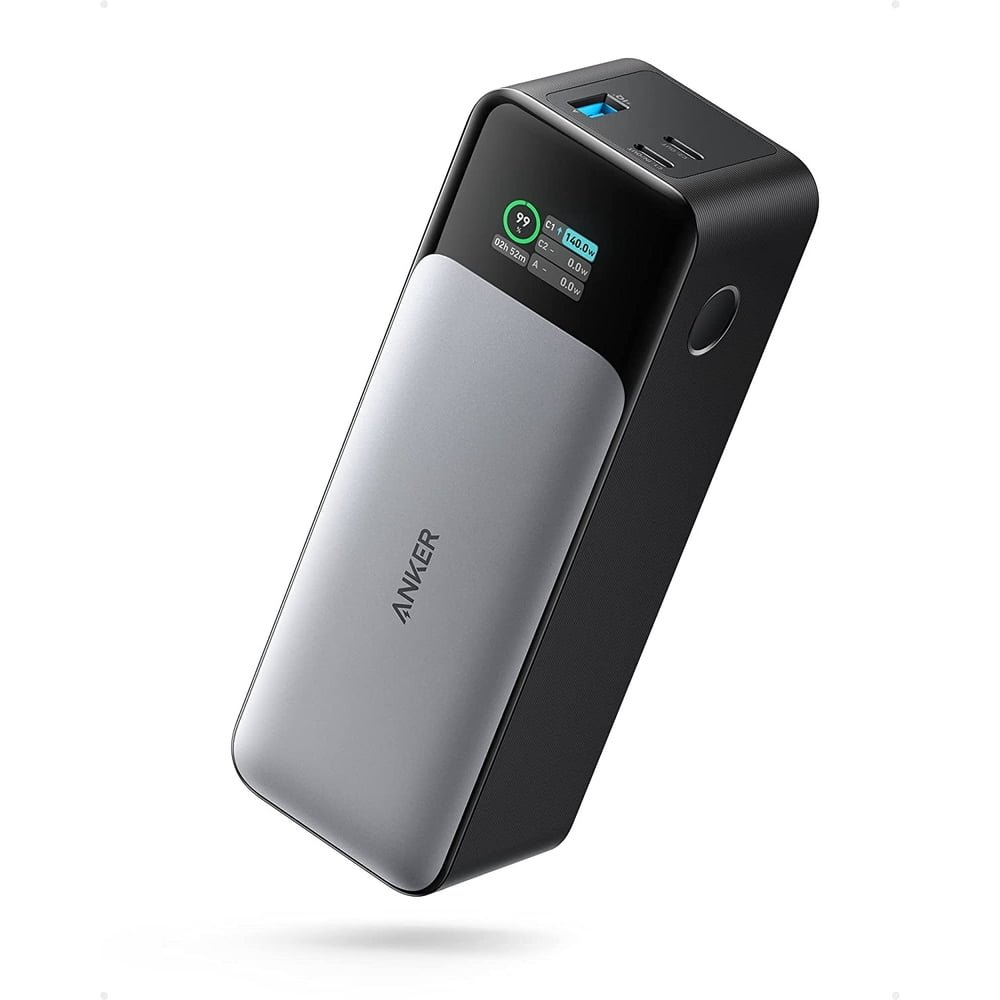
| Cell capacity | 24,000mAh | 27,650mAh |
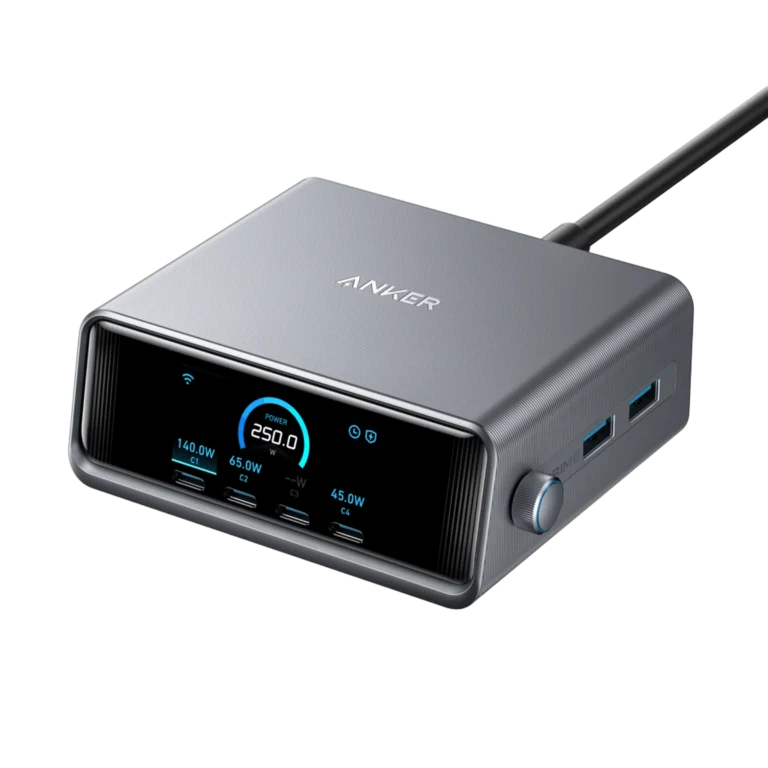
| Total maximum output | 140W | 250W |
| Individual USB-C maximum | 140W | 140W |
| Connections | 2 USB-C + 1 USB-A | 2 USB-C + 1 USB-A |
| Main buying question | Does this cover your normal load? | Will you use the larger shared budget? |
These are manufacturer ratings, not independently measured results. The main specifications come from Anker’s model-specific product pages linked at the end. A device draws a compatible negotiated amount, so the highest capability is not the amount every connected device receives.
Choose the 737 for a straightforward laptop kit
Start with the 737 if you mainly need a backup supply for one compatible laptop. Perhaps you work between meetings, visit a client or need enough reserve to finish a task when a desk has no nearby outlet. A larger shared budget offers little benefit if your other devices rarely connect.
Before comparing offers, write down the laptop’s recommended charging input. Then note whether you plan to charge a phone at the same time. That small checklist makes it easier to distinguish a genuine requirement from a feature that simply looks attractive on a product page.
Read our Anker 737 review for the individual model discussion. If the unit you already own handles your routine reliably, this comparison is not a reason to replace it automatically. Upgrade when there is a clear gap that another product actually addresses.
Choose Prime when simultaneous demand matters

The Prime is more relevant when your travel kit has several devices that need meaningful power together. Think of a laptop and another demanding USB-C device, rather than a single phone with a low input ceiling. Extra total capability matters only when your connected equipment can use it.
Map your intended connections before ordering. Assign the important device to a suitable USB-C output and compare the manufacturer’s chart for the full combination. Do not add the individual-port maxima together and assume the resulting number remains available in every arrangement.
The Prime 250W review covers the standalone purchase. When comparing a listing, confirm it is the A1340 power bank rather than another Anker Prime generation. The word Prime appears across several products, capacities and accessory bundles.
250W total does not mean a faster single laptop
The most important distinction is total output versus individual-port output. Both models list a USB-C maximum of up to 140W. The Prime’s larger total is therefore not evidence that it gives one laptop a higher single-port ceiling than the 737.
For example, suppose your laptop accepts only 65W through the cable and port you use. Connecting it to a power bank advertised with a much larger total does not turn that input into a higher-power connection. The computer’s supported charging behavior remains part of the limit.
This is also why a charging symbol is not a complete performance assessment. A computer can report external power while charging slowly under a demanding workload. Compare the battery trend during normal work and the manufacturer’s input guidance instead of assuming every successful connection is equally suitable.
If one laptop is the only high-power device you carry, compare usable convenience, kit cost and the need for reserve energy. If several devices connect together, compare their combined demand with the exact supported allocation. Those are different purchasing questions, even though both involve the same power bank.
Capacity: separate stored energy from output power
A capacity number describes a different characteristic from a wattage rating. The larger model’s name does not imply proportionally longer runtime simply because its output total is larger. Power capability determines what it can supply under supported conditions; stored energy helps determine how long it can supply a load.
Do not divide a power bank’s advertised milliamp-hours by your phone’s advertised milliamp-hours and treat the answer as a promised number of full charges. The ratings can refer to different voltages, and energy conversion consumes part of the stored energy. Device use during charging changes the result too.
Use our mAh vs Wh explanation and usable-capacity guide when estimating your requirements. This article does not provide an invented usable-energy measurement or a guaranteed laptop runtime for either model.
For your own planning, decide what success means. Finishing a short presentation, topping up a laptop between classes and supporting a full workday are different goals. Begin with the task and the laptop’s existing battery condition, then choose an appropriate reserve rather than chasing the largest headline.
Cables and laptop input can change the result
Check that your computer accepts charging through the intended USB-C connector. Some laptops have several sockets with different roles, and a USB-C-shaped connector alone does not establish the available power input. The model’s manual is a stronger starting point than a broad compatibility label.
For the highest supported power mode, the power bank, cable and receiving device must all support the required profile. A cable that handles ordinary phone charging may not support the laptop arrangement you are trying to build. Read its power rating and relevant standard support.
When pursuing a 140W USB-C connection, choose a cable explicitly suitable for that power class and the required PD mode. A general 100W cable claim should not be interpreted as a 140W promise. Our USB-C PD 3.1 guide explains the distinction.
If a dock sits between the power bank and laptop, check the dock separately. Its own input and downstream output can become the restriction. Keep a direct, supported cable connection available when checking a new kit so you can distinguish a power-bank issue from a dock or cable limitation.
Recharging the power bank is part of the purchase
A high-output power bank can still be inconvenient if your wall adapter replenishes it too slowly for your schedule. Compare the charging equipment you already own before paying for additional accessories. The complete purchase includes the input source, cable and any optional base you intend to use.
Anker describes up to 170W combined USB-C recharge for A1340 under specified dual-input conditions, with a note that this rate is not sustained continuously. That should not be read as the performance of one ordinary cable or a guarantee for the entire charging session.
For most buyers, the practical question is simpler: can the kit recover enough charge before the next trip? A reliable overnight routine can be more useful than purchasing another adapter to chase a short peak. If you need fast turnaround between meetings, investigate the documented input configuration carefully.
Read the package contents before assuming a wall adapter or charging base is included. Product photos sometimes show an entire ecosystem. A standalone bank, a cable bundle and a bank-plus-base package should be treated as different offers when you compare their prices.
Amazon vs Walmart: compare the same model and package
We checked accessible product pages on October 19, 2026, but did not establish a verified current comparable offer pair for both models. Retrieved marketplace information can be cached. This guide therefore links to current store offers without naming an unsupported cheapest-store winner or quoting an unverified saving.
| Model | Amazon | Walmart |
|---|---|---|
| 737 A1289 | Check selected offer | Check selected offer |
| Prime A1340 | Check selected offer | Check selected offer |
| Price winner | Not verified; compare matching delivered totals. | |
Match the item before comparing the amount
Start with the model number, condition and package quantity. A refurbished bank may be less expensive than a new one, but it is not a like-for-like comparison. Confirm whether the listing includes the same cable, base and accessories before interpreting the difference as a discount.
Check the seller and delivered total
Inspect the merchant and fulfillment information for the selected offer. Then include shipping, tax and accessories you actually need. Only subtract a coupon that applies to your account and that exact item. A subscription benefit or member-only offer should not be described as universally available.
Choose a useful offer, not just a lower number
Delivery timing, return terms and the correct model can matter more than a small price difference. Save the order description and compare the label when the package arrives. Resolve a mismatch promptly instead of trying to apply one product’s instructions to another edition.
Three buying recommendations
One laptop most of the time: shortlist the 737
Choose it when its supported output covers your laptop and simultaneous high demand is unusual. Compare the complete cost with a suitable wall charger if you normally work near an outlet. A power bank is most useful when portable reserve solves a real access problem.
Several demanding devices: investigate Prime
Choose this route when the larger shared budget serves a regular need. Check the exact combination rather than relying only on total wattage. Carrying more capability is worthwhile when it replaces inconvenient charging sequences or reduces the need to find several outlets.
Phone-only backup: compare smaller alternatives
If your kit rarely includes a laptop, either model may be more than you want to carry. Compare a lighter bank with an appropriate phone charging protocol and enough capacity for your routine. The best purchase can be a smaller device that you consistently keep in your bag.
First-day checks after delivery
Confirm the product label, condition and included accessories against the order. Inspect the enclosure and ports before charging. Follow the supplied instructions, and do not continue using a bank with swelling, visible damage or an abnormal operating condition.
Connect your most important device first with an appropriate cable. Confirm that it charges as expected, then add the other devices in the arrangement you bought the bank to support. Record any warning and compare it with the model’s instructions before concluding the unit is defective.
For a practical check, observe the laptop’s battery during a representative work session. Avoid treating that observation as a laboratory efficiency test. Its purpose is to confirm the kit supports your normal task while you can still resolve a wrong item or unsuitable purchase through the seller’s normal process.
Frequently asked questions
Does Prime deliver 250W to one laptop?
No. Its 250W specification is the total-output maximum. The documented individual USB-C ceiling is lower, and the receiving laptop must support the selected profile.
Is Prime automatically faster than the 737?
No. For a single device, its own input capability can determine the result. Prime’s larger total budget is most relevant when several connected devices can use it.
Will either power bank charge every USB-C laptop?
No universal claim is made. Check the laptop’s supported power input, required profile, cable and any dock between the two devices.
Which store is cheaper?
A verified current matching pair was not established for both models. Compare the selected offer, condition, seller and final delivered total.
Did MultiChargers test these power banks?
No. This is a documentation-based buying analysis. Charging time, usable energy, heat and sustained output were not independently measured.
Our verdict: match the load before the deal
Shortlist the Anker 737 for a mainly single-laptop routine. Investigate the Prime A1340 when simultaneous demand justifies its larger total budget. Neither purchase should be based on treating the total-output headline as a guaranteed single-device charging rate.
Choose the model first, build the complete kit second and compare matching offers last. That order helps avoid buying a discounted package that lacks a needed cable or paying for capability your equipment cannot use. Keep the final decision tied to your normal work away from an outlet.
Sources and editorial method
Manufacturer documentation checked October 19, 2026: Anker 737 A1289 specifications, Anker Prime A1340 specifications and input notes, and A1340 user guide. Marketplace links identify offers to compare; availability and checkout totals require a fresh check. Recommendations combine published ratings with explicitly hypothetical use cases.