

Anker 737 Power Bank Review: Amazon vs Walmart
Affiliate disclosure: As an Amazon Associate, MultiChargers earns from qualifying purchases. We may also earn through Walmart affiliate links at no extra cost to you.
A laptop power bank for the right charging path
Compare the Anker 737 A1289 by single-device requirements, shared output and complete purchase cost.
Quick answer
This Anker 737 Power Bank review recommends comparing A1289 when you need a compatible laptop charging path above 100W from one USB-C port. Its 140W maximum is also the overall output ceiling, so connecting another device changes the available budget. It is a substantial travel accessory rather than an obvious phone-only choice. Walmart showed $109.99 during our check; an Amazon numeric offer was not verified.
Amazon vs Walmart: the matching offer check
| Store | Identified listing | Observed price | Offer details |
|---|---|---|---|
| Amazon | B09VPHVT2Z | Not verified; check available offers | Confirm seller, condition and bundle |
| Walmart | 1425654143 | $109.99 | Sold by AnkerDirect; fulfilled by Walmart |
Walmart offer checked October 16, 2026, approximately 17:31 UTC, with the displayed U.S. shipping location. The Amazon page did not provide a verified numeric offer in our source check. Prices, availability, sellers, delivery and taxes can change; compare final checkout totals. No lowest-price winner is established.
Our verdict: useful for a specific laptop need
Consider this model if your laptop supports a charging arrangement that benefits from its stronger individual USB-C capability. That is the reason to investigate it, rather than assuming every computer will charge faster from it. If your laptop accepts a lower level, a suitable smaller source may already meet the job.
Think of it as part of a travel kit: bank, charging cable, recharge adapter and the devices you carry. Decide where those pieces will sit, how often you will recharge the bank and whether its physical size fits your bag. A capable accessory that stays at home does not improve a mobile setup.
This review uses manufacturer documentation and identifiable retailer offers. We have not run discharge, temperature, timing or longevity tests. The recommendation is a compatibility and buying assessment. We do not award an invented performance score or convert manufacturer charging claims into results we measured ourselves.
Anker 737 specifications: what the numbers actually describe
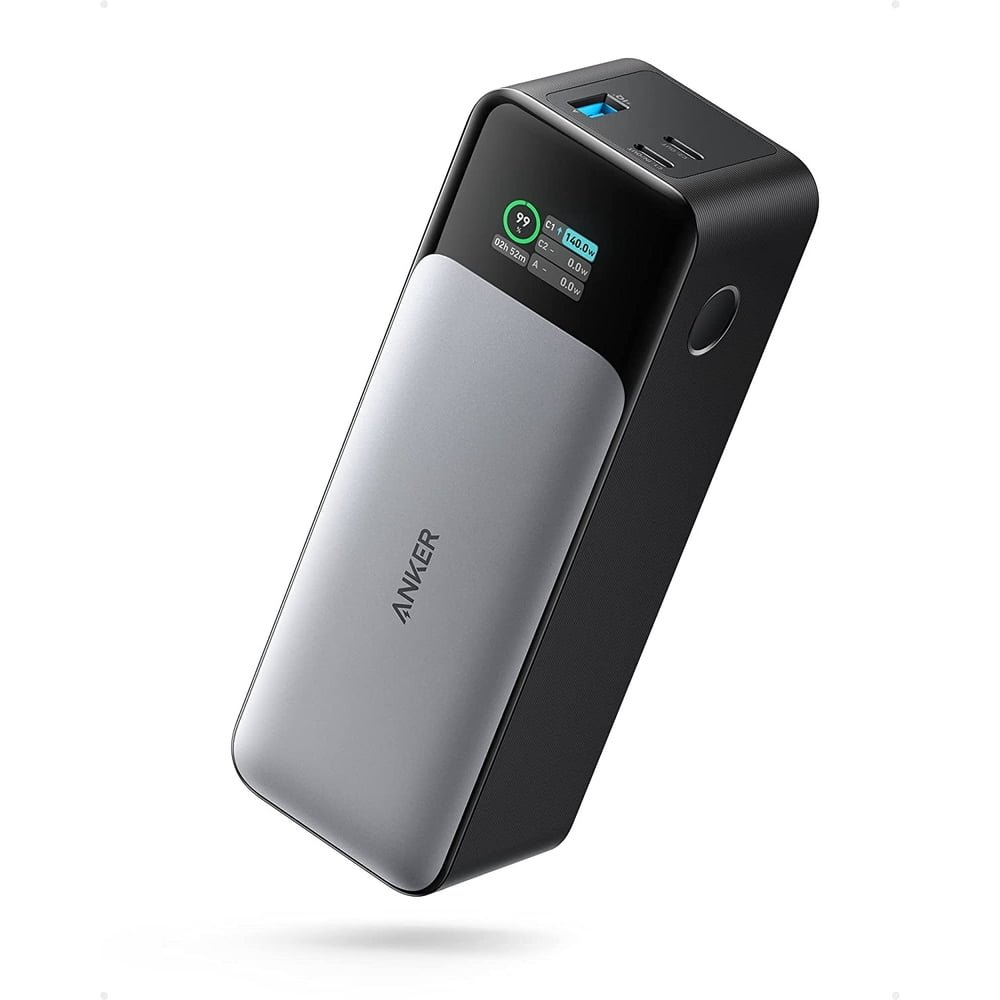
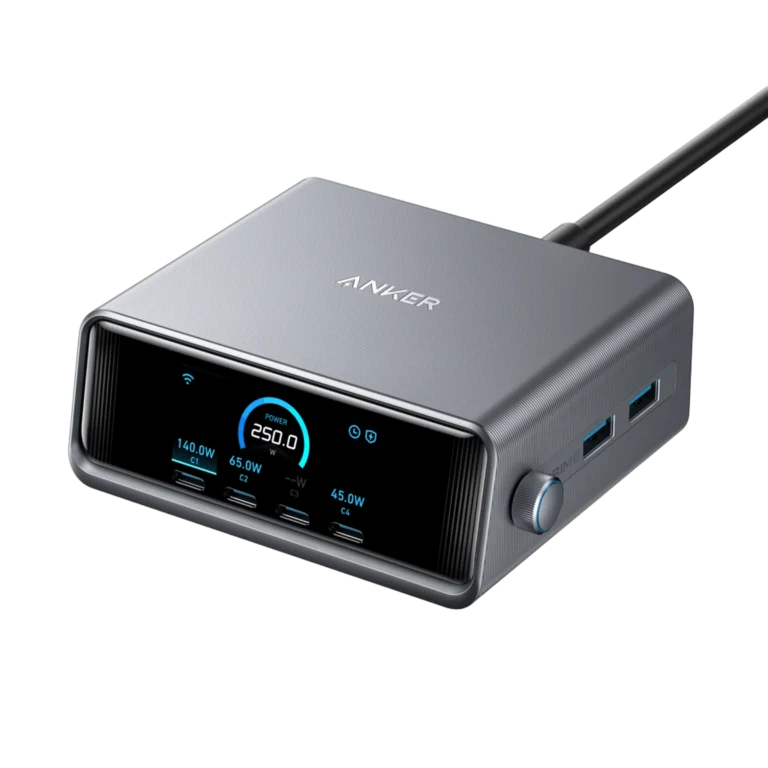
Anker identifies a 24,000mAh bank with two USB-C ports and one USB-A port. Its support specification lists up to 140W from either USB-C port, 18W from USB-A, and 140W total output. USB-C1 is the recharge input, with up to 140W supported. These are different limits, not three numbers to add together.
The manufacturer product page gives an approximate weight of 630g and dimensions of 155.7 × 54.6 × 49.5mm. It also describes a display for charging information. Treat the weight as a practical packing consideration and the screen as information about operation, not proof of independently verified capacity.
Anker states that reaching the maximum requires a compatible PD 3.1 device and cable. This requirement matters more than finding a USB-C plug that fits. Confirm your computer’s supported input and connector path before buying a cable or expecting the headline output.
Why 140W single-port output can matter
An adapter or bank with a larger combined number can still have a lower limit on each individual port. A person charging one demanding laptop needs to read that individual limit first. Someone charging several lower-demand devices has a different question: whether the complete allocation supports them together.
USB Power Delivery supports negotiated power rather than forcing the full source rating into every connected device. USB-IF explains that PD 3.1 extended the earlier power range and introduced higher-voltage options. The device, source and cable must support the intended arrangement. A higher-capability source does not automatically raise a device’s accepted input.
For example, if a laptop is documented for a lower input than the bank’s maximum, it remains the limiting part of the connection. Conversely, a laptop with a suitable higher-power input needs a matching cable and source to use that capability. This is why a broad compatible-with-laptops label is not a complete buying specification.
Our USB PD 3.1 guide explains the standards background. Use your exact laptop manual to turn that background into a practical requirement; different computer models and different charging connections can behave differently.
Shared output: plan the laptop and phone together
Do not budget for two devices by repeating the maximum individual-port figure. When more than one connection is active, they share the source’s overall allowance according to the supported configuration. Check the manual diagram for the ports you intend to occupy and test that arrangement before travel.
Connect the laptop first, then add the phone. Observe whether a slow-charger warning appears or the battery trend changes during your normal work. A laptop that replenishes while sleeping may still draw down its battery during a demanding task. The charging symbol does not answer whether supply keeps pace with consumption.
For a work session that matters, reserve enough capability for the computer and postpone less important accessory charging if needed. This is a practical planning choice, not a claim that every second connection causes a problem. The result depends on what both devices request and what the documented arrangement supports.
If several devices are central to your routine, compare our Anker Prime 200W review too. That is a different model with a different balance between individual-port capability and combined output. Compare the charging configuration you need rather than ranking the products by their largest printed number.
Choose the cable for the required power range
Identify the cable separately from the bank. A familiar brand, braided jacket or thick connector housing does not establish the supported charging range. Read the manufacturer rating for the exact cable and length you are using. Keep the packaging or order details if the lead itself is difficult to identify.
An electronically marked 5A cable can be relevant to higher-power charging, but a current rating alone does not establish every supported power range. Match the complete charging requirement. A lead described only by an older maximum rating may not be the right choice for the higher-voltage arrangement you intend to use.
Choose a route that reaches without tension. A short lead works well when the bank sits next to the laptop, while a longer one may help at a shared desk. Avoid hanging the bank from a cable or letting a connector carry its weight. The power accessory should rest on a suitable stable surface.
See our laptop charging cable shortlist for charging-focused options. If the same lead must also serve a monitor or fast drive, check those functions separately; the power rating alone does not establish them.
Recharging the bank: include the adapter in your budget
The input specification describes replenishing the bank, while output describes supplying your equipment. Keep those questions separate when shopping. A source that charges a phone can be useful in an emergency without necessarily being the best way to prepare a larger bank for regular laptop use.
Check the adapter you already own before ordering another one. Confirm its available USB-C profile, the selected port and the effect of other devices connected to it. A multi-port wall charger’s headline total is not automatically available to the bank through one socket.
Work backward from your routine. If the bank charges overnight at a fixed desk, the fastest possible replenishment may not be necessary. If you need short turnaround between sessions, the complete supported input path becomes more important. Compare that extra equipment cost with the value of the time you expect to save.
We do not promise a full recharge time because we have not measured your adapter, cable, starting charge or conditions. If an included accessory list is unclear, confirm the exact package with the seller. A bank-only listing should not be treated as a complete wall-charging kit.
Capacity is energy storage, not charging speed
The capacity number answers a different question from watts. A high-output bank can deliver energy quickly to compatible equipment, but that does not mean it stores more energy than every lower-output product. Similarly, a larger capacity label does not guarantee a laptop-compatible output.
Do not divide two battery percentages to predict an exact recharge count. Device battery sizes, operating demand and conversion losses complicate that calculation. A laptop doing work while connected uses energy at the same time that its battery may be replenishing.
Decide whether your actual goal is an emergency top-up, a longer meeting or a mobile work session. Those goals call for different amounts of stored energy and different output capability. Our mAh versus Wh guide explains the units, while the laptop manufacturer’s battery and input specifications help define the task.
A purchase can be reasonable without a claimed number of full charges. For an important trip, check the intended arrangement in advance and keep another suitable charging option where practical. This review does not invent an efficiency percentage or an all-day runtime promise.
The display and the weight: useful tradeoffs to consider
Charging information can help you distinguish the bank receiving power from the bank supplying a device. Use it alongside the laptop’s own indication when checking a setup. It is helpful diagnostic information, but it should not replace the manual or be treated as a laboratory measurement of long-term battery health.
Physical size matters when you move from a desk to a backpack. Think about the space for the bank plus cable and adapter, not just the bank alone. Consider whether you will carry it every day or only when laptop charging away from an outlet is likely.
A phone-only user may prefer less weight and fewer capabilities. A laptop user may reasonably accept a substantial accessory because it solves a recurring problem. Neither choice needs a universal best label. The practical question is whether the benefit justifies the item in your own kit.
How to use the Amazon–Walmart table
The table identifies the matching model listing at each store and distinguishes a verified amount from an unverified one. The absence of an Amazon number is not a price of zero and does not prove that no seller has stock. Open the offer link to see the choices available to you.
At checkout, compare the same condition and package. A restored or open-box bank is a different offer from a new unit, even when its main title is similar. Also check whether a pictured adapter or cable is actually included. Do not compare a bundle price with a bank-only price and call the difference savings.
Review who sells the item, who handles fulfillment, the delivery estimate for your address and the applicable return conditions. These can matter more than a small item-price difference. Confirm the final delivered total rather than relying on an old promotion or a price-tracker entry.
We have not established a lower-priced store because only one numeric retail offer was verified. The two direct affiliate buttons let you compare current choices without pretending that a static article is a live price feed.
Buy or skip?
Compare it for a documented laptop charging need that benefits from a stronger individual USB-C connection, with an appropriate cable and recharge plan.
Choose another option when portability for a phone is your main goal, your laptop uses an unsupported charging path, or your simultaneous device demand needs a different allocation.
Frequently asked questions
Is the Anker 737 the same as the Prime 200W bank?
No. Check the model identifier and specifications. These products offer different individual-port and combined-output capabilities.
Can it deliver its maximum to two laptops at once?
Do not assume that. Active ports share the documented total allowance; read the manual for the intended occupied-port arrangement.
Will every laptop charge faster?
No. Your laptop’s supported input, cable and charging conditions determine whether it benefits from the available capability.
Is Walmart cheaper than Amazon?
Walmart showed $109.99 at our check. We could not verify an Amazon numeric offer, so a price winner or savings amount is not established.
Do I need a new wall charger too?
Check your existing adapter and the bank’s supported input path. Include any required adapter or cable in the total cost before buying.
Did MultiChargers test charging speed?
No. This is a documentation-based review and purchase assessment, with retailer offer observations clearly separated from manufacturer ratings.
Sources and editorial notes
Checked October 16, 2026: Anker A1289 support specifications, Anker product information, USB-IF Power Delivery overview, and the matching retailer listings linked above. Your exact device instructions determine compatibility.

3 Comments