Anker Prime 250W vs UGREEN Nexode 300W: Which to Buy?
DESKTOP CHARGER COMPARISON
Smart controls or a larger power budget?
Anker Prime 250W vs UGREEN Nexode 300W: choose around the devices you connect together, rather than the biggest number on the box.
Quick answer: Choose the Anker Prime 250W A2345 for its display, charging controls and extra USB-A connection. Choose the original UGREEN Nexode 300W five-port charger when a demanding multi-laptop setup benefits from its higher shared output. Both have four USB-C ports and a strongest port rated up to 140W.
Affiliate disclosure: As an Amazon Associate, I earn from qualifying purchases. This post also contains Walmart affiliate links; we may earn a commission at no extra cost to you.
Compare the exact models before checkout
Anker on AmazonAnker on WalmartUGREEN on AmazonUGREEN on WalmartThese buttons open retailer searches. Match model, port count, U.S. plug, seller and delivered price. Stock and a lowest-price winner have not been verified.
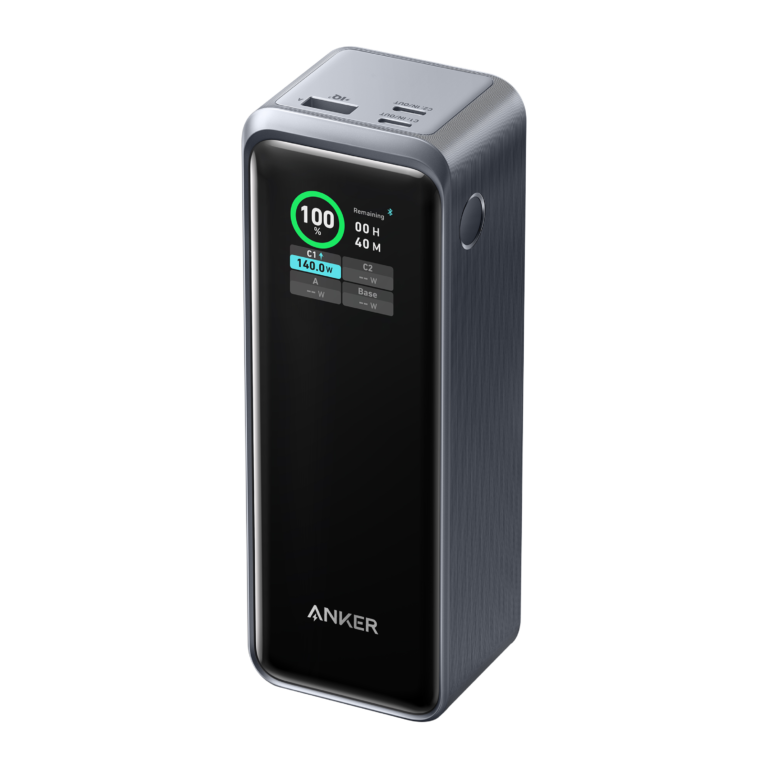
Editorial method: This comparison uses manufacturer specifications checked October 31, 2026. We have not bench-tested these products. Buying recommendations are editorial judgments, not measured speed, temperature or reliability results. This article compares the Anker desktop charger, not its similarly named 250W power bank, and the original UGREEN five-port model, not the newer Nexode Pro 300W eight-port charger.
Anker Prime 250W vs UGREEN Nexode 300W at a glance
| Buying factor | Anker Prime A2345 | UGREEN Nexode 300W |
|---|---|---|
| Maximum combined output | 250W | 300W |
| USB-C connections | 4 | 4 |
| USB-A connections | 2 | 1 |
| Highest single-port output | 140W on C1 | 140W on C1 |
| Other USB-C port ceilings, used alone | C2/C3/C4: 100W each | C2/C3: 100W each; C4: 45W |
| Main buying reason | Display and configurable power controls | More shared power for laptop-heavy use |
| Key tradeoff | Lower combined ceiling | One fewer USB-A connection |
Individual port maximums cannot be added together to predict simultaneous output. Occupied ports, charging mode, device demand and cable capability determine the actual allocation.
Which difference will you actually notice?
Count your USB-C devices first. These chargers provide the same number of native USB-C sockets, so UGREEN does not give you more USB-C connections simply because its total is higher. Anker adds a second USB-A socket, which can matter if you still use two older accessory cables.
Next, think about your daily workload. A single everyday laptop and phone may leave much of either charger’s capacity unused. With several computers charging together, shared capacity becomes more relevant. The best choice depends on the busiest charging session you genuinely need to support.
Choose Anker for visible power information and control
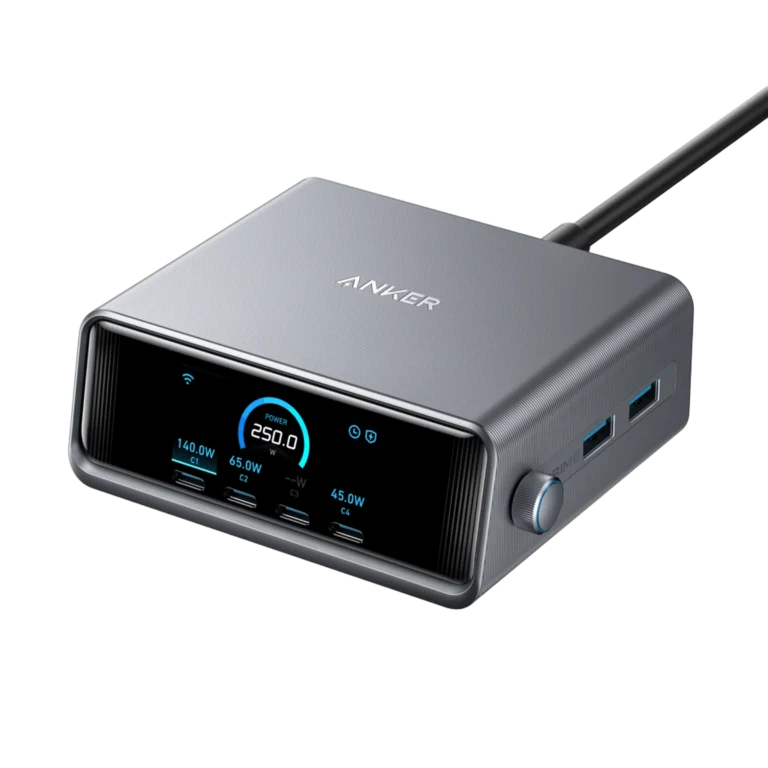
Anker’s display and control dial are useful if you want to see charging information at the desk and change how power is allocated. Its published modes include AI Power Mode and Port Priority Mode. That makes it worth considering when you want to give a particular connection priority instead of treating the charger as a hidden power brick.
A screen can help you notice that a connected device is drawing less power than expected. It cannot tell you by itself whether the cause is the cable, the device’s battery level, its temperature or an incompatible charging profile. Treat the reading as a troubleshooting clue.
Buy this model when those controls solve a real problem for you. If you plan to leave the charger under a monitor and never look at it, compare the delivered price against simpler options before paying extra for the interface.
Choose UGREEN when several laptops justify the extra capacity
UGREEN publishes a three-laptop arrangement of 140W + 100W + 60W on C1, C2 and C3. That is the clearest reason to consider the original 300W model for a shared workstation. This arrangement uses the full 300W budget; it does not promise those same outputs with additional devices attached.
The extra 50W of headline capacity is not an automatic speed improvement for every connected device. A laptop capped at a lower USB-C input will remain limited by that input. A phone also negotiates its own supported power level, so unused capacity does not make it charge at laptop wattages.
Choose UGREEN if your required port combination matches its documented allocation. If your laptops do not need that much power, compare convenience, seller support and price instead.
Three practical desk setups
One laptop, tablet, phone and small accessories
Start by checking whether a smaller charger already meets your needs. Between these two, lean toward Anker if its screen and extra USB-A port are useful. Lean toward UGREEN only if the extra shared capacity addresses a real bottleneck. Leaving spare wattage unused is fine, but it is not itself a reason to spend more.
A shared desk with three USB-C laptops
UGREEN is the stronger starting point because its published three-laptop arrangement directly addresses this use. Assign the highest-demand computer to C1, then match the others to their allocated output. If one computer needs more power than its assigned port provides during heavy work, keep its original adapter available.
Two older USB-A accessories plus USB-C devices
Anker is the more convenient physical fit because it has two USB-A ports. Check whether those accessories have special charging requirements, though. A fitting connector does not guarantee every proprietary fast-charging mode. Avoid buying adapters purely to make the wrong port layout fit.
Cable and laptop compatibility checks
- Read the laptop specification: confirm that its USB-C port accepts charging and note the supported input. Some gaming or workstation laptops still require their original adapter for full performance.
- Match the cable: choose an appropriately rated 5A cable for charging above 60W. For supported 140W USB-C charging, use an EPR-rated cable, commonly marked 240W, and a compatible device.
- Check the charging path: laptop-specific fast charging may require a particular cable or connector. UGREEN’s published MacBook Pro 140W guidance specifies USB-C to MagSafe 3 for that advertised use case.
- Plan all occupied ports: include the phone or tablet you plug in later. Adding another device can alter the allocation.
- Keep the charger ventilated: follow its operating instructions and avoid covering it with papers or fabric.
Related reading: our laptop charging cable guide and explanation of multi-port charger power sharing.
Amazon vs Walmart: compare the offer, not just the search price
Open both retailers and match the exact model. For Anker, look for A2345 and six ports. For UGREEN, verify the original four-USB-C-plus-one-USB-A layout. A similarly named power bank or newer Pro charger is a different product and needs a different comparison.
Compare the total after shipping, seller identity, return window, included AC cord and warranty eligibility. Check whether any pictured USB-C cable is included in that specific regional package. A low price from an unsuitable seller can be poor value if returns or warranty support are unclear.
During this research, the original UGREEN U.S. product URL redirected to its desktop-charger collection. Regional official documentation still describes the five-port model. That is a reason to verify the exact listing and availability carefully; it does not establish that the model is discontinued.
Frequently asked questions
Will UGREEN charge one laptop at 300W?
No. The total is shared across devices. Its strongest advertised single port is rated up to 140W. The connected laptop and cable must support the required charging mode.
Does Anker provide 250W with only two devices?
Anker lists up to 240W with two ports in use and up to 250W with three or more. Actual power still depends on the occupied ports, mode and connected devices.
Which has more USB-C ports?
Neither: both have four. Anker has six total connections because it adds two USB-A ports; UGREEN has five total with one USB-A port.
Are these battery backups or USB data hubs?
No. They are AC-powered desktop chargers. They do not store energy for use away from an outlet or replace a docking station’s data and display functions.
Which is the better value?
Pick the model that supports your required simultaneous charging session, then compare current delivered offers. If a smaller charger already meets the same need, include it in your price comparison.
Final recommendation
Choose Anker Prime 250W for its controls, display and extra USB-A socket. Choose UGREEN Nexode 300W when its documented multi-laptop power arrangement fits your desk. For more detail, read our Anker A2345 review and UGREEN five-port review.
Ready to compare current offers?
Check the exact model and seller before you buy.
Anker on AmazonAnker on WalmartUGREEN on AmazonUGREEN on WalmartSources and verification
Manufacturer documentation checked October 31, 2026. Maximum ratings are manufacturer claims, not independent test results.