Anker Prime 250W vs UGREEN 145W: Is the Upgrade Worth It?
PREMIUM LAPTOP POWER BANK COMPARISON
Anker Prime 250W vs UGREEN 145W
Is the upgrade worth it for your laptop, travel bag and charging kit?
Affiliate disclosure: As an Amazon Associate I earn from qualifying purchases. Walmart links may also earn us a commission at no extra cost to you.
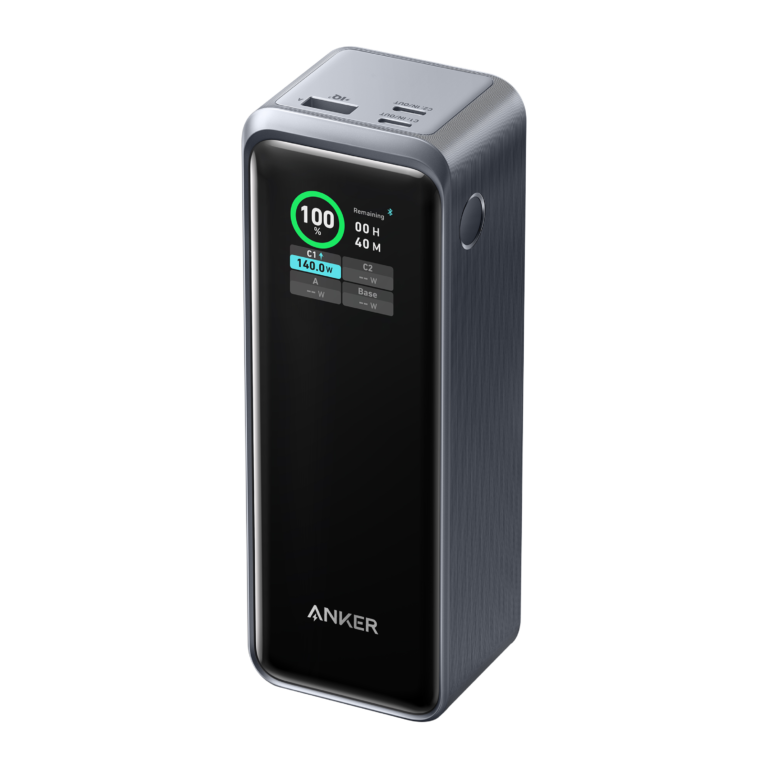
Anker Prime 250W A1340
Match the exact version and package before comparing final cost.
Search Amazon offersSearch Walmart offersUGREEN 145W 90597A
Match the exact version and package before comparing final cost.
Search Amazon offersSearch Walmart offersRetailer searches may include other models. No verified live retailer price winner is claimed.

Specification snapshot
| Detail | Anker Prime 250W | UGREEN 145W |
|---|---|---|
| Model | A1340 | 90597A |
| Advertised capacity | 27,650mAh | 25,000mAh |
| Maximum combined output | 250W | 145W |
| Single USB-C output ceiling | 140W | Current US table: C1 140W; C2 65W |
| Recharge input | Up to 140W by single USB-C; up to 170W dual input, conditional | 65W maximum USB-C1 input |
| Connectors | Two USB-C, one USB-A | Two USB-C, one USB-A |
| Buying priority | Shared output and recharge arrangement | Meeting your requirements at a lower complete-kit cost |
Checked October 23, 2026 against Anker’s A1340 documentation and UGREEN’s US specification page. Anker’s regional page is used for technical documentation, not U.S. prices or local warranty terms. Maximum ratings are not independent test results. UGREEN’s introductory copy and detailed port table conflict; verify the actual unit before buying.
Start with the reason you want to upgrade
If you already own a working power bank, name the problem before replacing it. Does the battery run out during your commute? Does it recharge too slowly between appointments? Does plugging in a phone leave too little output for your laptop? These are separate limitations, and a higher combined wattage does not solve all of them.
For a first purchase, identify the period you need to cover without an outlet. A short emergency top-up is different from supporting two computers through a long meeting. Write down the devices, their accepted charging inputs and the cables you intend to use. A clear requirement makes it easier to reject features that look impressive but add little to your routine.
Our recommendation is conditional: investigate Anker when its larger shared-output budget or recharge arrangement solves a recurring problem. Investigate UGREEN when its documented capabilities already meet your needs and the complete purchase costs less. We have not verified matching current retailer prices, so a value judgment must be made using the offers actually available to you.
The 250W versus 145W headline is only the beginning
A power bank’s total-output figure describes a budget across supported connections. It does not tell you what a laptop receives through one cable. Start with the single port you will use, then check the supported voltage and current, the cable and the laptop input. Each part of that connection must support the intended charging profile.
Anker’s larger combined ceiling does not automatically make it faster for one laptop. UGREEN’s current US specification table also lists a high-power USB-C1 output. When your computer cannot use the additional shared budget, buying Anker solely because its product name contains a larger number is difficult to justify.
This comparison does not establish a sustained-power winner. We have not measured either battery under matched temperature, load and charge-level conditions. Peak manufacturer ratings help screen compatibility; they do not establish continuous performance throughout an entire discharge. Treat them as ceilings and check your own equipment rather than converting them into a guaranteed speed advantage.
UGREEN version verification: resolve the conflicting description
The UGREEN US page contains conflicting information: introductory text mentions 100W, while the detailed specification table lists USB-C1 at 140W. This article uses the detailed table for its snapshot and flags the inconsistency. Do not assume an older review or marketplace title confirms the capabilities of a particular unit currently on sale.
Request the product label and matching manual when a retailer description is unclear. Compare the SKU, individual port ratings and capacity, then check the selected variant again in the buying box. A similarly named model, older stock or bundle can change the comparison. Save the offer details before placing the order.
If output above 100W is essential to your laptop setup, an unresolved listing is a poor basis for purchase. Choose an offer with clear documentation or ask the manufacturer to identify the unit. A return policy is helpful after a mismatch, but resolving the version before delivery saves time and avoids building a travel plan around an uncertain specification.
One laptop: where the premium may disappear
Check the laptop maker’s instructions for the exact computer and connection. A USB-C connector can serve different functions, and the wattage printed on the supplied wall adapter does not establish every input path. A dock or adapter can introduce another limit. Plan the full charging path rather than checking the battery and laptop separately.
For a laptop that already charges comfortably within UGREEN’s documented output, Anker’s extra total headroom may provide little benefit during a single-device session. Other differences can still matter, including recharging arrangements and reserve, but they should justify the premium independently. A bigger combined number is not evidence that routine writing or browsing will charge faster.
If you work while charging, the computer consumes some incoming energy immediately. Battery percentage can rise slowly during demanding work even when a connection functions correctly. We do not promise a particular full-charge time or extra number of working hours. Assess the battery against your normal workload and the actual gap between available outlets.
Two laptops or a laptop and phone
A shared charging session is the strongest reason to investigate Anker’s larger combined budget. Before ordering, find the power-sharing diagram for the exact occupied ports. Confirm the allocation that matches your planned setup, including what happens when a third device is added. Do not add the standalone port maxima and assume the sum is available simultaneously.
Rank the devices by importance. Two people depending on laptops for a presentation have different priorities from a traveler topping up a phone beside a computer. If one device can wait, sequential charging may avoid paying for simultaneous output you rarely need. If both devices are essential, clear documentation of the required split becomes a buying requirement.
Shared output and shared energy are different constraints. A battery might power two connections successfully yet run out sooner than expected because both devices draw from the same reserve. Anker’s larger output budget does not create unlimited stored energy. Decide which device must last until the next outlet and avoid planning every device around a full recharge from one pack.
Capacity: a modest numerical gap, not a runtime promise
The advertised capacities are 27,650mAh for Anker and 25,000mAh for UGREEN. The arithmetic difference is 2,650mAh, or 10.6% of UGREEN’s advertised figure. This does not prove 10.6% more usable energy at the laptop or 10.6% longer runtime. Those claims would need comparable measurements under defined discharge conditions.
For a practical energy comparison, read the watt-hour label on the actual units. Keep storage capacity separate from output power, and do not convert milliamp-hours using the laptop’s USB-C charging voltage. The label describes stored energy before losses through the charging system and before accounting for the laptop running while connected.
If your current power bank falls far short of an entire workday, a relatively small increase in advertised capacity may not transform your routine. Consider whether a charging stop, a lower-power workflow or a different battery category better addresses the gap. Buy around the reserve you need instead of assuming the premium model will completely recharge every laptop.
Recharge speed: count the equipment needed to use it
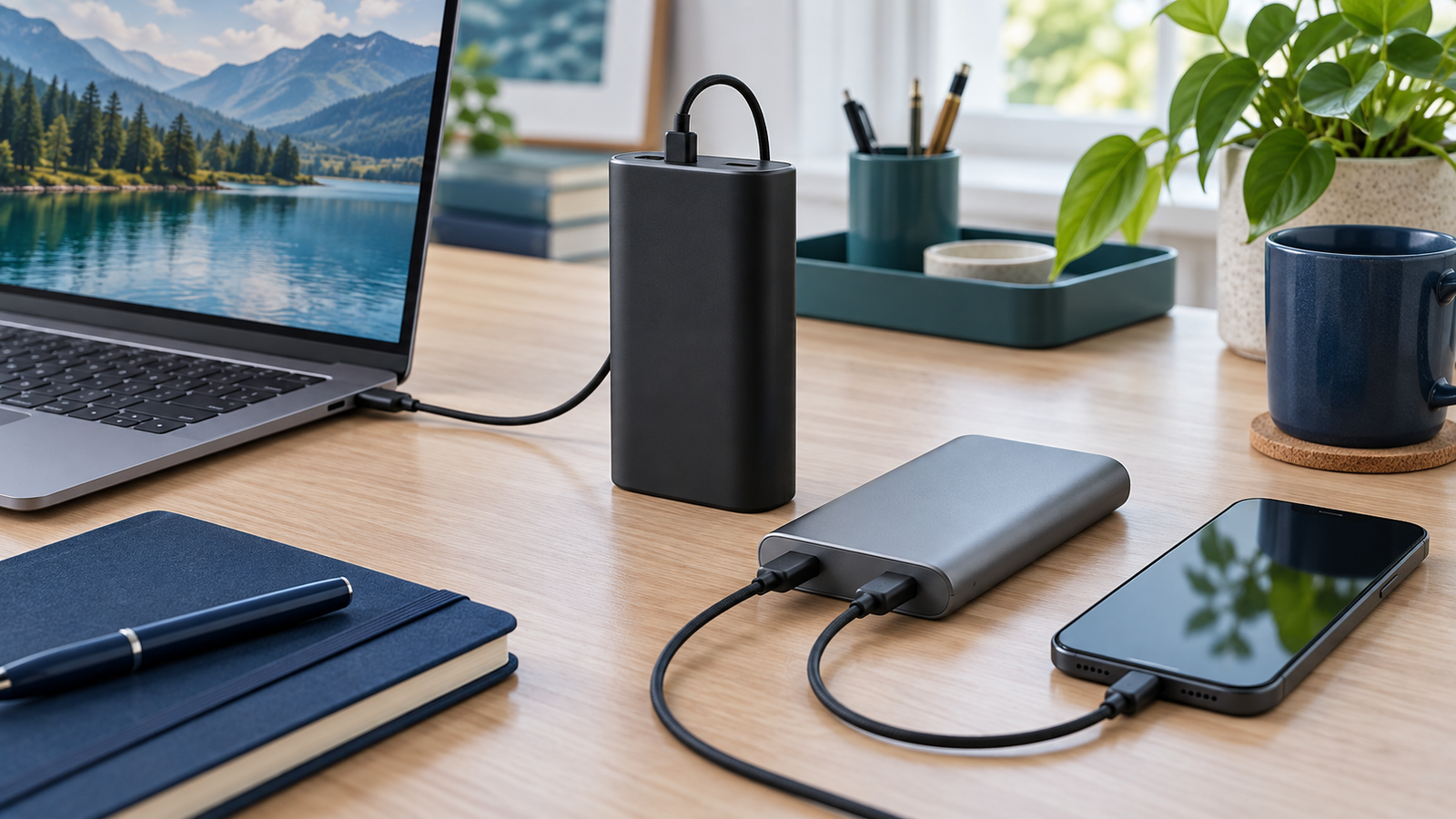
Anker advertises a dual-USB-C recharge arrangement with a higher combined input ceiling than its single-cable arrangement. That makes the input specification worth investigating when short charging stops are part of your day. However, it also means the wall charger, available ports and cables are part of the purchase decision.
A charger that splits its output when two cables are connected may not provide the arrangement you expected. Read its own port-sharing table before assuming you can use the battery’s maximum input. Budget for any missing accessories and ask whether using both charging ports is convenient in the places where you normally refill the pack.
Someone recharging during a long evening may gain little practical value from the more elaborate setup. Someone with brief stops between work sessions may value it more. We have not timed full recharges and do not turn peak input into a promised refill duration. Allow scheduling margin, especially when an unfamiliar outlet or shared charger is involved.
Complete-kit cost is the useful price
The standalone battery price is only the starting point. Add any cable, wall charger or base needed for the arrangement you actually want to use. Then remove the imagined value of accessories that duplicate equipment already in your bag. A bundle can be useful without being the cheapest way to build your particular setup.
Use the same checklist for both products: required laptop cable, phone cable, wall adapter, carrying space and seller support. If UGREEN works with the accessories you already own while Anker requires a new charger to deliver the benefit you want, include that difference. Conversely, do not buy extra equipment merely to chase a maximum you rarely need.
Anker’s app and display functions may add convenience for some readers, but evaluate them against your own habits. A feature that makes the battery easier to monitor can be useful; it does not establish better usable energy or charging speed. Decide which daily inconvenience the feature removes before treating it as a reason to pay more.
Amazon and Walmart: compare available matching offers
No matching live Amazon and Walmart checkout totals were verified for this article. The buttons open searches, not confirmed identical product offers, and there is no declared cheapest store. Results may include accessories, a different capacity, a wall charger or an older version. Confirm the exact item before comparing a displayed amount.
Record the seller, selected version, condition, included accessories and delivered total. Use the same address and include mandatory shipping and applicable tax. Count a coupon only when it applies to your account and chosen item. An out-of-stock reference price is not a deal you can buy and should not be used to promise savings.
Read the return terms attached to that particular offer. A used battery, a new battery and a bundle are different purchases even when the title contains the same product name. If one listing clearly identifies the unit and another does not, documentation and support can reasonably outweigh a small apparent discount.
Portability: check the shape in your actual bag
A powerful battery is useful only when you carry it. Measure the compartment where the pack will travel and include space for the required cables and charger. Product shape can matter as much as a headline capacity number. Consider where the battery will sit while charging so that the cable reaches without pulling on a connector.
A taller pack may suit one organizer while a flatter pack works better in another. We have not performed a comfort or durability comparison, so we do not assign a portability score. Compare the published dimensions of the exact version with your own bag rather than assuming a product photograph establishes a comfortable fit.
If you mainly work beside outlets, a suitable wall charger may address your daily problem more directly. If you regularly move between meetings without reliable sockets, portable reserve becomes more valuable. Decide where the battery will be used most often and avoid paying for an impressive travel setup that stays at home.
A simple decision before checkout
Choose a primary requirement and a secondary preference. For example, the primary requirement might be two documented laptop outputs; the preference might be a convenient display. Or the requirement might be enough reserve for one commute, with the preference being a lower complete-kit cost. This prevents optional features from obscuring the reason you are buying.
Choose Anker when its documented output arrangement or recharge system provides a benefit you expect to use regularly and the complete kit is worth the premium. Choose UGREEN when its verified version meets your connection and reserve requirements at a better total cost. If the available documentation cannot establish compatibility, keep shopping rather than guessing.
After delivery, compare the label and included accessories with the saved order. Test the actual device combination while the return window remains open. If something behaves unexpectedly, record the laptop, cable, ports and approximate battery level, then contact support with those details. Changing one part of the setup at a time makes the issue easier to identify.
Related comparisons and buying guides
Read the Anker Prime 250W review and UGREEN 145W review for more product context. If you are deciding between Anker sizes, see Prime 200W vs 250W. For the smaller Anker alternative against UGREEN, use Prime 200W vs UGREEN 145W. Cable shoppers can also read our USB-C charging cable vs data cable guide.
Frequently asked questions
Does Anker supply 250W to one laptop?
No. The total-output figure describes combined output. Check the individual USB-C rating and the connected device’s requirements.
Will Anker charge every laptop faster?
No. A larger total budget does not establish faster charging through one connection. We have not performed a matched speed test.
Is UGREEN’s single-port rating always 140W?
Do not assume that from the name alone. The current US table lists that rating, but introductory copy conflicts. Check the actual unit’s label and manual.
Does the capacity gap prove longer runtime?
No. Advertised mAh arithmetic cannot establish a measured usable-energy or laptop-runtime advantage.
Which retailer is cheapest?
Matching current checkout totals were not verified. Compare the same version, condition, package and final delivered cost.
Is this a hands-on review?
No. It is a specification-based comparison and practical buying analysis. We have not measured sustained output, usable energy or recharge times.
Buying verdict
Pay for Anker’s premium capabilities when they solve a documented requirement in your setup. Choose UGREEN when its verified version already covers the job and the complete kit offers better value. A correctly matched battery with clear seller support is more useful than the biggest headline number.
Anker Prime 250W A1340
Match the exact version and package before comparing final cost.
Search Amazon offersSearch Walmart offersUGREEN 145W 90597A
Match the exact version and package before comparing final cost.
Search Amazon offersSearch Walmart offersAbout the author
Daniel Carter — Charging Technology Researcher. This guide combines manufacturer documentation with practical purchasing analysis. Recommendations are editorial judgments; no hands-on test results or verified retailer savings are claimed. Updated October 23, 2026.