Qi2 vs MagSafe: Which Wireless Charger Should You Buy?
Find the right charging setup for your phone, desk and travel bag.
As an Amazon Associate I earn from qualifying purchases. We may also earn a commission through other affiliate links, at no extra cost to you.
Qi2 vs MagSafe: quick answer. Choose by your exact phone, charger model and power adapter. Qi2 certification gives you a useful way to verify wireless charging compatibility. MagSafe identifies Apple’s magnetic accessory ecosystem, but the name alone does not tell you charging speed. A compatible 15W station can be a sensible bedside purchase; paying more for 25W makes sense only when your phone and the complete charging setup support it.
A magnetic charging stand can look perfect in a product photo and still be the wrong purchase. Perhaps its phone pad supports a different power level than you expected. Perhaps the wall adapter is missing. Or perhaps the watch module does not support the watch you actually own. This guide helps you check those details before choosing between Qi2 and MagSafe.
How this guide was prepared: This is a buying framework based on Wireless Power Consortium and Apple documentation, checked November 6, 2026. It is not a hands-on speed, temperature or durability test. Product links below open retailer searches; match the model number, seller and bundle before buying.
Start with the charger shape you need
For a permanent desk, compare an upright station. For a travel bag, compare a foldable station or a small puck. The certification decision comes next: confirm that the exact model supports the charging mode your phone can use.
Browse Qi2 charger listingsCompare Walmart listingsRetailer prices, stock, sellers and included accessories vary. Compare the complete checkout cost rather than assuming that one store is cheaper.
Qi2 vs MagSafe: the differences that matter
| Buying question | Qi2 | MagSafe |
|---|---|---|
| What does it describe? | A WPC wireless charging certification ecosystem using magnetic alignment. | Apple’s magnetic accessory and charging ecosystem; check the exact accessory’s specification. |
| Does the label mean 25W? | No. Original Qi2 is associated with up to 15W; Qi2 25W is a separate newer tier. | No. Different charger generations and phone pairings have different limits. |
| How should you verify it? | Find the exact product in the WPC certified product database. | Read Apple or the accessory manufacturer’s model-specific compatibility information. |
| Does it charge every watch? | Phone certification does not establish watch compatibility. | A magnetic phone puck does not establish watch compatibility either. |
| Best purchase filter | Certification, phone support, adapter and physical fit. | Exact model, phone support, adapter and physical fit. |
These columns overlap. A current Apple MagSafe Charger can also carry Qi2 25W certification. Treating Qi2 and MagSafe as two completely separate physical connector types makes shopping harder than it needs to be. Instead, ask what the specific device combination supports.
What Qi2 certification tells you
The Wireless Power Consortium introduced Qi2 with a Magnetic Power Profile based on technology contributed by Apple. Magnets help the phone and transmitter align. Certification also provides a model-specific record that you can check, rather than relying entirely on a retailer title. See the WPC explanation of the original Qi2 profiles.
The original Qi2 tier supports up to 15W. WPC later introduced Qi2 25W, branded from Qi v2.2.1. Those are capability ceilings for compatible combinations, not a promise that every phone will receive that power throughout a charging session. The WPC standard overview distinguishes these tiers.
A practical verification routine takes only a few steps. Find the manufacturer’s model number, look for that model in the certification database, and compare it with the listing you intend to buy. Similar-looking products can belong to different generations. Keep a screenshot or copy of the seller’s stated bundle so you can compare the item that arrives.
Use the WPC certified product database for this check. Search by model or manufacturer, and inspect the listed power profile and load power. A familiar logo in a marketplace image is a starting point, not the end of verification.
What MagSafe means when you are shopping
MagSafe appears across phone cases, stands, wallets, charging pucks and complete charging stations. Some of those accessories do not charge anything. A magnetic attachment claim therefore cannot, by itself, establish wireless charging output or certification. Read the charging specification separately from the description of how the phone attaches.
Apple currently describes its MagSafe Charger as supporting up to 25W with a compatible phone and an appropriate adapter, and lists Qi2 25W certification. This does not make an older MagSafe station a 25W product. Check the exact generation in Apple’s current MagSafe Charger specification.
When a listing says “MagSafe compatible,” ask what the seller means. Does it mean that a phone with a magnetic case sticks to the stand? Does the product have documented charging support for your exact phone? Is it a holder that requires you to supply a separate puck? Those are different purchases even if the photos look almost identical.
15W vs 25W: should you pay for the upgrade?
Start with your routine. If the phone spends several hours on a nightstand, a reliable, well-fitting 15W station may already solve your problem. If you frequently top up between appointments, a compatible higher-power option deserves a closer look. The useful comparison is the additional cost against a benefit your own phone can actually use.
Do not calculate a full-charge time by dividing one advertised wattage by another. The headline is a peak capability, while battery charging behavior changes over a session. Without a controlled test of your phone, case, adapter and charger, a precise time-saving claim would be guesswork.
Also compare the upgrade against using the wired charger you already own. Buying another wireless station is worthwhile when the convenience matters to you. If your main goal is simply getting a quick top-up before leaving home, check your phone manufacturer’s wired charging guidance before spending more.
Keep these numbers separate: A station’s wall-adapter rating, its advertised total output and the phone pad’s maximum output describe different things. A 40W adapter does not make a 15W phone pad deliver 40W. On a multi-device station, look for the simultaneous-output specification for the phone, watch and earbuds together.
Check the complete charging chain before checkout
1. Match the exact phone
Write down your phone’s full model name, then read its manufacturer’s charging specifications. Do not substitute a review of a similar model. Even devices in the same family can have different wireless capabilities. If an accessory’s compatibility list does not name your phone, get clarification from the manufacturer before treating it as a guaranteed match.
2. Match the charger generation
Copy the charger model number from the listing. Search results often mix older 15W stations, newer 25W versions, refurbished products and accessories that only hold a charging puck. A title containing both Qi2 and MagSafe is not enough to identify which one you will receive. Check the box contents and specification section.
3. Check the adapter and cable
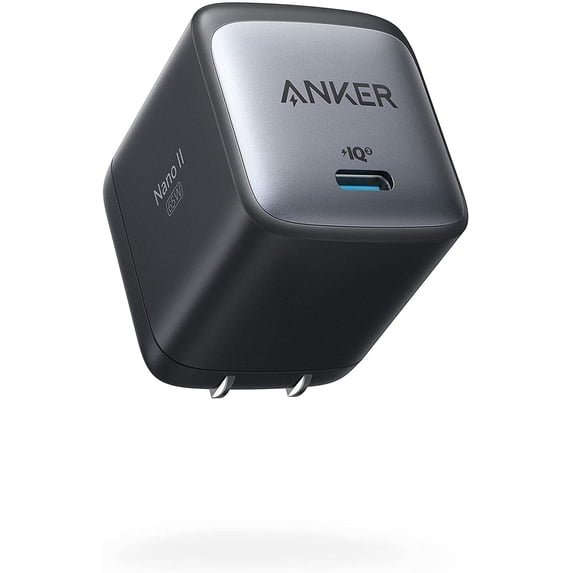
A USB-C socket does not tell you every input requirement. Follow the station’s recommended adapter specification, including any stated power-delivery profile. Check whether the adapter and cable are included, and whether your existing adapter can supply the required output from the port you intend to use.
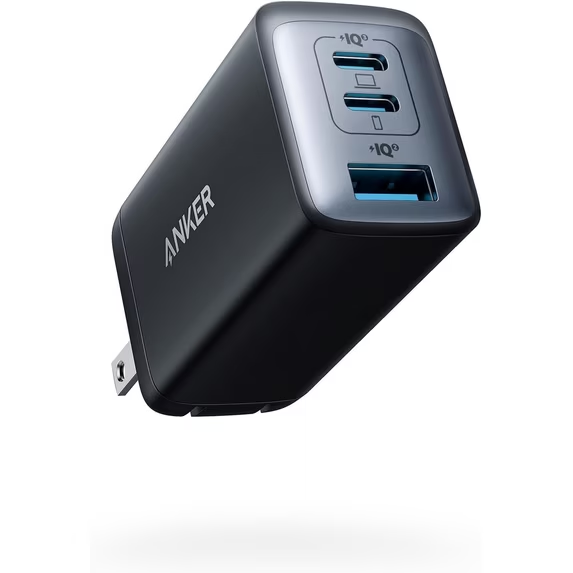
This matters particularly when a wireless station shares a multi-port wall charger with a laptop. The wall charger’s available output can change as devices connect. Our guide to multi-port charger power sharing explains what to check before assuming that the wireless stand has failed.
4. Check the case and physical fit
Follow the accessory manufacturer’s case guidance. A thick case, wallet, grip or camera surround may change how the phone sits on a particular stand. A case with a magnetic ring can help attachment, but it does not automatically upgrade the phone’s supported charging protocol or power limit.
5. Check watch and earbud support separately
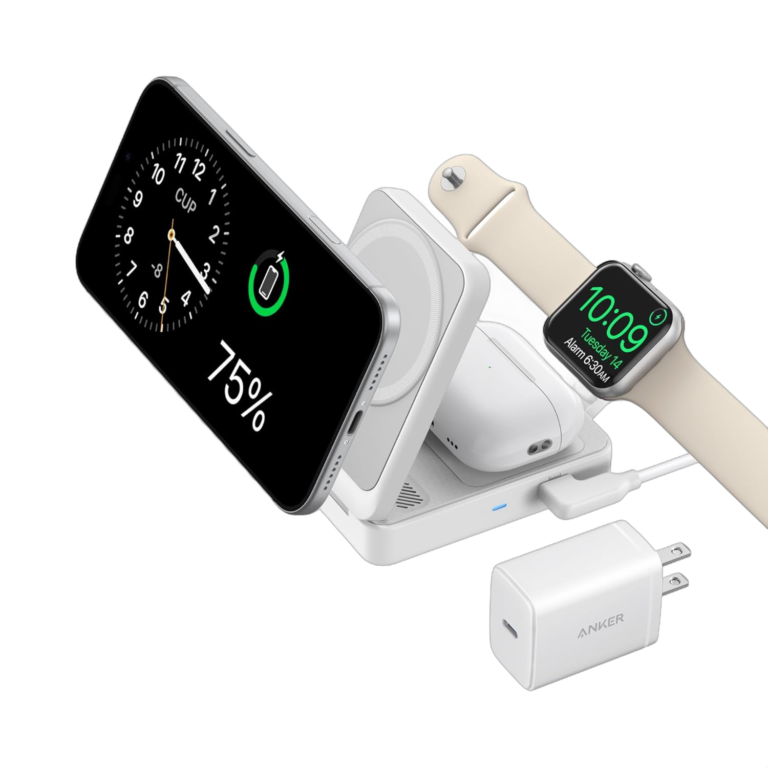
A three-in-one station is three compatibility decisions in one package. Confirm the phone pad, the watch module and the earbud charging area. Check that the earbud case supports wireless charging, and verify whether the watch module offers the feature you want for your exact watch model. Count useful charging positions, rather than assuming every pad fits every device.
Three station styles worth comparing
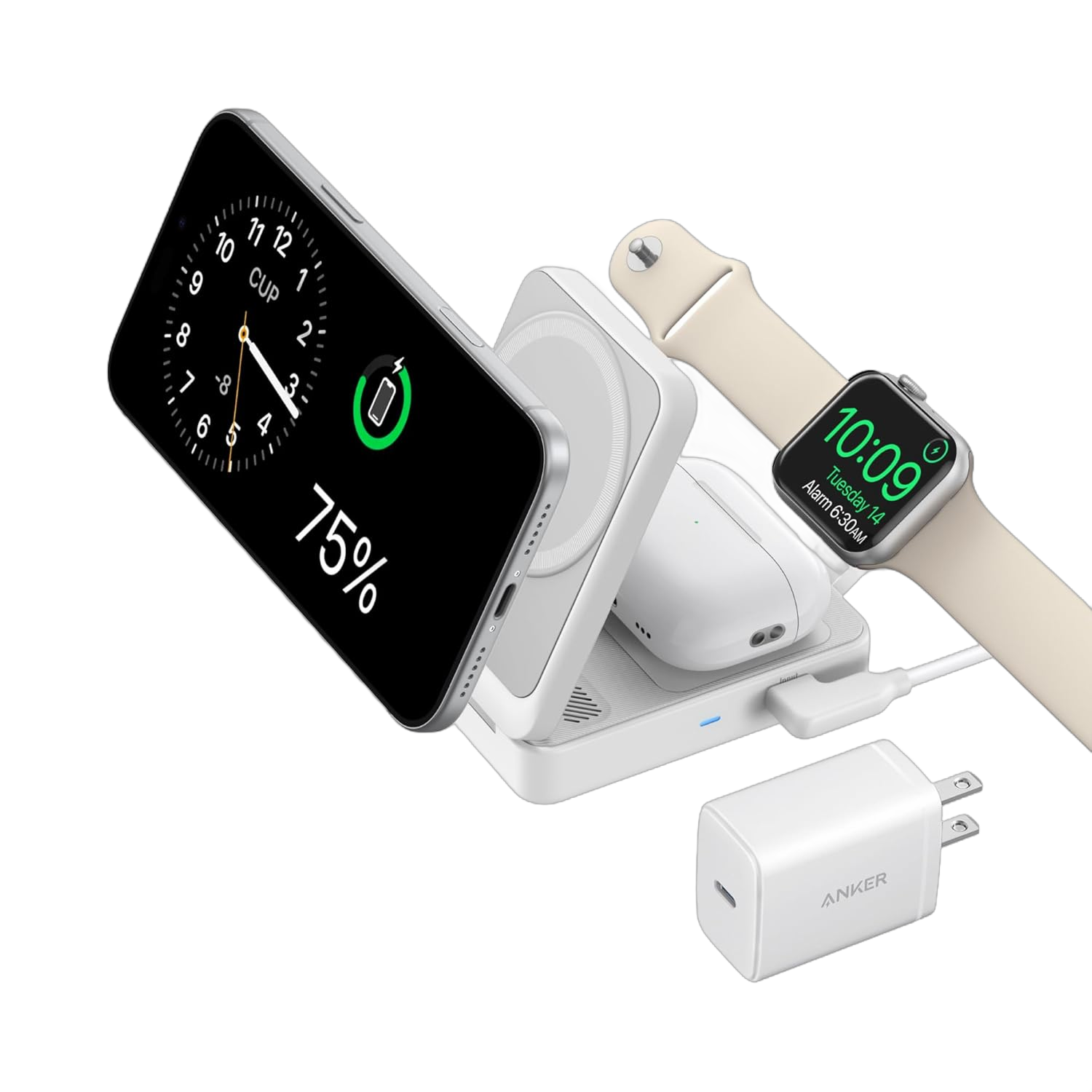
A foldable Qi2 station for a travel bag
Choose this shape when you want to pack one coordinated phone, watch and earbud station. Check its folded dimensions, the adapter’s size and whether it stays stable with your phone attached. A compact station still needs its power accessories, so judge the whole kit rather than the stand alone.
The Anker MagGo A2557 review walks through one foldable option already covered on MultiChargers. Use it to check whether that model’s compromises suit your routine, then compare the exact retailer bundle.
Check Anker A2557 listingsCompare Walmart listingsAn upright station for a desk or nightstand
Choose an upright layout when you leave the charger in one place and want the phone visible. Before purchasing, consider the screen angle, space around the watch arm and whether you can remove the phone comfortably. Check cable routing behind the desk, especially if the nearest socket is far away.
Our Belkin WIZ023 review covers an upright station. If you are deciding between a fixed stand and a compact cube, use the Belkin WIZ023 vs Anker Cube Y1811 comparison to focus on the layout tradeoff rather than buying on the logo alone.
A cube or puck for a smaller footprint
A cube can suit a crowded desk; a puck can suit someone who only needs phone charging. Check whether the apparent simplicity adds extra pieces elsewhere, such as a separate watch cable or an additional adapter. Fewer visible components in the product photo do not always mean fewer components in your bag.
Read our Anker 3-in-1 Cube Y1811 review for a model-specific look. The A2557 vs Y1811 comparison is useful if your decision is mostly about how a charger folds and sits on the desk.
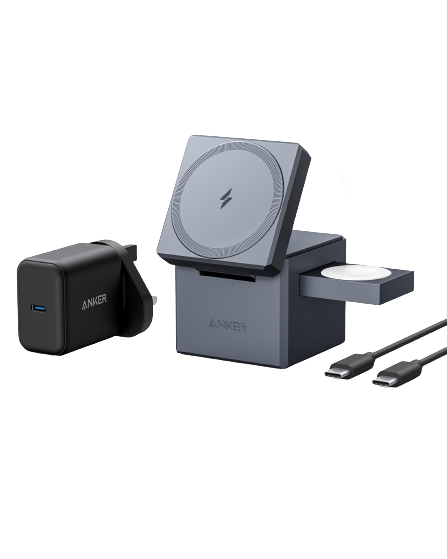
Amazon vs Walmart: compare the same complete bundle
Open both stores and match the model number before comparing the price. Then check condition, seller, included adapter, cable, return terms and shipping. Record both totals at the same time. A lower listing price can disappear once you add the missing power adapter or select the correct version.
Marketplace search pages can show sponsored products and unrelated models. Our retailer buttons deliberately say “listings” or “compare” because the destination is a search, rather than a verified single-item offer. Choose the correct item on the store page and recheck the specification before paying.
No live price winner is claimed in this guide. If two complete bundles cost about the same, favor the one with clearer compatibility information and return terms you can use. If your current station already works well, keeping it is a reasonable choice; a newer label alone is not a reason to replace it.
Who should buy which option?
- Keeping a phone on a desk: prioritize stability, screen position and confirmed compatibility.
- Charging overnight: prioritize a dependable complete kit and a layout that fits your bedside space.
- Traveling with three devices: compare the folded station, adapter and cable as one packed kit.
- Seeking higher wireless power: confirm the supported tier for the phone, charger and adapter together.
- Buying for several phone brands: verify each exact device; do not assume magnetic attachment proves shared charging speeds.
The best choice may therefore be a Qi2-certified MagSafe charger, a third-party Qi2 station or an existing accessory you already own. The decision should come from the complete setup and the way you use it. For portable charging away from a socket, see wireless vs wired power banks before choosing a wall-powered station.
Frequently asked questions
Is Qi2 the same as MagSafe?
They overlap, but the names describe different ecosystems. Qi2 is a WPC certification framework; MagSafe is Apple’s magnetic accessory ecosystem. A charger can support both. Verify the exact product rather than assuming either name determines its speed.
Does every Qi2 charger support 25W?
No. Original Qi2 and Qi2 25W are distinct tiers. Look for the exact certification and model specification, then confirm that your phone supports the corresponding charging mode.
Will a magnetic case make my phone charge at 25W?
Do not assume so. A case can affect attachment and alignment, but the phone still needs the appropriate charging support. Follow the phone and accessory manufacturers’ compatibility guidance.
Can a three-in-one station charge any smartwatch?
Check the watch module separately. Phone-pad certification does not establish watch support, and a compatible watch still may not receive every charging feature available on another station.
Is a 25W wireless charger always worth more?
Only if its supported capabilities and design solve a problem for you. Compare the complete kit cost and your charging routine. Someone leaving a phone on a stand for hours may value stability and convenience more than a higher peak number.
Should I choose a wired charger instead?
Consider wired charging when your priority is a quick top-up, fewer compatibility variables or using accessories you already own. Check your phone’s documented wired requirements. Wireless charging is most compelling when its convenience improves your daily routine.
Before you buy: the final five checks
- Confirm the exact phone and its supported wireless charging tier.
- Match the charger model to its specification and certification record.
- Check the required adapter, cable and simultaneous-output details.
- Verify the case, watch and earbud compatibility separately.
- Compare the complete bundle and return terms at checkout.
If you can answer those five questions, you have a stronger basis for choosing a charger than a headline wattage or a magnetic logo. Start with the shape that fits your desk or travel bag, then pay for the charging capability your actual setup can use.