
Anker MagGo A2557 Review: Is This Foldable Qi2 Charger Worth It?
FOLDABLE QI2 CHARGING STATION
A travel-friendly charging setup for your Apple devices
This Anker MagGo A2557 review explains when its folding design makes sense, which devices to check and how to compare the complete package.
Quick verdict: Consider the A2557 if you regularly pack charging gear for a compatible iPhone, Apple Watch and wireless earbud case. The compact folded shape is its main buying argument. For a phone alone, or a desk that also needs laptop power, compare simpler or more suitable charging options first.
Affiliate disclosure: As an Amazon Associate, I earn from qualifying purchases. This article also contains Walmart affiliate links; we may earn a commission at no extra cost to you. Prices and availability change.
Check the A2557 foldable 3-in-1 model
Check Amazon optionsCheck Walmart optionsRetailer search links. Confirm the model number, U.S. power adapter, included cable and seller. A live Amazon-versus-Walmart price winner has not been verified.
Review method: This is a specification-based editorial assessment using Anker documentation checked November 4, 2026. We have not bench-tested the product. No measured charging times, thermal results or long-term durability claims are presented.
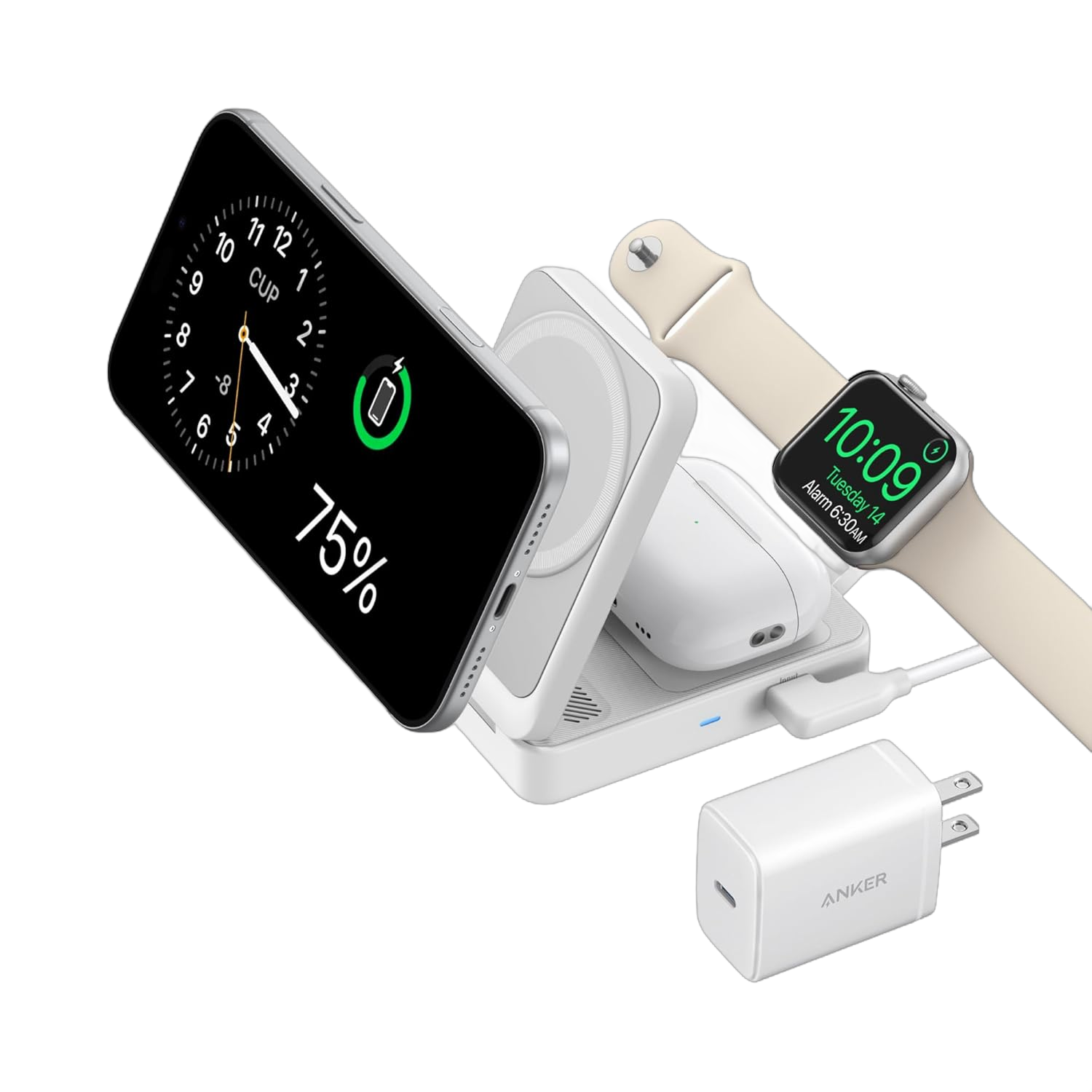
Anker MagGo A2557 review: specifications that matter
| Buying factor | Published specification |
|---|---|
| Exact model | A2557, MagGo Wireless Charging Station, Foldable 3-in-1 |
| Phone charging | Qi2 magnetic charging, up to 15W |
| Apple Watch area | Up to 5W; watch-specific charging support applies |
| Wireless earbud area | Up to 5W for a compatible wireless charging case |
| Recommended adapter | Included 40W USB-C Power Delivery charger |
| Folded dimensions | 89 × 60 × 25 mm |
| Published weight | 195.6 g |
| Power source | External USB-C power; no internal battery |
Wireless output limits and the wall adapter rating describe different things. The adapter’s wattage does not mean that the phone receives that amount. Actual charging depends on the device, alignment, battery level, temperature and input power.
The main reason to buy it: a repeatable travel routine
A travel charging station earns its place when it makes a recurring task easier. If you unpack three separate charging connections every evening, a dedicated station may reduce setup effort. The folding design is useful when the same gear moves between a bedside table, office and hotel.
Compare the complete kit rather than the folded station alone. You still need its power adapter, cable and any appropriate travel plug adapter. If you already carry a compact adapter and neatly organized cables, the improvement may be convenience rather than a major reduction in luggage.
Before purchasing, picture the open setup on your usual surface. The phone, watch band and earbud case each need accessible space. A very small shelf or crowded hotel nightstand can make a folding station less convenient than its closed dimensions suggest.
Three device checks before checkout
1. Match your exact iPhone and case
Look up your specific phone rather than assuming every iPhone supports the same magnetic charging experience. Anker’s compatibility lists cover multiple iPhone generations, but a family name alone can hide differences between variants. Confirm the exact model if it lacks built-in MagSafe or is newer than the documentation you are reading.
Use a compatible magnetic case. Anker advises against thick or non-magnetic cases and objects between the phone and charging surface. Remove card holders, metal attachments and grips that interfere with positioning. Check that charging starts after placing the phone.
2. Check the Apple Watch and its band
The watch module’s presence does not guarantee the same charging speed for every watch. Anker advertises Apple Watch fast charging, but your watch must support the relevant mode. Confirm support for the exact generation if fast charging is central to your purchase.
Band shape also affects placement. Anker notes that larger watches and non-detachable or stiff bands may require adjusting or raising the module for alignment. Consider whether you want to make that adjustment every day, especially if the charger will sit close to a wall or bedside lamp.
3. Confirm that the earbud case charges wirelessly
Check the case version, not just the earbuds’ product name. The earbud area is intended for a compatible wireless charging case; placing a cable-only case there will not add wireless capability.
Cases can look similar while supporting different charging methods. Read the case specification or manufacturer support page, then verify the charging indicator during use. Do not assume the earbud area doubles as a second magnetic phone stand.
Use the right input power
Anker recommends the supplied 40W USB-C PD adapter. If you use a replacement, match the station’s documented requirements rather than choosing any charger with a USB-C socket.
This matters when connecting a multi-port adapter. A large headline total may be shared across several devices, so the port powering the station may receive less after you plug in a laptop or tablet. Anker specifically warns that insufficient input can leave some charging modules inactive.
Read our explanation of multi-port charger power sharing if you plan to run the station from a shared adapter.
What this review cannot tell you about speed
Manufacturer wattage ratings help identify capability, but they do not provide an independently measured full-charge time. We have not tested the A2557 against competing stations, so there is no claimed winner for temperature, charging efficiency or time to a particular battery percentage.
For quick daytime top-ups, compare your phone’s supported wired charging setup. For a longer bedside charging session, the convenience of placing several devices in one spot may be more valuable. Choose around your routine instead of treating a peak rating as a promise of sustained speed.
A2557 versus a Cube or permanent bedside stand
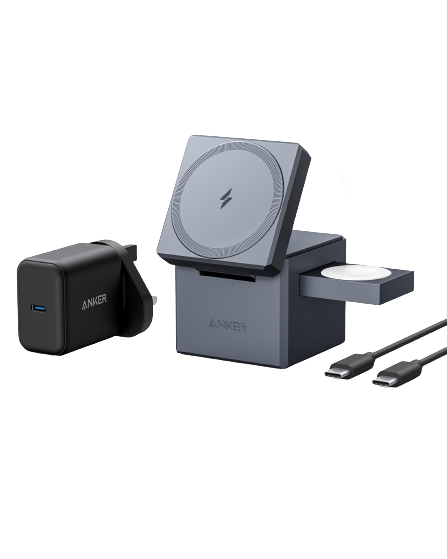
Our Anker Cube Y1811 review covers the original MagSafe Cube. It is a different model with different power requirements. Compare the open layout and complete travel kit before assuming one shape is easier to pack.
For a station that mostly stays beside the bed, the Belkin WIZ023 review offers another design to consider. A folding feature has less value if you never fold or move the charger.
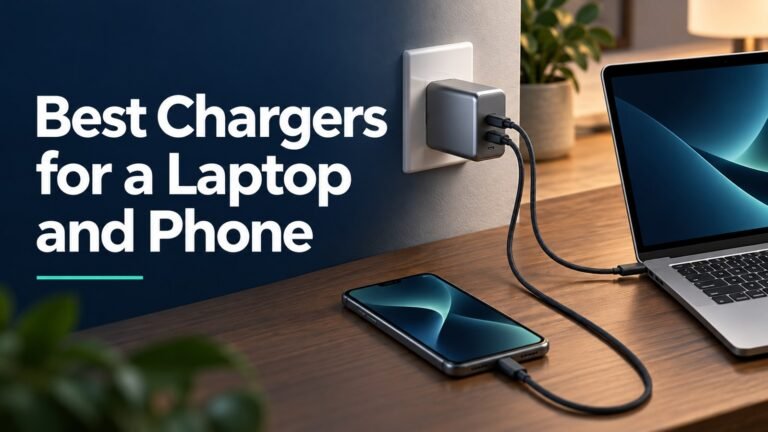
If your main need is charging a laptop and phone together, start with our USB-C laptop-and-phone charger guide. This wireless station does not replace a laptop charger or data dock.
Amazon vs Walmart: compare matching packages
Search for A2557 and check that the listing shows the foldable three-device station. “MagGo” appears across several Anker products, including power banks and other charging stations. Check model details, not just the brand and shape.
Compare the delivered total, seller identity, return window and warranty eligibility. Confirm whether the power adapter and USB-C cable are included and suitable for your region. An incomplete bundle may require another purchase before the station works as intended.
The retailer buttons are search links. We have not verified current stock or claimed either store is cheaper. Open the results, match the exact package and choose an offer with clear seller and return terms.
Who should buy the A2557, and who should skip it?
The strongest buyer is someone who uses all three charging positions regularly and values an orderly routine. Imagine arriving at a hotel with a nearly empty phone, a watch that needs charging before morning and an earbud case you want ready for the journey home. A dedicated place for each item can make unpacking simpler. That is a practical reason to choose a station even when separate cables already work.
A less convincing buyer owns only one compatible device, rarely travels or already has a bedside setup that works comfortably. In that situation, write down the specific inconvenience you want to solve before spending money. If the only answer is that the station looks attractive, treat the purchase as a preference rather than an essential charging upgrade. It will not turn incompatible accessories into compatible ones.
Households with mixed devices should make a short inventory first. List the exact phone, watch and earbud case for the person who will use the station. Do not count a charging position as useful merely because someone in the house owns that type of device. A shared station also needs to be in a place where the relevant devices actually spend the evening.
A practical first-week setup checklist
Start at home before taking it on a trip
Unpack the complete kit and keep the packaging until you have checked the items and the return terms. Choose an open, stable surface near an accessible outlet. Route the input cable so that moving a phone or reaching for a bedside item does not pull the station toward the edge. These checks are useful for any compact charging setup.
Connect the supplied power equipment and add one device at a time. Confirm the charging indication on the phone, then on the watch and finally on the earbud case. This sequence helps you identify which position needs attention if something does not begin charging. It is an initial function check, not a way to measure output wattage or certify charging speed.
Try the setup you will actually use
Repeat the placement check with your everyday phone case and watch band. A setup that works only after removing accessories may still suit you, but consider whether you will do that every evening. Practice retrieving the phone without disturbing the other devices. Check that the cable has enough comfortable reach from your outlet to the intended surface.
Before your first journey, pack the station, adapter and cable together and try setting them up again from the bag. This small rehearsal reveals missing accessories and awkward cable routing while you still have time to fix them. Keep a suitable wired charging option available if you depend on a device during travel; do not discover an incompatible case on arrival.
Judge value by the problem it solves
Compare the purchase against your existing routine rather than against a discount percentage alone. Someone who sets up three charging connections several nights each week may value the organization more than someone who travels once a year. Conversely, an occasional traveler may prefer to keep the charging equipment they already own and spend their budget elsewhere.
A useful comparison is the total cost of the complete setup you need. Include any missing adapter or cable in an alternative offer, but do not assume that accessories are missing without reading its contents list. Also compare the return process: an inexpensive offer is less useful if the package is unclear or the seller cannot answer a basic model question.
Finally, separate convenience from performance. Fewer loose charging connections can be valuable without proving that a station charges faster, runs cooler or lasts longer than a competitor. Those claims require comparable testing. Our recommendation rests on the documented device support and folding design, together with the buying and setup checks above, rather than an invented laboratory score.
Frequently asked questions
Is the A2557 a power bank?
No. It needs an external power source and does not store energy for use away from an outlet.
Does the 40W adapter deliver 40W wirelessly to the phone?
No. The adapter’s input capability and the station’s wireless output ratings are separate specifications.
Can I use another USB-C adapter?
Use one that meets Anker’s documented requirements. A connector that fits does not establish adequate power, particularly when other ports share the adapter’s output.
Will it work with every AirPods case?
No. Verify that your exact case supports wireless charging. The earbud model name alone is not enough.
Should I buy it for a phone alone?
Compare a single-device charger first. The additional charging areas make the most sense when your regular routine uses them.
Final recommendation
Buy the A2557 for a compatible three-device setup that travels regularly. Its main value is the folding layout and consistent placement for your phone, watch and earbuds. Confirm the exact devices, case and complete package before paying for features you may not use.
Compare the complete A2557 kit
Check the model, power adapter, seller and delivered total.
Check Amazon optionsCheck Walmart optionsSources and verification
Anker documentation checked November 4, 2026. Product image: Anker. This review evaluates published information and practical buying tradeoffs.


2 Comments