Can I Use a 100W Charger for a 20W Phone?
As an Amazon Associate, MultiChargers earns from qualifying purchases. Product listings, prices, and specifications may change; we have not tested a specific product for this guide.
Can I Use a 100W Charger for a 20W Phone?
A 100W label describes what a charger can offer to a compatible device. It does not mean your phone receives 100W. Here is how to check the protocol, port, cable, and real charging speed.
By Daniel Carter · September 2026
Yes. You can generally use a reputable, compatible 100W USB-C Power Delivery charger with a phone that normally uses a 20W charger. The phone and charger negotiate an available power mode, and the phone controls its own charging. The 100W rating is a maximum capability, not a constant amount forced into the phone. Actual charging may be around the phone’s supported rate, lower because the charger lacks the right profile, or lower as the battery fills and warms. Check the phone maker’s instructions and charger specifications.
It is common to own a powerful laptop charger and a smaller phone adapter. Taking one charger on a trip feels simpler, but the numbers on the two labels can make the arrangement seem risky. The key is to separate capacity from delivered power. A 100W charger can have enough capacity for a laptop; it does not deliver that full capacity to every device attached to it. The following checks will help you decide whether your particular charger gives your particular phone a suitable charge.
What does “100W charger” actually mean?
Wattage measures electrical power. A charger advertised as 100W can offer up to that amount under its specified conditions, often through a particular USB-C port when it is used alone. It does not necessarily offer 100W on each port. A two- or three-port charger may share a 100W total budget, changing the allocation when another device is connected. Read the output table printed on the adapter or listed in its manual; marketing shorthand rarely tells the whole story.
USB-C Power Delivery works through a communication process between the source and the device. The source advertises supported power options and the device requests an option it can use. USB-IF describes the approach as allowing devices to negotiate only the power they require. The phone’s own charging circuitry then manages its battery. A compatible high-capacity adapter is therefore useful for smaller devices as well as laptops. A charger that is poorly made, damaged, or incorrectly specified is a separate concern; wattage alone does not establish safety or quality.
For example, a charger may advertise 5V at 3A, 9V at 3A, 15V at 3A, and 20V at 5A. The last pair gives the headline 100W (20 × 5), but a phone seeking a suitable 9V option would not receive the 20V laptop mode merely because it exists. The actual profile depends on both devices and, in some cases, the cable. This example is illustrative; consult the exact output label of the charger you own rather than assuming every 100W product uses those options.
Will the 100W charger make a 20W phone charge faster?
Usually, the larger number alone does not make the phone charge faster. A phone supports particular charging modes, and its battery management system changes the rate throughout a charge. If its normal fast-charge setup calls for a 20W-class USB-C PD adapter, moving to a 100W adapter with matching modes may provide a comparable result. A phone can briefly draw a different amount from the nominal adapter rating, so “20W phone” is a convenient description rather than a universal fixed electrical limit.
Apple’s fast-charge guidance specifies a sufficiently powerful USB-C adapter supporting USB Power Delivery for compatible iPhones; Apple also says higher-wattage USB-C adapters can be used with relevant USB-C iPhones. Exact charging performance varies by iPhone model and conditions. Samsung’s super-fast-charging guidance similarly makes compatibility depend on the phone, USB PD/PPS support, and the cable. A charger can have 100W available for a laptop yet fail to provide a phone’s preferred fast-charge protocol. In that case the phone can still charge, but not necessarily at its fastest supported rate.
Battery percentage affects the result too. Phones typically charge more rapidly during an earlier part of the cycle and reduce current later to manage heat and battery condition. A device under heavy use can consume part of the incoming energy. Temperature, cable condition, a case trapping heat, and device battery settings can affect what you observe. Compare chargers from a similar starting percentage, with the same phone and cable, if you want a useful practical comparison.
| Setup | Likely result | What to verify |
|---|---|---|
| 20W-class USB-C PD charger | Fast charging when the phone supports its available PD mode. | Phone model and adapter output. |
| 100W USB-C PD charger, phone-friendly output | Usually similar phone-limited speed, with capacity left for other uses. | PD/PPS profiles, port used, and cable. |
| 100W multi-port charger with laptop connected | Phone speed depends on the simultaneous-output split. | Two-port power allocation chart. |
| 100W proprietary charger without a suitable standard mode | May fall back to a slower charge. | Documented USB PD output, not only the headline number. |
Five compatibility checks before you plug in
1. Check the phone’s charging specification
Look up the exact model on the manufacturer’s support page. Confirm whether it accepts USB-C Power Delivery, whether it supports Programmable Power Supply (PPS), and whether the maker specifies a particular cable for its fastest mode. Avoid assuming every phone with a USB-C socket behaves alike. Some older or budget models limit input; some phones use proprietary charging methods that require a matching adapter and cable for their advertised speed.
If your phone uses Lightning, a suitable USB-C-to-Lightning cable may be required for PD fast charging. If it has USB-C, choose a suitable USB-C-to-USB-C cable. A connector that fits is necessary, but it does not prove that a particular fast-charge mode is available. Follow the phone maker’s current instructions for the model rather than a generic wattage claim.
2. Read the charger’s output modes
The small print may list multiple voltage/current pairs under “Output,” plus PPS ranges. Multiply volts by amps to understand a particular ceiling in watts. A 100W adapter’s high-power 20V mode is intended for devices able to request it; a phone may use another mode. Some laptop chargers have fewer options optimized for phones than a purpose-built multi-device charger. If the listing does not disclose output modes, use the maker’s specification sheet or choose a product with clear documentation.
Check whether “100W” is per-port or shared total output. The advertised number may apply only to USB-C1. USB-C2 or a USB-A port may have a lower cap even while nothing else is attached. If you change ports, the device may renegotiate and the observed charging message can change.
3. Match USB PD and PPS when relevant
USB PD is the widely used negotiation system for USB-C charging. PPS is an optional adjustable mode within USB PD that some phones use for a faster or more efficient charge. A charger that supports fixed PD modes but not a phone’s desired PPS range may still charge it. It may simply miss that phone’s fastest supported charging tier. Samsung describes its Super Fast Charging support in terms of compatible USB PD/PPS output and, for some higher tiers, a suitable cable. Check the maker’s model-specific requirements before claiming that a given 100W charger will enable a named charging mode.
Do not confuse a “PD 3.0” label with a guarantee of PPS. Look for PPS explicitly in the specification. Likewise, proprietary brand names on a charger do not prove compatibility with another brand’s phone. For more detail, see our PPS compatibility guide.
4. Use an appropriate, intact cable
For a 20W-class phone, a sound USB-C cable rated for ordinary USB-C charging is generally sufficient; a 100W or 240W cable marking by itself does not make the phone charge faster. The cable must have the correct connectors and meet any special requirement of the phone’s fast-charge mode. Higher-current laptop charging has different cable requirements. If you intend to use the same charger with a laptop, check the cable separately for that higher-power use.
Replace cables with exposed wires, bent connectors, scorch marks, or intermittent connections. A loose or damaged connector can create unwanted heat regardless of the charger’s headline wattage. Our e-marked cable explainer and 60W versus 240W cable guide explain when a higher-power cable matters.
5. Check the multi-port allocation chart
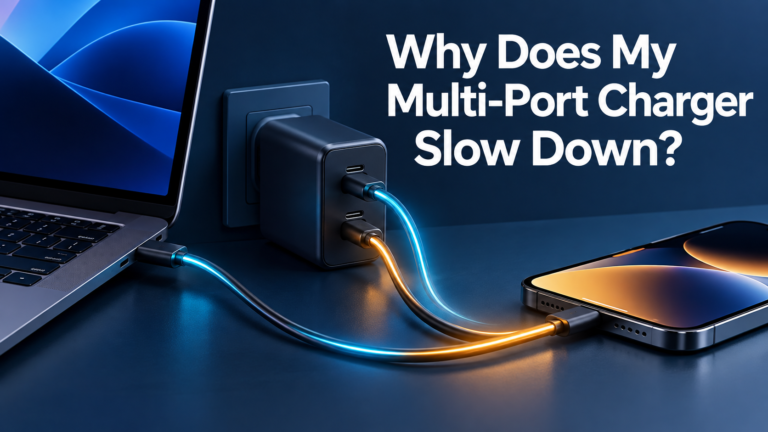
A laptop and phone connected together can make the charger divide its total output. One 100W model might offer a generous laptop-plus-phone split; another might reduce the phone port or laptop port more sharply. The outcome depends on that model’s internal design, which ports are occupied, and the connected devices. Read the two-port or three-port chart, not just the single-port maximum. Some chargers briefly interrupt output when a second device connects so both ports can negotiate again; a brief reconnection does not necessarily mean a fault.
Our multi-port slowdown guide explains the behavior. If your phone charges slowly when a laptop is added, test the phone by itself on the same port and cable, then compare the simultaneous-output specification. Do not assume the phone has suddenly become less compatible.
Is there a battery-health or overheating risk?
A compatible charger does not push its full rated 100W into a 20W-class phone. Charging control and the negotiated power mode are designed to prevent that simple “100W into 20W” scenario. This addresses the wattage mismatch; it is not a promise that every accessory with a 100W label is safe. Buy from a reputable maker, follow the device maker’s guidance, and inspect the adapter and cable for physical damage.
Warmth during charging can be normal. A phone may reduce charging power when it gets warm. Stop using the setup if a connector is visibly damaged, sparks, smells burnt, or becomes abnormally hot to the touch. Keep the charger and phone ventilated, especially during demanding tasks, and do not cover a hot adapter. Charging behavior can also be affected by the phone’s software settings, battery age, and ambient temperature.
A high-power charger can be convenient if you also charge a laptop or tablet. It is not automatically the best purchase for a phone alone: a smaller quality adapter may be lighter and less expensive, while offering the same practical phone charging rate. Compare the modes you need, the number of ports, portability, and clear manufacturer specifications. For the broader safety question, read can a higher-watt charger damage your phone?
Affiliate shopping link
Shopping for one charger for phone and laptop?
Look for documented USB-C PD output and PPS support where your phone needs it, a sufficient single-port laptop output, and a simultaneous-output chart that covers both devices. Check your devices’ manuals and cable ratings against the exact model listing. A generic 100W label alone is not a recommendation or compatibility guarantee.
Practical examples
One charger for a 20W phone and a USB-C laptop
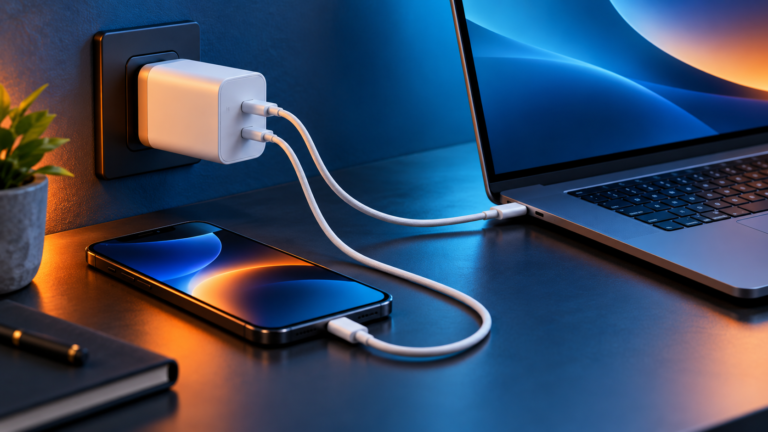
Suppose your laptop’s usual adapter is in the 65W class and your phone normally uses a 20W-class adapter. A 100W multi-port charger might cover both at once if its two-port chart provides suitable power on the laptop port and the phone port supports the phone’s preferred mode. A “100W total” label alone does not prove that split. A laptop under heavy use could need more input than the split provides even though the sum sounds adequate. Read the laptop’s recommended input, the charger chart, and the cable rating before replacing its original adapter.
A 100W charger used only with the phone
With one phone plugged in, the device will request a supported mode. You may see a fast-charge indication if the protocol and cable match. If it charges at an ordinary rate, check whether that port offers the required fixed PD or PPS profile, whether fast charging is enabled on the phone, and whether the phone is already nearly full or warm. Comparing a cold 20% battery with a warm 80% battery will tell you little about the adapters.
A charger advertised for a different phone brand
A proprietary headline such as “100W fast charge” may depend on that maker’s own device and cable. The same brick may offer lower standard USB PD output to another phone. A buyer should read the USB-C PD/PPS details, not treat the marketing number as universal. When in doubt, choose a charger with a clear standards-based output table and return policy.
Common mistakes to avoid
- Reading the 100W figure as forced input. It is an available maximum under defined conditions.
- Expecting a phone to charge five times faster. The phone and supported protocol set the practical limit.
- Ignoring the port chart. A multi-port adapter can change output when another device connects.
- Assuming all USB-C fast charging is identical. PD, PPS, and proprietary modes differ.
- Buying only by cable wattage. A high-rated cable cannot add a missing charger or phone charging mode.
- Calling every warm charger unsafe. Evaluate actual warning signs such as damage, burning smell, or extreme heat.
- Comparing charge times at different battery levels. Charging naturally slows as the battery fills.
Frequently asked questions
Can a 100W USB-C charger damage a 20W phone?
A reputable compatible USB-C PD charger negotiates a power mode with the phone; its 100W maximum is not automatically delivered to the phone. Follow the phone maker’s guidance and avoid damaged or poorly specified equipment.
Will my 20W phone charge at 100W?
No. The phone uses supported charging modes and manages its battery. A 100W charger’s maximum is available for devices that can use it, often laptops, not a guaranteed phone draw.
Does a 100W charger need a 100W cable for my phone?
Usually not for 20W-class phone charging. Use a sound, compatible cable that meets any model-specific fast-charge requirement. A higher-power cable may matter when the same setup charges a laptop at higher current.
Why is my 100W charger slow with a Samsung phone?
The charger may lack the PPS mode the model needs for its fastest charging tier, the cable may not meet a particular tier’s requirement, or another device may reduce the port allocation. Check the exact phone and charger specifications.
Can I leave my phone and laptop plugged into the same charger?
Yes, if the charger supports both devices and its multi-port allocation meets their needs. Verify the laptop’s input and the phone’s charging modes against the simultaneous-output chart.
Is a smaller 20W adapter better for travel?
It can be if you only need to charge the phone. A 100W multi-port charger can reduce the number of adapters you carry when it also serves a tablet or laptop. Port layout, size, weight, and compatibility decide which is more useful.
The takeaway
A compatible 100W USB-C charger can charge a phone that normally uses a 20W-class adapter. The extra capacity is available for other devices; it does not force 100W into the phone. Check the phone’s supported modes, the charger’s PD/PPS output and port allocation, and your cable. If the phone charges slowly, compare the exact modes and current battery conditions before blaming the larger wattage.

Charging Technology Researcher at MultiChargers. Daniel explains compatibility, power sharing, and practical charger selection using manufacturer and standards documentation.
- USB-IF: USB Charger (USB Power Delivery)
- Apple: Fast charge your iPhone
- Apple: USB-C connector on iPhone
- Samsung: Which type of charger does my Galaxy device accept?
Editorial note: Illustrative scenarios are not measured test results. Always confirm specifications for your exact devices.