

Does Your Phone Support PPS Charging?
PHONE CHARGING COMPATIBILITY
Does your phone support PPS charging? The answer depends on the exact model, its wired charging specification, and the charger you connect. A USB-C port or a high wattage number alone cannot confirm PPS. This guide gives you a reliable way to check your phone, read charger labels, and understand what you will actually gain.
Quick Answer
Find your exact phone model on the manufacturer’s official specifications or support page. Look for USB Power Delivery PPS, Programmable Power Supply, or a documented charging mode that explicitly requires a USB PD PPS adapter. Then verify the charger’s PPS voltage and current range, the output of the port you will use, and any cable requirement. If the manufacturer lists only USB-C or ordinary USB PD, do not assume PPS support.
What Does PPS Support Mean on a Phone?
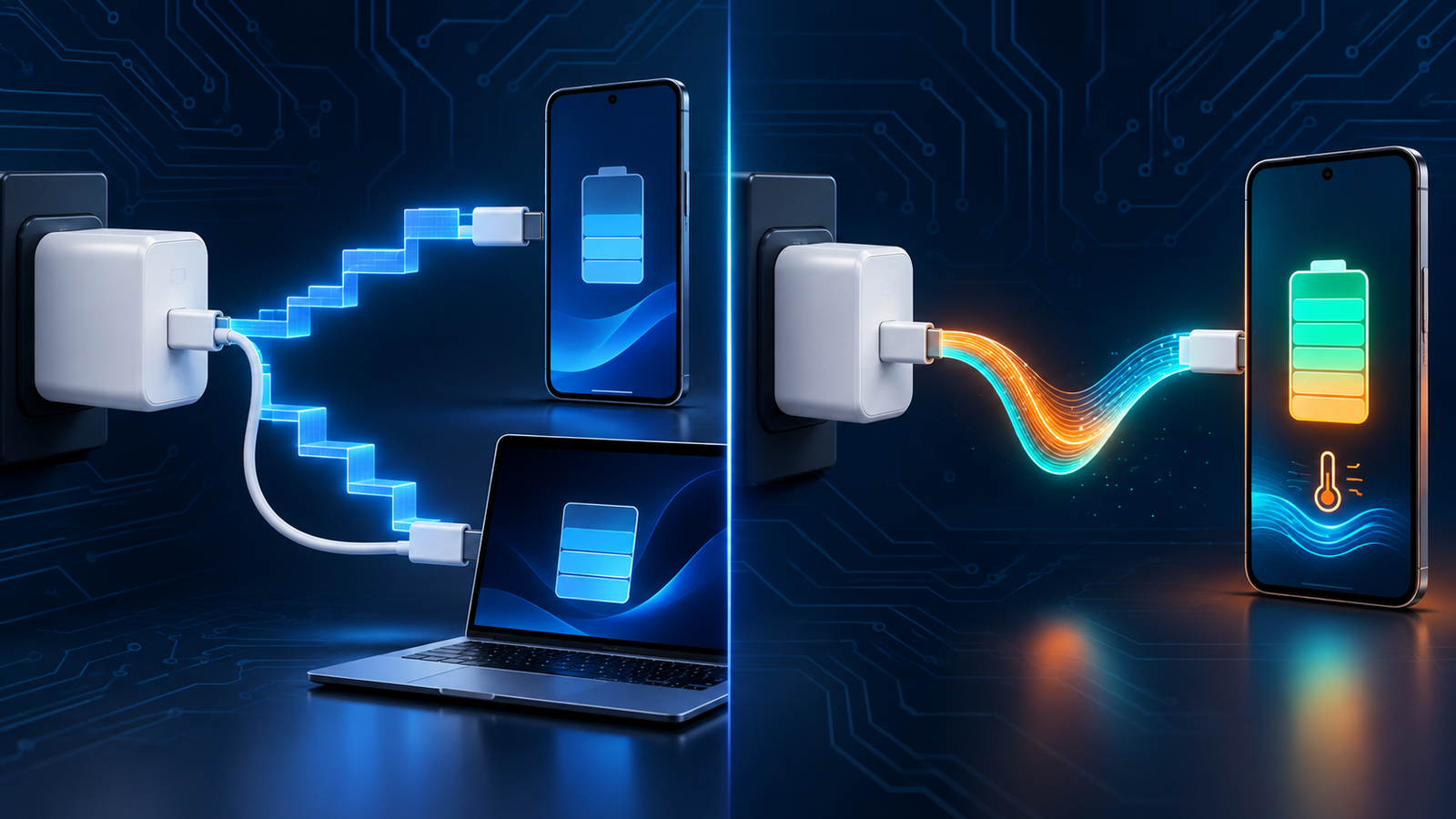
PPS stands for Programmable Power Supply. It is an optional feature of USB Power Delivery that lets a compatible device request adjustable power from a compatible charger. The phone directs the request; the charger does not simply push its largest advertised wattage into the battery. USB-IF says a phone, charger, and host supporting PPS are needed to take full advantage of the feature.
Support can mean two different things in everyday shopping. A phone may charge from a PPS-capable adapter using an ordinary fixed USB PD profile without itself using PPS. A phone that uses PPS negotiates an adjustable output range. Both setups may show a charging icon, which is why simply plugging in a PPS adapter does not prove that the phone uses the programmable mode. Read our PPS charging explanation for the power negotiation sequence.
How to Check Your Exact Phone Model
- Identify the model, not just the brand. On Android, look in Settings > About phone or the manufacturer’s equivalent. On iPhone, use Settings > General > About. Record the model name and, when necessary, the model number and region.
- Open the manufacturer’s specification or support page. Search the exact model plus “wired charging,” “PPS,” or “USB PD.” Prioritize the maker’s own documentation over a retailer’s title.
- Look for an explicit protocol statement. Terms such as “USB PD 3.0 PPS,” “Programmable Power Supply,” or an official requirement for a PPS adapter are stronger evidence than “fast charging” or “USB-C.”
- Check the maximum supported charging mode. A family can contain models with different wattage limits. A charger capable of 45W does not make every phone in that family a 45W phone.
- Read the charger’s output table. Confirm the relevant USB-C port offers a PPS range that covers the phone’s requirement. The combined wattage of a multiport adapter is not its per-port PPS rating.
- Check the cable and settings. Modes drawing more than 3A can require a 5A electronically marked cable. Some phones also let you enable or disable fast charging in battery settings.
If the official page is silent, that is unknown, not proof of either support or non-support. Ask the manufacturer for the exact model’s supported wired charging protocol. A USB-C power meter or protocol analyzer can help experienced testers, but a charging animation by itself cannot conclusively identify PPS.
Three Things That Do Not Prove PPS
| What you see | What it establishes | What is still missing |
|---|---|---|
| USB-C port | Physical connector | Supported charging protocol and PPS capability |
| “Fast charging” on screen | The phone recognized some faster charging mode | Proof that PPS was negotiated |
| “PD 3.0” on a charger | Advertised USB Power Delivery support | An explicit PPS output range on the relevant port |
| “65W” on a multiport adapter | A marketing or maximum output rating | Per-port PPS voltage/current and shared-power behavior |
| Charger works with phone | At least one compatible power mode exists | Whether the phone uses PPS or its peak charging rate |
Samsung Galaxy: Check the Model and Charging Mode
Samsung is a useful example because its Super Fast Charging ecosystem is closely associated with USB PD PPS. Samsung’s 25W adapter specifications list adjustable PPS outputs, while its 45W Super Fast Charging 2.0 adapter describes PPS and recommends an appropriate 5A cable for optimal results. Samsung’s charger guidance also distinguishes device families and their supported power levels. That does not make every Galaxy phone a 45W PPS phone.
For your Galaxy model, check Samsung’s product page or support article for its maximum wired charging rating and compatible adapter. A device that supports 25W may show “Super fast charging” with the right setup. A model documented for 45W may need a compatible 45W PPS adapter, a suitable PPS range, and the recommended 5A cable to reach its intended charging mode. If you have a 45W adapter but a phone limited to 25W, the phone remains limited by its own design.
Samsung menus vary by software version. Check Settings > Battery and the charging settings if the expected mode never appears. Verify the device and charger first; a disabled fast-charging toggle, warm battery, high battery percentage, or power sharing between ports can also change the result.
Google Pixel and Other Android Phones
Do not infer the protocol for every Pixel or Android phone from another model in the series. Google’s adapter and phone specifications can vary by generation, and some Android brands use proprietary fast charging for their highest advertised speed. A phone may still charge well through USB PD even when a particular proprietary headline rate is unavailable on a third-party PPS adapter.
Use the exact model’s official charging specification. If the maker names USB PD PPS, check the requested range and the recommended adapter. If it gives only a charging wattage, look for a support page that states which protocol achieves that number. Where the official documentation does not say, describe support as unconfirmed instead of treating a third-party compatibility chart as definitive.
What About iPhone?
Apple’s fast-charge instructions specify a USB-C Power Delivery charger and an appropriate cable for supported iPhones. They do not present PPS as a requirement for the advertised wired fast-charging setup. An iPhone can charge from a good PPS-capable adapter because such an adapter generally also offers ordinary USB PD outputs. That compatibility alone does not establish that an iPhone negotiates PPS.
If your household uses only iPhones, prioritize an appropriately rated USB PD adapter, safe construction, port count, and cable compatibility. If you also charge a Samsung or another phone whose official documentation calls for PPS, a charger offering both ordinary PD and a suitable PPS range can cover both devices. See USB PD vs PPS for the difference between those modes.
How to Read the Charger Before Buying
The tiny “Output” label matters more than the large wattage on the front. Fixed PD entries may look like 5V⎓3A, 9V⎓3A, 15V⎓3A, and 20V⎓3.25A. A PPS entry is normally a range, such as 3.3–11V⎓3A. An advertised 65W laptop output through a fixed 20V profile does not prove that the charger can provide a particular phone’s required PPS combination.
For a multiport model, inspect the single-port and simultaneous-use tables. When another device is plugged in, the adapter may redistribute power and change the available PPS output. Make sure the selected USB-C port, not merely the charger as a whole, carries the feature. A 3A cable covers many phone modes; a mode requiring more than 3A calls for a compliant 5A e-marked cable. Do not assume every cable packaged with a charger has the same current rating.
Practical Compatibility Checklist
- Exact phone model and official wired charging limit confirmed
- Official documentation explicitly identifies PPS when required
- Charger’s selected USB-C port lists PPS with a matching voltage/current range
- Enough per-port output remains when other devices are connected
- Cable meets the mode’s current requirement
- Fast-charging setting is enabled, where applicable
How to Test a Setup You Already Own
Start with an undamaged, known-good USB-C cable and connect the charger directly to the phone. Avoid a hub or dock for the first test. Inspect the printed adapter label or its official specification to confirm PPS on that port. Charge from a lower battery level under normal room conditions, with the display mostly off, and observe the phone’s charging message. If the phone is hot, nearly full, actively gaming, or using cellular data heavily, it may draw less power regardless of compatibility.
A Samsung charging message may help identify whether its expected Super Fast Charging mode was recognized, but the animation is not a complete electrical measurement. If you need a definitive answer about an undocumented model, consult its maker or use a trustworthy USB-C PD analyzer that reports the negotiated power object. A basic USB meter showing watts cannot by itself distinguish a PPS negotiation from a fixed PD profile at a similar power level.
Why Your Phone Might Not Reach the Advertised Speed
| Symptom | Likely checks |
|---|---|
| Phone charges but no expected fast mode appears | Confirm model support, charger PPS range, selected port, and charging setting. |
| 25W mode works but expected 45W mode does not | Check the model’s 45W support, 5A cable requirement, and adapter’s PPS range. |
| Speed drops when a second device is attached | Read the multiport power-sharing table and test the phone alone. |
| Charging slows after a few minutes | Check battery level, temperature, case, screen activity, and normal charging taper. |
| Charging is intermittent | Inspect the cable, connector, adapter, and port for damage or debris; stop using damaged equipment. |
Charging power changes through a session. A brief peak wattage is not the average rate from empty to full. For a fair comparison, keep the initial battery level and device temperature similar, use the same cable and port, and compare elapsed time over a useful window such as 20% to 60% rather than relying on one momentary reading.
Does a PPS Charger Help a Phone Without PPS?
Usually it can still charge the phone through another mutually supported mode. USB-IF describes certified PPS fast chargers as backward compatible with USB Type-C and USB PD devices. The exact result depends on the charger’s fixed profiles and the phone’s supported protocol. A charger that lists PPS is not automatically faster for every phone, and a phone that lacks PPS is not damaged simply because the adapter offers it.
Choose the charger around your actual devices. For a laptop plus a phone, compare the laptop’s USB PD power needs, the phone’s PPS requirement if any, the number of ports, and output when both are connected. Our wattage guide and multi-port charger guide walk through those decisions.
Frequently Asked Questions
Does every USB-C phone support PPS?
No. USB-C describes the connector. PPS is an optional charging feature; check the exact model’s official specification.
Does USB PD 3.0 automatically mean PPS?
No. The charger or phone must explicitly support the programmable feature. Look for a PPS statement or adjustable output range.
Can an iPhone use a PPS charger?
Yes, a quality PPS adapter that also offers compatible USB PD outputs can charge an iPhone. Apple’s documented fast-charge requirement is USB PD, so do not assume the phone itself uses PPS.
Do all Samsung Galaxy phones charge at 45W?
No. Samsung charging limits differ by exact model. Check its official specification, then use the required adapter and cable for that mode.
Will a 100W PPS charger force too much power into a 25W phone?
No. A compliant USB PD system negotiates a supported power level. The larger rating is available capacity, not a compulsory output.
Does a 5A cable make every phone charge faster?
No. It enables modes that need more than 3A when the phone and adapter also support them. It cannot raise a phone’s own charging limit.
Can a charging icon prove PPS is active?
No. It can indicate a recognized fast mode, but conclusive protocol identification requires official documentation or a suitable USB PD analyzer.
Final Takeaway
To know whether your phone supports PPS, identify the exact model and find an explicit manufacturer statement. Then match the charger’s PPS range, the selected port’s output, and the cable to that model. If the maker does not document PPS, treat support as unconfirmed. A well-matched USB PD charger can still be the right purchase even when the phone does not use PPS.


4 Comments