Can a Power Bank Damage Your Phone? 7 Safety Checks Before You Charge
A bigger power rating is not the same as a bigger risk.
Can a power bank damage your phone? A faulty, damaged, or incompatible setup can create problems, but a properly functioning power bank used as directed is a normal charging source. The important checks are the product’s condition, charging protocol, cable, connection, temperature, and manufacturer instructions.
Quick answer: can a power bank damage your phone?
Usually, a compatible power bank in good condition should charge your phone normally. With a correctly implemented USB Power Delivery connection, the phone and source coordinate the available power. A high maximum wattage does not mean the bank forces that full wattage into your phone. Stop using equipment that is swollen, leaking, unusually hot, damaged, or behaving abnormally.
Affiliate disclosure: As an Amazon Associate, MultiChargers earns from qualifying purchases. Amazon links include our affiliate tag. Recommendations below are shopping criteria, not claims that we tested every listing or verified every seller.
Start with a clearly documented USB-C power bank
Look for an identifiable model, accessible manufacturer instructions, specified output protocols, support information, and a trustworthy seller. Compare the exact model with your phone’s charging requirements before buying. Search results may include different products and variants.
Compare USB-C PD power banks on AmazonWhat actually happens when a power bank charges a phone?
A portable battery stores energy and uses electronics to supply a supported output through its charging port. Your phone has its own charging controls. In a compatible USB-C Power Delivery setup, the connection establishes an operating arrangement rather than treating every device as if it needs the source’s maximum output.
The USB-IF explanation of Power Delivery describes flexible power management that lets devices obtain the power they require. That is why a properly implemented high-output bank can serve devices with different power needs. This principle does not certify an unknown product’s electronics or guarantee that damaged equipment remains safe.
Think of the label as a capability statement. A bank’s maximum output may apply to one particular port, a particular charging mode, or a combination of ports. A phone’s actual charging behavior also depends on its battery level, temperature, supported protocol, and current activity. The largest printed number does not describe every charging session.
Capacity is a separate subject. A larger mAh number primarily helps describe stored charge under the manufacturer’s stated conditions. It does not mean the bank pushes stronger charging into a phone. Likewise, a cable marketed for a laptop is not inherently too powerful for a phone when it is suitable for the connection. Safety depends on correct construction and use, not treating every larger number as dangerous.
1. Inspect the power bank before connecting your phone
Start with a simple visual inspection while the equipment is disconnected. Look for a distorted enclosure, separated seams, cracking, loose sockets, corrosion, and signs of liquid exposure. A bank that no longer sits normally on a flat surface deserves attention. Do not squeeze the case to make it close or press a swollen section back into place.
Consider its recent history, too. A bank that was crushed in luggage, dropped heavily, soaked, or left in a hot vehicle may need manufacturer advice even if its indicator still lights. A working display only shows that part of the electronics operates. It cannot establish that every cell, connector, and protection circuit is healthy.
If a manufacturer issues a safety notice or recall, compare the exact model and any required identifying information with that notice. Brand familiarity does not establish that every model or batch is unaffected. Keep the model information accessible instead of relying entirely on the name in a marketplace order.
For a visibly damaged bank, skip the phone charging test. Disconnect it if doing so is safe and contact the manufacturer for handling instructions. Do not open the enclosure, replace internal cells, puncture a swollen battery, or bypass protective electronics. A phone is not a suitable instrument for checking whether a suspect power bank is safe.
2. Match the protocol and output port to your phone
A connector fitting into the phone is only the first compatibility check. Read the power bank’s output specifications and your phone manufacturer’s charging guidance. USB-C Power Delivery, PPS, and proprietary fast charging modes are different capabilities. Support for one does not automatically establish support for every other mode.
Check the exact socket you intend to use. Some banks have USB-C ports with different roles or limits; older designs may use USB-C only to recharge the bank. A USB-A output may charge a phone successfully while offering a different charging mode or lower speed than USB-C. That difference by itself is not evidence that the phone is being damaged.
For iPhone, Apple’s charging guidance identifies USB-C Power Delivery for faster wired charging and distinguishes USB-C phones from models using Lightning. For Galaxy phones, use Samsung’s model-relevant troubleshooting guidance to check the required charger and cable combination.
If your phone falls back to slower charging, first investigate the supported mode, the selected port, and the cable. Do not buy an adapter that claims to force an unsupported voltage or bypass negotiation. An ordinary compatible connection is preferable to a collection of poorly documented converters promising a higher number.
3. Check the cable and connectors, not just the bank
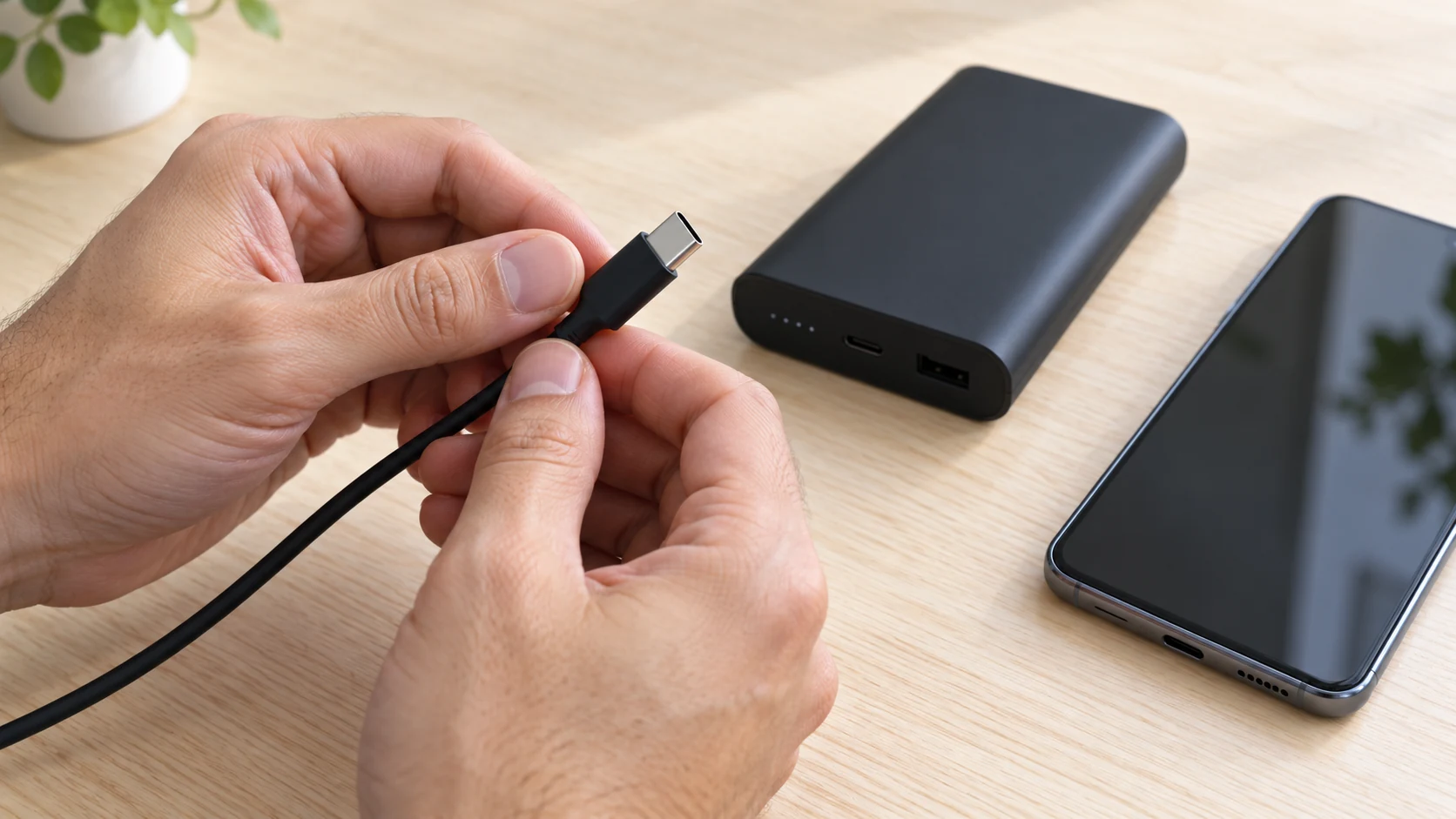
Inspect both cable ends and the flexible section near each plug. Frayed insulation, exposed conductors, bent connectors, loose housings, and damaged strain relief are reasons to replace a cable. A connector that repeatedly disconnects unless held at an angle should not become your normal charging arrangement.
Choose a cable with the correct connectors and a suitable current or power rating for your intended charging mode. Some higher-current fast charging combinations require a particular cable capability. Follow the phone and accessory manufacturers’ instructions rather than assuming every USB-C cable has identical electrical characteristics.
Plug the connector in without forcing it. If it does not seat normally, disconnect and inspect the visible connection. Avoid scraping ports with metal tools or putting liquid into them. If the phone reports moisture, follow its manufacturer’s drying and troubleshooting instructions before attempting wired charging again.
A fault can be local to the cable even when the power bank remains cool. Check for abnormal behavior at the connector as well as at the bank body. Repeated reconnection, discoloration, or unexpected heating around a plug deserves investigation. For more background on cable ratings, see our guide to e-marked USB-C cables.
4. Control heat and leave the setup uncovered
Charging can produce warmth in the phone and power bank. The useful distinction is between expected operation and abnormal behavior, not a universal touch test that works for every product. Use the manufacturer’s operating limits and pay attention to temperature warnings, repeated shutdowns, unusual heat, and changes from the equipment’s usual behavior.
Keep the phone and bank out of direct sunlight and hot parked vehicles. Place them on a stable, uncovered surface with room around them. Avoid sandwiching the bank beneath the phone, burying the setup in bedding, or charging inside a tightly packed bag where you cannot observe what is happening.
Anker’s safety guide advises a cool, dry, ventilated environment and warns against covering the bank or using it on soft surfaces for extended periods. The exact operating limits for your model still come from its own documentation. Treat general guidance as a starting point, then check the device-specific instructions.
Intensive gaming, navigation, video recording, and a bright display can add phone heat during charging. Reducing that workload may help the phone manage temperature. Apple notes that charging can slow or pause in extreme temperatures. A protective pause is a reason to improve the environment, not to override the phone’s controls.
Our guide to a power bank getting hot while charging explains how to assess the surrounding setup. If the heat is accompanied by swelling, odor, leaking, odd noises, or smoke, stop treating it as an ordinary speed problem.
5. Separate battery wear from immediate hardware damage
Phone batteries age through normal use. Charging from a power bank contributes to ordinary battery use just as charging from a compatible wall source does. That does not mean each portable charging session causes a distinct fault. Battery age, heat exposure, charging habits, and workload all influence the long-term experience.
A phone that charges more slowly near full is not necessarily being harmed. Charging controls can change the rate as conditions change. A charge limit or optimized charging feature may also alter the apparent completion time. Check the phone’s settings and manufacturer explanation before attributing normal control behavior to a defective bank.
There is no reliable universal rule that every power bank shortens battery life by a particular percentage, or that charging only from a wall adapter prevents battery aging. Avoid claims based solely on one battery percentage reading. The practical goal is to use compatible, undamaged equipment and avoid unnecessary heat.
If battery health declines suddenly or the phone becomes unreliable across several known-good charging sources, investigate the phone itself with its manufacturer or a qualified service provider. Replacing a power bank may not resolve an aging phone battery, damaged phone port, or software-related charging issue.
6. Understand shared ports, wireless charging, and pass-through limits
Connecting a second device can change how a multi-port power bank allocates power. Read the manufacturer’s simultaneous-output table rather than adding every individual port maximum together. A momentary change or slower charging may be expected behavior for that design; persistent disconnection still needs investigation.
Wireless charging adds its own compatibility and placement requirements. Align the phone as directed, use a supported case, and keep unwanted objects out of the charging interface. A magnetic attachment does not by itself prove that a product supports the wireless standard or speed your phone expects. Follow both manufacturers’ instructions.
Pass-through charging means using a supported bank to supply a device while the bank also receives charging input. It is not a universal feature. Even a bank that supports it can have mode-specific input requirements and output limits. Do not assume that its battery-mode maximum output remains available in that arrangement.
If you want this arrangement, read our guide to using a power bank while it is charging. For a simple compatibility check, test a healthy bank with one phone and one suitable cable, with the bank disconnected from its own charger. That reduces variables without implying that every more complex setup is unsafe.
7. Recognize the warning signs that mean stop
Stop using the setup if you notice swelling, leaking, a strange odor, odd noises, excessive heat, or other abnormal changes. If there is smoke or fire, move away, keep others away, and call emergency services. Do not handle an actively failing battery to save the phone or cable.
The U.S. Fire Administration’s battery safety guidance identifies these warning signs and advises proper battery recycling rather than disposal in household trash. Get handling instructions from the manufacturer or local facility before transporting a damaged battery. Ordinary collection programs may have separate rules for damaged lithium-ion products.
When there are no damage or heat warnings, troubleshooting can proceed more calmly. Disconnect the setup, inspect the accessible parts, and compare behavior with a known-good compatible cable and charging source. Change one variable at a time. Do not keep reconnecting equipment that shows a safety warning.
Record the model, port used, cable type, battery level, and any phone message. This makes a support request more useful than saying only that the bank is bad. Keep photos of visible condition if you can take them safely, but never recreate an abnormal charging event just to obtain a better picture.
Normal behavior versus reasons to investigate
| What you notice | What it may mean | Useful next step |
|---|---|---|
| Slower charging near full | The phone may be managing its charging rate. | Check battery settings and manufacturer guidance. |
| Lower speed with two devices | The bank may be sharing available output. | Read the simultaneous-output specifications. |
| Repeated disconnects | Cable, port, compatibility, or hardware needs checking. | Inspect first, then isolate healthy components. |
| Swelling, odor, leaking, or odd noises | A battery safety warning. | Stop use and obtain safe handling instructions. |
| Phone temperature warning | The phone is protecting itself from unsuitable conditions. | Stop the workload and follow the phone’s guidance. |
What to buy if your current setup needs replacing
Replace the component that fails the condition or compatibility check. A new bank will not fix a broken cable, and an expensive cable will not make a damaged battery safe. Prioritize a documented model, suitable charging modes, an appropriate cable, dependable support, and an identifiable seller over a dramatic wattage claim.
A replacement cable with clear ratings
For a USB-C phone, compare cables with documented power capability and the right length for your setup. For a Lightning phone, choose the appropriate supported cable instead. Check the exact manufacturer’s specification; do not rely only on a marketplace title.
Compare USB-C charging cables on AmazonA compatible wall charger for comparison and bank recharging
A documented USB-C PD charger can be useful for a phone that supports PD and for recharging a compatible bank. Verify the bank’s input requirements, your phone’s requirements, and any simultaneous-port limits. Choose PPS support when your specific charging mode requires it.
Compare USB-C PD and PPS chargers on AmazonIf the only issue is speed, work through our power bank not fast charging a phone guide before replacing healthy equipment. If you are storing a spare, see how to store a power bank for practical care between trips.
Frequently asked questions
Can a power bank damage your phone if it has a high wattage rating?
A high maximum rating alone is not the problem. In a correctly implemented compatible USB Power Delivery connection, power is coordinated with the device. Damaged, faulty, or poorly implemented equipment can still create risks, so check condition and specifications.
Is a 20,000mAh power bank too large for a phone?
Capacity does not force extra charging power into the phone. A larger-capacity bank may provide more stored energy, but the output protocol, port, cable, condition, and phone compatibility determine whether the connection is appropriate.
Does slow charging mean my power bank is damaging the battery?
Not by itself. Slow charging can result from protocol limits, shared output, battery level, temperature, or phone settings. Inspect the equipment and check compatibility, particularly if slowness appears with disconnection or other abnormal behavior.
Can I use my phone while it charges from a power bank?
Follow your phone’s guidance. Intensive apps can increase heat and reduce charging speed. Keep the setup uncovered, reduce workload if temperature rises, and stop if the phone or bank displays a warning or behaves abnormally.
Is wireless power bank charging safer than a cable?
Neither method makes damaged equipment safe. Wireless charging needs compatible hardware, correct alignment, and suitable surroundings. Wired charging needs a suitable intact cable and connection. Choose the supported setup that works for your phone.
Should I test a swollen power bank with another phone?
No. Stop using a swollen bank and obtain safe handling guidance from the manufacturer or an appropriate local facility. Do not recharge it, open it, press it flat, or connect another device to see whether it still works.
What should I check before buying a replacement?
Check the exact model’s output protocols, port roles, cable requirements, operating instructions, support information, and seller. Verify any applicable safety notice for that model. Marketplace search results are candidates to inspect, not proof of compatibility.
A practical charging routine
Before connecting, inspect the bank and cable, confirm the correct output port, and place the equipment where you can observe it. During charging, watch for unusual heat, repeated reconnection, and phone warnings. After use, disconnect and store the bank according to its manufacturer instructions.
The answer to “can a power bank damage your phone?” depends on the actual equipment and conditions. A healthy compatible source is designed to supply charging power. Treat physical damage, abnormal behavior, and unclear specifications as reasons to investigate, while recognizing that ordinary charging controls and slower speeds do not automatically mean the phone is being harmed.

Charging Technology Researcher
Daniel explains charging compatibility, USB-C power, and battery care using manufacturer documentation and practical troubleshooting. This guide does not claim laboratory testing of the products in marketplace search results.