

Power Bank With Built-In Cable vs Separate Cable: Which Should You Buy?
POWER BANK BUYING GUIDE
Quick answer: Choose a power bank with a built-in cable if you mainly charge one compatible phone and regularly forget your cable. Choose a separate cable if you need easy replacement, more reach, or several connector types. For a balanced setup, look for a built-in cable plus a separate USB-C input/output port.
Compare built-in cable options on AmazonCompare options on WalmartBy Daniel Carter · Updated October 27, 2026. As an Amazon Associate, we earn from qualifying purchases. We may also earn a commission through other retailer links at no extra cost to you.
A power bank is only useful when you can connect it. An integrated cable removes one item from your everyday checklist, but it also ties part of your charging setup to the battery pack. This power bank with built-in cable vs separate cable guide explains the trade-offs before you spend money. The aim is to match the design to your routine, rather than buying a feature that looks convenient in a product photo.
This is a specification-based buying guide, not a hands-on durability test. Our design recommendations are editorial judgments. Product-specific figures below come from manufacturer documentation; charging speed and cable life depend on the exact model and how you use it.
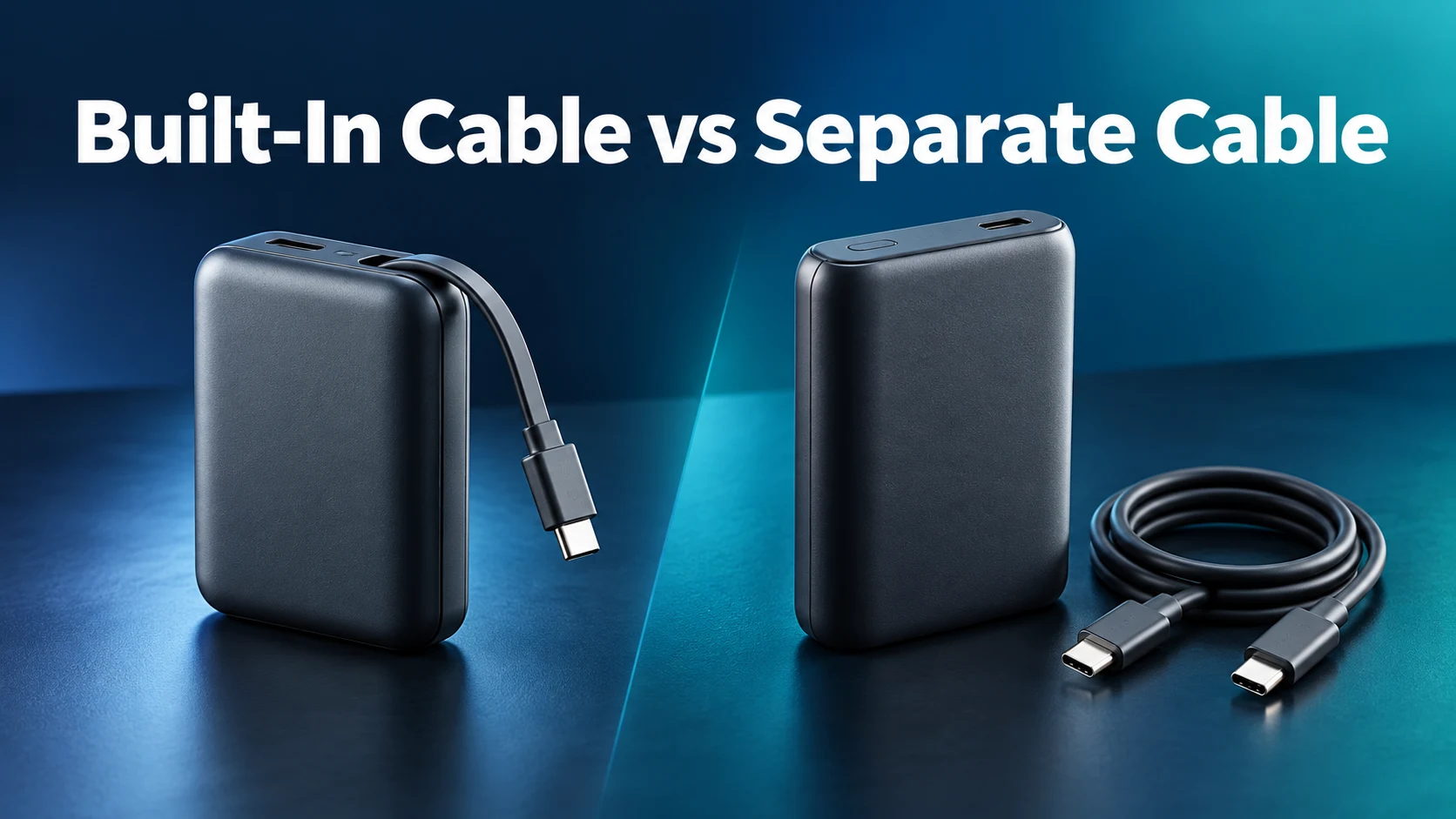
Built-in cable vs separate cable: quick comparison
| What matters | Built-in cable | Separate cable |
|---|---|---|
| Daily convenience | Cable stays with the battery pack | Remember to pack both items |
| Cable replacement | Often requires manufacturer support; check the model | Replace the detachable cable independently |
| Reach | Limited by fixed or retractable length | Choose the length for your desk or bag |
| Device flexibility | Integrated connector must match the device | Change cables for different devices |
| Fast charging | Check that cable’s actual output and protocol | Check both the port and cable rating |
| Backup connection | Look for a separate output port | Carry a spare cable if needed |
| Best starting point | Phone-first everyday carry | Flexible laptop or mixed-device setup |
Choose a built-in cable for simple daily phone charging
The strongest reason to buy an integrated cable is that it is always attached. If you leave home with a phone and a battery pack, you have the main parts of your charging setup together. That can suit a commute, a long shopping day, or an event where you expect to top up the same phone several times. You do not need to search a bag for a separate lead.
Short cables can also keep a small setup tidy. Put the phone and power bank next to each other on a table and the excess cable does not trail across your workspace. However, the same short length becomes awkward if the phone is on a stand and the battery sits farther away. Think about where both devices will rest before choosing the most compact-looking product.
Check the connector against your actual phone
A built-in USB-C cable needs a device with a suitable USB-C charging connection. An older Lightning-equipped iPhone needs a compatible Lightning connection instead. Do not assume a listing that mentions “iPhone compatible” includes the right built-in connector for every iPhone generation. Check the model photographs, connector description, and manufacturer compatibility notes against the phone you own.
If you use a thick protective case, consider whether the connector housing can reach the charging port without pressure. A cable that technically matches the socket can still fit poorly around a recessed case opening. Avoid forcing the plug or leaving it at an angle. The return window is useful for checking this practical fit with your normal case installed.
Choose a separate cable for flexibility and easier replacement
A detachable cable gives you control over reach, connector type, and replacement. You can use a short lead for a pocket-sized setup, then switch to a longer one at a desk. When a cable wears out, you can replace that accessory without replacing a healthy power bank. That is a practical advantage for people who carry the same battery pack through several phone or laptop upgrades.
A separate cable also lets you use a known compatible lead that already works with your device. This can simplify troubleshooting: try another suitable cable before concluding that the power bank has failed. It does mean there is another item to pack and another connection to keep clean. A small pouch or a cable attached to your bag organizer can make that trade-off easier to live with.
For a household with mixed devices, the flexibility may matter more than the convenience of one attached connector. Choose the right cable for each device rather than relying on an assortment of adapters. Our USB-C laptop cable buying guide explains what to check when your setup includes a notebook.
Does a built-in cable charge faster?
Neither design is automatically faster. Charging depends on the power bank’s output, the supported charging protocol, the connection, and what the device accepts at that moment. Compare the specific integrated cable with the specific separate port. A bank may offer different limits across its connections, and a large total-output number does not describe what one phone receives.
For a separate USB-C cable, check its stated power capability as well as the battery pack’s port rating. A cable does not increase the output of a low-power port. USB-IF’s current compliance labeling requirements use 60W and 240W power markings for detachable USB-C-to-USB-C cables. A power marking alone does not promise high-speed data transfer; check data capability separately if you need to transfer files.
The attached cable on a power bank should be evaluated using the manufacturer’s product specifications. Do not assume a detachable-cable certification claim applies to an integrated lead. USB-IF notes that captive cable assemblies are not eligible for its cable assembly certification program. That is a distinction about that program, rather than proof that every integrated design performs poorly.
Read USB PD vs PPS if two apparently similar power banks produce different fast-charging claims. If your phone already charges slowly, use our power bank fast-charging troubleshooting guide before buying another pack.
What happens if the built-in cable breaks?
First, check whether the manufacturer describes the cable as user-replaceable. Many integrated designs do not offer the same simple replacement process as an ordinary detachable cable. Do not open the power bank to attempt a cable repair unless the manufacturer explicitly provides an appropriate service procedure. A warranty or support request is the sensible next step for an integrated cable fault.
A separate USB-C output can be valuable backup, but verify its functions in advance. An extra port may be input-only, output-only, or support both directions. If the bank and port remain undamaged and the manufacturer confirms continued use is appropriate, a separate cable may keep the product useful. Do not treat another working port as permission to ignore exposed wiring, unusual heat, swelling, or other damage.
This is why our preferred compromise is an integrated lead plus a properly specified spare output connection. You get the convenience for ordinary days and an alternative connection for other devices or longer cables. It does not guarantee that every failure is recoverable; it simply gives you more flexibility when the product is otherwise operating normally.
Fixed cable or retractable cable?
A fixed short cable is easy to understand: it leaves the body and usually clips or slots into a storage position. A retractable lead can provide more usable reach while storing inside the housing. Both can be convenient, but cable storage and charging performance are separate questions. Check the available length and read the operating instructions before pulling on the mechanism.
For example, Anker’s A1695 documentation lists a 70 cm retractable lead and a 30 cm fixed lead. That illustrates how two built-in cables on one product can suit different positions. It does not make every retractable cable long enough for your own setup. Measure the distance from the spot where your power bank will rest to your phone stand or laptop socket.
Follow the model’s extension and retraction instructions, keep the cable free from snags, and pull from the connector housing rather than sharply bending the wire. Do not suspend the phone or battery pack from a connected charging lead. An integrated cable should only be used as a carrying loop if the manufacturer explicitly designs and permits that use.
A real example: Anker 25K 165W with built-in cables
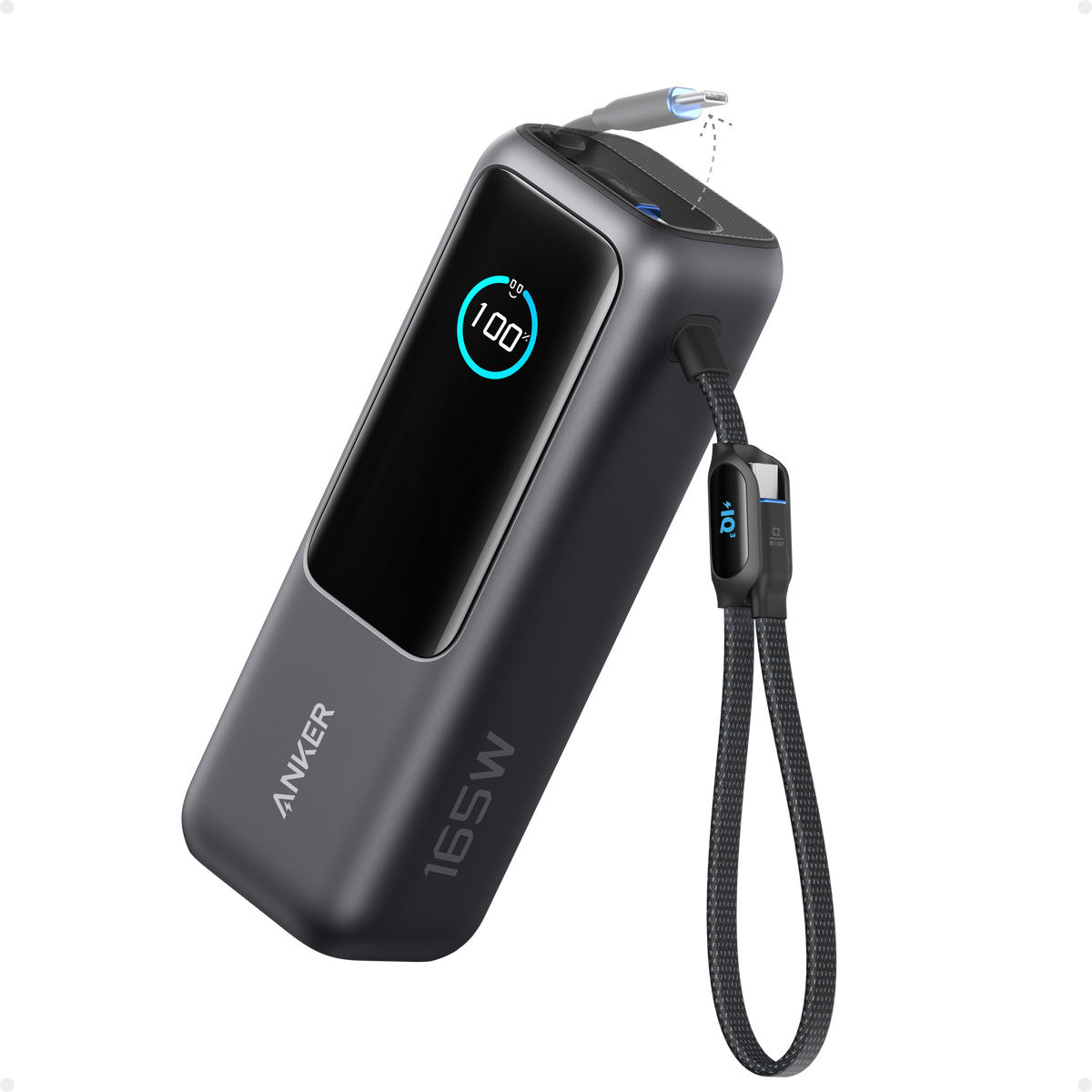
For a larger laptop-and-phone kit
The Anker A1695 offers built-in USB-C cables alongside a separate USB-C connection. Its stated maximum is 100W from an individual USB-C connection and 165W total under its supported two-device configuration. Three- or four-device use has a lower 130W maximum total.
At a stated 595 g, this is a substantial bag accessory. A phone-only user may prefer a smaller pack. Check the output allocation, size, seller, and return policy before buying.
Check Anker A1695 on AmazonSearch the same model on WalmartThis example is included to show how integrated cables and separate ports can coexist. We have not conducted a bend test or a runtime test on this model. Manufacturer maximums are ceilings under supported conditions, and your devices may draw less. For a laptop-focused purchase, also compare the 65W vs 100W power bank decision before paying for a larger product.
Compare the complete Amazon and Walmart buying cost
Open the two retailer options and confirm that you are comparing the same model number, capacity, connector arrangement, and bundle. A similar product name can hide a different generation or a smaller battery. Search links may show several products and marketplace sellers; they are not a promise that the exact model is currently available from either retailer.
Compare the checkout total after any applicable coupon, shipping charge, and tax. Then check who sells the item, the condition, return terms, and manufacturer warranty eligibility. A lower displayed price may be less useful if the listing is an unsuitable connector version or an accessory-only item. We do not display a fixed retailer price here because prices and availability change.
Also count anything you must buy separately. If a detachable-cable power bank includes a suitable cable and you already own a compatible wall charger, the additional accessory cost may be small. If you need a high-power cable and a faster wall charger, include both in the total. Likewise, a built-in cable does not eliminate the need for a wall power source to refill the battery.
Match the cable design to these everyday situations
Commuting with one phone
An integrated lead can be the more convenient choice when the phone and power bank will stay close together. Prioritize comfortable weight, case fit, and a connector storage slot that suits your bag. A compact battery with an appropriate output is often easier to carry than a laptop-oriented model selected only for its impressive maximum wattage.
Working with a laptop away from an outlet
A separate cable offers more freedom to place the battery safely on a desk rather than hanging it beside the computer. An integrated design can still work if the cable reaches comfortably and its output suits the laptop. Check the port arrangement with a phone connected too, because the laptop may receive less power when the bank shares its output.
Sharing a power bank with family
Choose connector flexibility and enough useful ports for the devices you actually carry. An attached USB-C cable will not directly solve a Lightning-device requirement. Carry the correct second cable and check the simultaneous-output table. Our guide to charging two phones from one power bank covers the sharing questions in more detail.
Check these details before you order
- Connector: matches the phone, tablet, or laptop and fits its case.
- Connection output: the built-in lead or separate port supports the required charging mode.
- Power sharing: the output allocation works with your normal combination of devices.
- Backup port: has the input/output function you need.
- Reach: the cable is long enough without pulling on either socket.
- Capacity and size: suit your carry routine; higher watts do not automatically mean more runtime.
- After-sale support: cable faults, returns, and warranty eligibility are clear.
During the return window, try the exact routine you bought the product for: your usual case, your normal bag, and the device combination you expect to charge. Confirm that the bank also recharges with your existing charger. A product that works only in an awkward arrangement is unlikely to become a useful everyday accessory, however attractive its specification sheet looks.
Frequently asked questions
Is a power bank with a built-in cable worth it?
It can be worth it if you often forget a cable and mainly charge one compatible device. Check cable length, output, and a backup port. Choose a separate cable if replacement and flexibility matter more to your routine.
Can I use a separate cable with a built-in-cable power bank?
Only if the product has a suitable separate output port. Read its input/output specifications; the existence of a socket alone does not establish its charging direction or maximum output.
Are retractable power bank cables replaceable?
Do not assume so. Check the exact model’s service information and warranty terms. If user replacement is not explicitly supported, ask the manufacturer about service rather than opening the battery pack.
Does a built-in USB-C cable support laptop charging?
Some do. The cable connection must offer the USB-C PD output your laptop accepts, with sufficient power for the intended workload. Check the individual connection and the multi-device output split.
Will a 240W separate cable make a power bank faster?
It cannot raise the bank’s output or the device’s input limit. It may remove a cable limitation in a compatible setup, but the complete connection still operates within the capabilities of every component.
Our recommendation
For daily phone top-ups, choose an integrated cable with a separate USB-C output if the size, connector, and charging modes fit your phone. For a laptop, mixed devices, or a setup where cable replacement matters most, start with a suitable power bank and a detachable cable. Buy the arrangement you will comfortably carry and connect.
Compare compatible options on AmazonCompare Walmart alternativesSources and editorial method
Specifications checked against Anker’s A1695 product page, its built-in cable operating guide, and USB-IF cable and connector guidance. Buying recommendations reflect the practical trade-offs described above; no independent performance measurements are claimed.



One Comment