

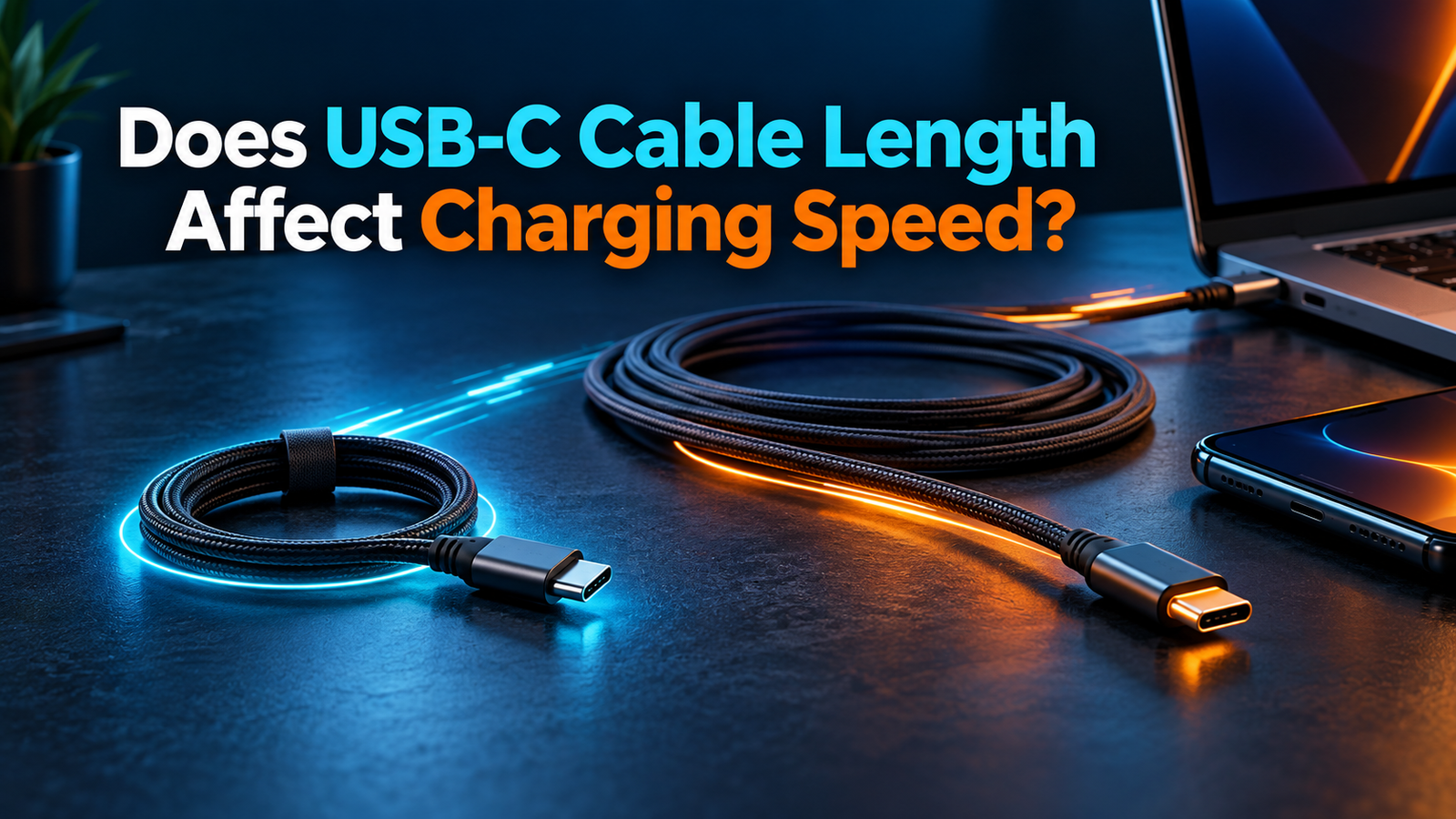
Does USB-C Cable Length Affect Charging Speed?
Does USB-C cable length affect charging speed? It can, but length alone does not tell you whether a phone or laptop will charge more slowly. A longer cable can have more electrical resistance, which causes more voltage drop under load. A well-built cable designed and rated for the job can still work properly at its stated length, while a short, damaged or poorly made cable can be the real bottleneck. The charger, device, negotiated USB Power Delivery mode, cable rating and connector condition all matter.
Why can a longer USB-C cable change charging performance?
Any conductor has resistance. When current flows through the power and return conductors, some voltage is lost across the cable and its contacts. The simple relationship is voltage drop equals current multiplied by resistance. If two otherwise identical cables use the same conductor material and thickness, the longer run generally has more resistance. The associated loss can grow as current increases. That is the electrical reason length deserves attention in a charging setup.
Real products are rarely otherwise identical. A longer cable may use thicker conductors, better connectors and a design that satisfies its stated USB-C capability. A short bargain cable can have thin conductors or worn contacts. It would be misleading to say that every 2 m cable is slower than every 1 m cable, or that a specific length always reduces charging by a fixed percentage. The USB Type-C specification includes limits for allowable cable voltage drop at the cable’s rated current, including connector resistance. See the current USB-IF specification listing and its published voltage-drop provisions.
The device does not simply consume the number printed on the adapter. USB Power Delivery lets compatible equipment negotiate an available output. A phone may draw less as its battery fills or warms. A laptop under heavy work may consume power while charging its battery. A different observed charge time can therefore reflect more than the cable. Our 60W vs 240W USB-C cable guide explains why cable capacity is only one part of the connection.
Does a 2 m cable charge more slowly than a 1 m cable?
Not necessarily. If both cables are sound, suitably rated and compatible with the same charger and device, the practical charging result may be similar. A 2 m cable can be much more comfortable from a wall outlet to a sofa or desk. Its extra length does create an engineering challenge, but the cable maker can account for that in the construction. The product’s documented power rating and reputable certification are more useful than length alone.
At higher current, construction and connector quality become particularly relevant. A cable that introduces excessive loss may cause lower voltage at the device, more heating at a poor connection, or an unstable session. Do not infer an exact power reduction just by subtracting lengths: conductor resistance, contact quality, current and the device’s control logic differ. Likewise, one phone’s onscreen “fast charging” message is not a laboratory measurement of sustained power.
If you are deciding between 1 m and 2 m, choose the length that reaches comfortably without tension. Then verify that the precise cable model supports your required power. If it will serve a dock or external SSD, also check the advertised data and display features. A 1 m cable with the wrong data capabilities will not fix a monitor problem merely because it is short.
USB-C cable lengths compared
| Approximate length | Common use | What to verify |
|---|---|---|
| 0.3–0.5 m (1–1.6 ft) | Power bank, compact desktop or travel bag | Connector reach without strain; charging rating |
| 1 m (3.3 ft) | Desk, bedside or general daily use | Power rating, data and video if needed |
| 2 m (6.6 ft) | Outlet to sofa, standing desk or larger workspace | Exact model’s power and feature claims at this length |
| 3 m (about 10 ft) or longer | Specialized reach or room layout | Explicit power, data and display support; build and connection quality |
This is a shopping guide, not a table of guaranteed maximum speeds. There is no single universal USB-C cable length at which charging suddenly stops working. The correct answer depends on cable type, construction, power level and the other devices involved. A product family may have different specifications for different lengths; read the listing for the exact size in your cart.

How do conductor thickness and connector quality matter?
A thicker conductor generally has lower resistance than a thinner conductor of the same material and length. This is why cable construction can compensate for some of the extra resistance introduced by a longer run. But a listing’s vague claim of “thick wire” is not enough to confirm that the assembly meets a particular USB-C power or data specification. The current path includes the connector contacts, solder joints and both power and return wires. A weak link anywhere can affect the result.
Contact condition is especially easy to overlook. Lint in a phone port, a loose plug, bent hardware or corrosion can cause intermittent charging or local heat. An old cable may still show a charging icon yet disconnect under movement. If a plug or cable becomes unusually hot, stop using it and inspect the adapter and device port too. Our charger heat guide covers normal warmth and warning signs.
Do not rely on gauge numbers alone when purchasing. A claimed wire gauge may refer to only one conductor, and some advertisements omit how the complete cable was evaluated. Look for clear power capability, an exact model number, credible documentation and legitimate USB-IF certification where available. The USB-IF cable and connector page explains the certified cable power markings.
What changes with USB Power Delivery and higher wattages?
USB Power Delivery is a negotiation between a capable source and a device, with cable capability taken into account. A compliant 60W USB-C to USB-C cable suits applications within its supported range. A device seeking more than 60W needs an appropriately rated cable and a charger port that offers a compatible output. USB-IF’s current cable power marking scheme distinguishes 60W and 240W. That 240W number is a ceiling for the cable, not a promise that every connected laptop charges at 240W.
For example, a 20W phone connected to a 240W-capable cable and a 100W adapter will not be forced to take 100W. Its supported charging behavior remains decisive. Conversely, a 100W laptop cannot assume full-speed charging through a 60W-rated cable, even if the charger says 100W. The extra cable length does not change the need for the right rating. Our 3A vs 5A cable comparison explains the current classes behind these choices.
At higher USB PD Extended Power Range levels, the charger and device must both support the relevant output and input. The USB-IF USB Power Delivery overview describes EPR’s higher fixed voltage levels and up to 240W capability. A 240W cable can be useful for a laptop setup even at 2 m if the exact cable is designed and documented for that use. A generic long cable with no clear rating is a poor basis for the same assumption.
When using a multi-port charger, read the output available from the particular USB-C port and its power-sharing table. The advertised total may be split when another phone or tablet is connected. A slower charge after plugging in a second device might be ordinary allocation behavior, not a consequence of cable length. See our multi-port charger selection guide for that distinction.
Does a longer USB-C cable need an e-marker?
Length alone is not the simple rule. An electronic marker communicates relevant cable capabilities in certain USB-C cable assemblies. Higher-current 5A and EPR-capable cables need appropriate identification for their intended operation. An e-marker does not itself improve conductivity, repair poor connectors or guarantee a particular charging speed. It informs the connected equipment about capabilities; the physical construction still must support the claimed use.
For a phone drawing within the supported limit of a suitable 3A cable, you should not buy an e-marked cable solely because it is 2 m long. For a higher-power laptop, identify the power requirement first and then select a cable with the appropriate rating and identification. Read our e-marked cable explainer if a product listing uses that term without context.
Does length matter more for data and monitor connections?
It may. The wattage printed on a USB-C cable says nothing conclusive about its data speed or video support. High-speed signaling has separate requirements, and cable length, passive versus active design and the exact protocol can matter. A longer cable sold mainly for charging may support only basic data transfer. Another longer cable may use active electronics to meet a particular high-bandwidth specification. Neither conclusion follows from the power rating alone.
If you want to connect an external SSD, dock or monitor, check the stated USB speed, display support, cable type and exact length. Then confirm the host and accessory support the same features. The USB-IF’s USB4 overview discusses the high-bandwidth interface, while its cable guidance explains separate power and performance labeling. A cable that charges a laptop successfully can still fail to provide the monitor resolution, refresh rate or file-transfer rate you expect.
Be cautious with broad claims such as “all USB-C cables support video” or “a 240W cable is automatically USB4.” The Type-C connector is shared by different implementations. When a product family offers 1 m and 3 m versions, do not assume their data specifications match. Read the individual variant’s technical details and, if necessary, the dock or computer maker’s approved cable guidance.
How to choose a USB-C cable length for your setup
Phone on a bedside table
Measure from the outlet or charger location to where the phone rests. Leave a little slack so the connector is not pulled at an angle. A reputable 1 m or 2 m cable with enough power capability is often more useful than choosing the shortest possible option. If your phone uses a maker-specific fast-charge mode, verify its cable requirements too. More cable wattage alone cannot override the phone’s supported charging rate.
Phone with a power bank
A short cable can keep a power bank and phone together without an unwieldy loop. Avoid a length so short that it strains either socket while you walk. Verify the power bank’s USB-C port output and the cable’s suitability. If the bank has several connected devices, check whether its output is shared. A short cable is convenient here, but there is no guarantee it charges faster than a properly made longer one.
Laptop at a desk
Choose enough reach to route the cable safely, including when you move the screen or stand. Check the laptop’s USB-C input requirement, the charger’s output from the chosen port and the cable’s rating. If more than 60W is needed, select an appropriately specified higher-power cable. A cable that barely reaches can stress the connector; a longer, correctly rated one can be the better practical choice.
Dock or external display
Start with the dock’s and laptop’s documented connection requirements. You may need high-bandwidth data and display capability as well as enough charging power. Choose the shortest comfortable run from among cables that explicitly support all three. If the monitor flickers or the SSD underperforms, troubleshooting the data path is separate from measuring the laptop’s charging behavior.
How can you test whether your cable is the problem?
- Hold the setup constant. Use the same device, charger, USB-C port, battery level range and comparable workload. Unplug other devices from a shared charger if you are testing one port.
- Inspect the hardware. Look for fraying, bent plugs, looseness, debris and unusual heat. Do not keep testing damaged equipment.
- Swap one cable. Compare your suspect cable with a known-good cable whose power rating suits the device. If the issue follows one cable repeatedly, it is a useful clue.
- Check the negotiated mode when possible. A trustworthy USB-C power meter can help, but it must support the power mode and be used correctly. A phone’s charging label or estimated time can fluctuate.
- Try the direct path. Remove an adapter, extension or hub from the charging chain if it is not needed. Each extra connection introduces another possible problem.
Do not diagnose cable resistance from one stopwatch reading. Charging curves change with battery state, temperature and system load. A meaningful comparison repeats under similar conditions and focuses on large, consistent differences or connection failures. For a laptop, note whether the battery rises under the same workload, not just whether a charging symbol appears.
Are USB-C extension cables a good way to add reach?
An extension adds another pair of mating contacts and may complicate USB-C feature support. For reliable charging, particularly at high power, buying one appropriately rated cable of the required length is generally simpler than stacking extensions and adapters. Do not assume an extension preserves the full current, USB PD, data and video capabilities of the original cable. If you need an unusually long run, use a product intended for that exact application and follow the equipment maker’s guidance.
This does not mean every extended connection will fail. It means the assembled path must be evaluated as a whole. A no-name USB-C extension with a bold “fast charge” headline is not enough evidence for a high-power laptop or display dock. Consider moving the charger closer to the device or using a suitable AC arrangement instead of improvising a complex USB-C chain.
What should you check before buying a longer cable?
- Power rating: Match or exceed the power that the device and charger can actually use; look for clear 60W or 240W labeling when appropriate.
- Exact length and model: Verify that the listing’s specifications apply to the selected variant, not only the shortest option.
- USB PD and current: For a laptop over 60W, confirm suitable 5A or EPR capability as required by the setup.
- Data and video: Check transfer rate and display support separately if the cable will serve a dock, SSD or monitor.
- Connector fit and construction: Choose a reputable product with durable strain relief and enough slack in the intended layout.
- Certification: Look for legitimate USB-IF marks and consult its certified product search when a seller claims certification.
A longer cable is worth buying if it solves a real reach problem while meeting these requirements. Paying for an extreme length that you do not need can make cable management harder. The best length is the shortest one that reaches comfortably and has verified specifications for the task—not simply the shortest cable on the shelf.
Frequently asked questions
Is a 3 m USB-C cable too long for fast charging?
There is no universal yes or no. A 3 m cable must be designed and rated for the intended power, and its other features must be checked independently. Some long products are intended mainly for charging; others have different data capabilities. Verify the exact model and use a simpler length if you do not need the reach.
Does a shorter cable always charge a phone faster?
No. If both cables support the required mode and are in good condition, the phone and charger can remain the main limits. A short damaged cable can perform worse than a sound longer one. Avoid assuming an advertised length guarantees a specific charge time.
Can a long 240W cable charge a 20W phone?
Yes, when the USB-C charger and phone are compatible. The 240W marking indicates cable capacity, not power forced into the phone. The phone’s accepted mode and the charger’s output determine the session. Our higher-watt charger guide explains the principle.
Does braiding make a long cable charge faster?
Not by itself. Braiding is mainly an outer construction feature. Charging suitability depends on internal conductors, connectors, rating and the complete setup. Do not use a braided sleeve as proof of a wattage or data claim.
Why does my long cable say “charging” but the battery still falls?
The device may be drawing more power than the connection provides while in use. Check the charger’s exact port output, power sharing, cable rating, device input and workload. A poor connection or damaged cable is another possibility. The charging symbol alone does not establish net battery gain.
Will a USB-C cable length change data speed even if charging is normal?
Potentially. Charging and high-speed signaling have distinct requirements. Verify the precise cable length and data specification for an SSD or dock; normal power delivery does not prove USB4, a particular Gbps speed or video support.
Bottom line
USB-C cable length can affect electrical resistance and therefore voltage drop, especially as current rises. It does not impose a fixed charging-speed penalty by itself. Choose a cable long enough to reach without strain, with a verified power rating for your device and a sound physical connection. Check data and video capabilities separately. If performance seems wrong, compare with a known-good cable while keeping the charger, port and device conditions as consistent as possible.
Primary references: USB-IF Type-C specification listing; USB-IF Type-C specification voltage-drop section; USB-IF Cables and Connectors; USB-IF USB Power Delivery.


2 Comments