

Why Does My Power Bank Keep Turning Off While Charging?
POWER BANK TROUBLESHOOTING
If your power bank keeps turning off, start with the connected device, cable, and operating mode. A shutoff can be normal low-current behavior, a connection problem, or a protection response—not automatically a worn-out battery.
You connect your phone, see the charging symbol, and put it down. A little later, the symbol disappears. Pressing the power button wakes everything up, but the same thing happens again. Before replacing the bank, find out whether it stopped supplying power, merely turned off its display, or encountered a device that deliberately paused charging.
This guide explains why a power bank keeps turning off while charging and gives you a practical way to narrow the problem down. It covers phones, earbuds, watches, and laptops, with model-specific instructions where a universal button sequence would be misleading. The checks are observational: you do not need to open the casing, defeat a protection circuit, or buy a collection of adapters.
Look for a documented low-current mode.
Compare one known-good cable at a time.
Read its charging notification and limit settings.
Stop using the bank and contact support.
First, confirm what actually turns off
A sleeping LED display is not the same as a dead USB output. Some banks extinguish their indicators during ordinary operation, and an idle phone screen tells you little about the charging circuit. Check the phone’s battery screen or charging indicator, then observe whether its percentage rises over a reasonable interval. Avoid judging the entire setup from one disappearing light.
Also distinguish the two directions of charging. Is the bank charging a device, or is a wall adapter recharging the bank? If the bank’s own indicators go out when it reaches full charge, that can be an expected display behavior. For example, the Anker 323 A1334 manual explicitly describes its LEDs turning off after the bank is fully recharged.
Write down what stops: the bank’s screen, the device’s charging symbol, or both. Note the device battery level and what happened immediately beforehand. A repeatable interruption when you insert a second cable gives you a different lead from a watch that stops after a few seconds.
Why a power bank keeps turning off: match the pattern
| What you notice | Possible explanation | Useful next check |
|---|---|---|
| Earbuds stop, but a phone charges normally | Low-current detection or accessory compatibility | Check the exact model’s low-current instructions |
| Charging cuts out when the connector moves | Cable, socket, or fit problem | Try an intact compatible cable without bending the plug |
| A phone stops near a chosen charge limit | Device-managed charging pause | Read the phone’s battery settings and notifications |
| Interruption follows a second device connection | Power redistribution or a port combination limit | Test one device with no other connections |
| Only a laptop fails | Output profile, cable, or load mismatch | Compare the laptop’s requirements with the bank’s output table |
| Several devices fail after the bank is recharged | A bank-side fault becomes more plausible | Record the checks and contact the manufacturer |
These patterns guide troubleshooting; they do not prove a diagnosis. A damaged cable can mimic a faulty port, and a phone can stop drawing power without displaying an obvious warning. Change one variable at a time so the result remains useful.
1. The connected device draws too little current
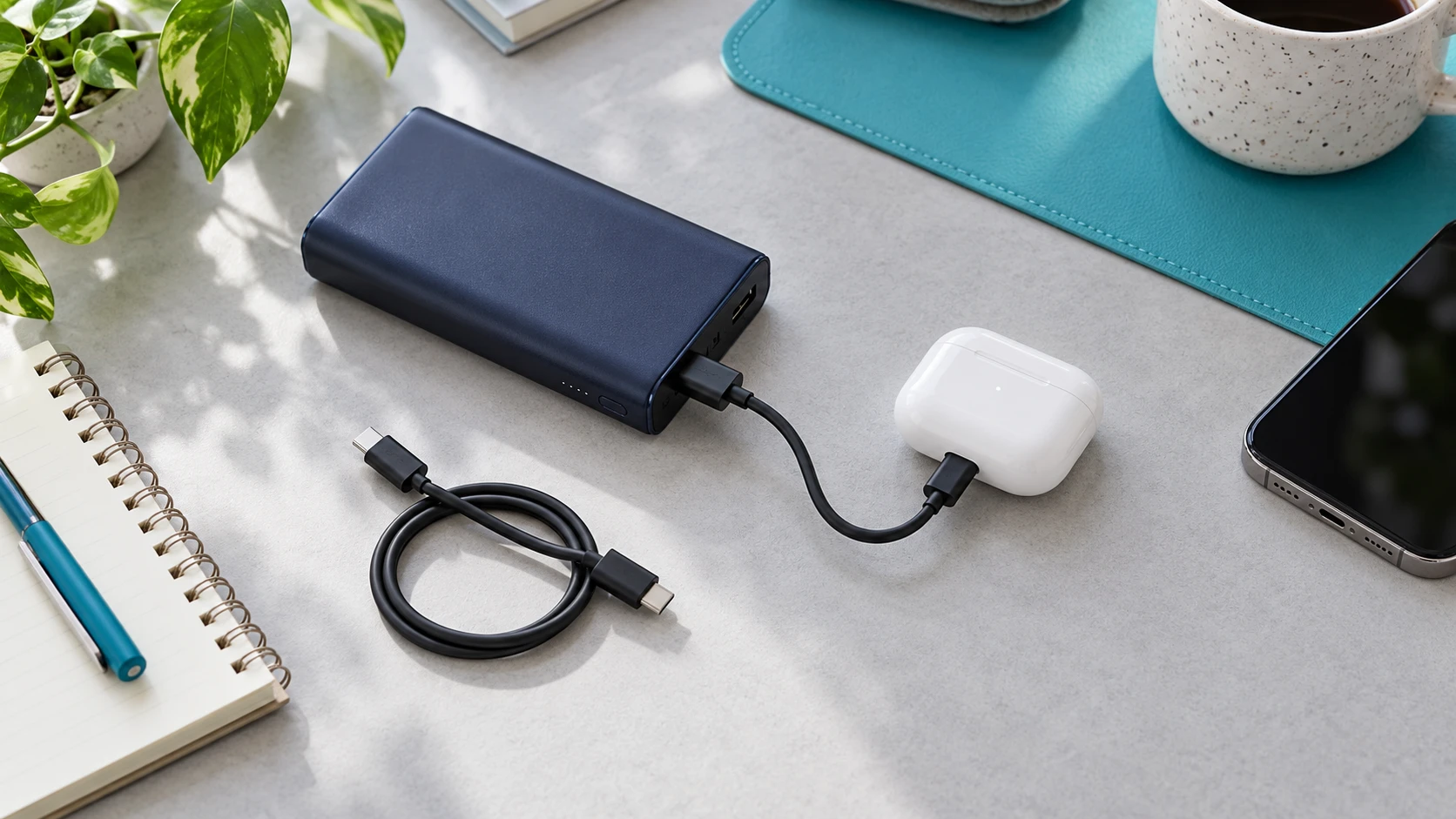
Earbud cases, fitness trackers, watches, and other small accessories may draw far less current than a phone. A bank with automatic load detection can interpret a very small draw as an unused output and shut that output down. This explains why repeatedly pressing the button may restart charging without fixing the underlying mismatch.
Anker’s low-current support guidance recommends a supported trickle-charging mode for small accessories and says to confirm that the specific product offers it. Do not apply a single cutoff current, timeout, or button sequence to every bank. Even closely related products can implement these features differently.
Use the instructions for the exact model
The Anker 323 A1334 is one documented example: its manual says to press the power button twice to enter trickle-charging mode, indicated by a green LED, and press the button again to exit. That example is a model-specific instruction, not a reset method for all Anker products or all power banks.
Find the model number printed on your bank and locate its manual. Look for terms such as low-current mode, trickle-charging mode, or small-device charging. Follow the stated activation, port, and timeout rules. If the feature has a timer, a later shutoff may reflect that timer rather than a hardware failure.
If your bank has no documented small-device support, test the accessory on its recommended wall charger. A successful wall-charge test shows the accessory can charge in that setup; it does not guarantee compatibility with every portable bank. Avoid homemade dummy loads or extra gadgets intended to bypass the bank’s shutoff behavior.
2. The bank needs recharging—or its indicators mislead you
A partially illuminated battery indicator does not guarantee that the bank can sustain every connected load. Start by recharging it with a compatible adapter and cable according to its manual. Then disconnect the input charger before testing its output. This separates ordinary battery-powered operation from any pass-through behavior.
Do not repeatedly drain a suspect bank to zero as a troubleshooting ritual. Instead, compare whether the interruption occurs with a reasonably charged bank and a modest compatible device. A failure that consistently appears early in use is more useful to report than a vague claim that the bank “sometimes dies.”
If the bank was sitting unused for a long time, the previous battery reading may no longer describe its present state. Our guide to power bank charge loss during storage explains how to establish a disconnected baseline. For this test, the goal is simply to start from a known charge state.
3. The cable or connector interrupts the connection
A cable can look intact while a connector fits poorly or the cable has an intermittent fault. Inspect both ends for bent housings, exposed conductors, discoloration, or damage. Check that a phone case is not preventing the plug from seating normally. Do not force a connector or keep charging through a visibly damaged part.
Use an intact cable known to work with the same device and charging type. Leave the setup stationary on a firm surface. If the replacement cable resolves the interruption under the same conditions, the original cable becomes the main suspect. If both cables fail, you have not yet established that the bank is faulty.
Do not scrape a charging port with a metal tool or pour cleaner into it. If debris or damage appears to prevent a proper fit, follow the device manufacturer’s cleaning or service instructions. A connection that works only when you hold the plug at an angle deserves attention rather than a workaround involving pressure on the socket.
For a laptop, cable capability matters as well as condition. Use the cable specified for the intended power level. Our explanation of e-marked USB-C cables helps you understand why a USB-C connector alone does not identify every cable’s power capability.
4. The selected port does not support the intended job
Read the port labels and the manual’s input/output table. A USB-C socket may support input, output, or both, depending on the product. Some banks also have different capabilities on two ports that look nearly identical. Plugging into an input-only socket cannot make it deliver power by pressing the button harder or longer.
Remove hubs, splitters, extension adapters, and unnecessary conversion pieces during the first test. Connect the device directly to a documented output. For accessories with a dedicated charging puck or proprietary cable, use the supported arrangement rather than assembling a chain of adapters with uncertain compatibility.
If one supported output works and another does not, record the specific port and cable combination. There may be a port limitation or damage, but the distinction is important for support. “USB-C fails while USB-A works with this phone” is more actionable than “the power bank turns off.”
5. The phone deliberately pauses charging
A device can reduce or stop its charging demand while the bank is operating normally. This is especially relevant when the battery reaches a selected limit or an optimized charging pause. Check the device’s own battery page before concluding that the portable charger disconnected unexpectedly.
Apple documents Charge Limit and Optimized Battery Charging on supported iPhones. Optimized charging can delay charging beyond 80 percent in certain circumstances; supported models also offer a selected charge limit. These features concern the phone’s charging policy. They do not establish that the power bank’s battery has failed.
If the phone says it reached its chosen limit, that gives you a concrete explanation for the pause. Follow the phone’s supported controls if you need a full charge for a particular trip. You do not need to permanently disable its battery-care features simply to diagnose the bank.
For an Android phone or another device, consult that manufacturer’s current guidance. Similar-looking battery protection features can have different names and behaviors. A useful comparison is a compatible phone below its configured limit, with no temperature warning, charged directly from the bank.
6. Temperature or a demanding setup causes trouble
Look at both devices. A bank may be in a hot bag while the phone is in direct sun, or the phone may be doing intensive work during charging. Move the setup to an ordinary indoor environment and allow it to return to a normal temperature before another test. Do not use a refrigerator, freezer, or water to force rapid cooling.
Apple’s temperature guidance explains that an iPhone or iPad can slow or stop charging when too warm, and can also stop charging when too cold. A temperature-related pause on the device side can therefore resemble a bank-side interruption.
For the bank, follow its own operating limits. Anker’s safety guide recommends compatible accessories and a cool, dry, ventilated charging environment. A firm open surface makes the setup easier to observe and avoids enclosing it in bedding or a tightly packed bag.
A laptop adds another question: does the bank offer the required USB-C Power Delivery output profile on the chosen port? Total capacity and output capability are separate specifications. A large mAh number does not establish that the bank can power a particular laptop. Compare the manuals and use our laptop power bank wattage guide for the selection process.
7. A second device or pass-through connection changes operation
If the interruption happens precisely when you attach another device, repeat the test with only one output connected. Multi-port products can change their available output depending on the port combination. Whether an interruption is expected, and how long it should last, depends on the bank’s documented behavior.
Continuous disconnect-and-reconnect cycling with an unchanged setup is worth investigating. It should not automatically be dismissed as normal power sharing. Note which ports were in use, whether any device recovered, and whether the problem disappears with a single connection.
Also remove the bank’s input charger. Simultaneously recharging a bank and powering another device requires explicit support. The Anker 323 A1334 manual, for example, says simultaneous charging and recharging are not supported. Other banks have different provisions, so check your model rather than generalizing from that example.
Our guide to pass-through charging and battery care explains why that feature deserves a separate compatibility check. For diagnosis, ordinary one-device battery operation gives you a simpler baseline.
A practical check when your power bank keeps turning off
- Inspect first. Stop if there is swelling, leakage, damage, a burning smell, or unusual heat. Do not proceed with charging tests on a visibly damaged bank.
- Establish the direction. Confirm whether the bank’s output stops or only its indicator sleeps. Read the connected device’s charging status.
- Simplify. Remove the input charger, extra devices, hubs, and adapters. Use one supported output.
- Recharge normally. Use compatible charging equipment and the model’s instructions, then disconnect the input.
- Compare a cable. Test an intact known-good cable with the same device and port.
- Compare a device. Try another compatible phone with no charge-limit or temperature pause. For small accessories, use a documented low-current mode if available.
- Record the result. Note whether the issue follows a cable, device, port, or the bank across several supported combinations.
Keep a short support record: exact bank model, connected device model, port, cable type, starting battery readings, approximate time until interruption, and any notification or error. A photograph of the labels and an ordinary video of the charging indicator can help explain an intermittent issue. Do not include account credentials or unrelated personal information.
Should you reset or replace the power bank?
Use a reset only if the manufacturer documents one for your exact model. Online suggestions to hold every button, short contacts, or connect an output back into an input are not a universal repair procedure. A supported reset may clear an operating state; it cannot repair a damaged cable, swollen cell, or broken port.
Contact the manufacturer when a recharged, undamaged bank repeatedly fails with multiple supported devices and known-good cables. Describe your comparisons and ask about warranty or service options. Replacement makes more sense after those checks than buying another bank to fix a phone’s intentional charge limit.
For U.S. disposal, the EPA’s lithium-ion battery guidance says these batteries and devices should not go into household trash or municipal recycling bins. Use an appropriate battery or electronics collection route, and get specific handling instructions for damaged products.
Choosing a replacement for small accessories
If your existing bank works with phones but has no supported mode for your earbuds or watch, look for documented small-device support on the exact replacement model. The Anker 323 A1334 is a documented example of a trickle-charging feature, not a hands-on recommendation or a guarantee for every accessory. Match its output to your devices and verify the seller’s model number before ordering.
Check Anker 323 A1334 listings on AmazonListings can include other models. Confirm the manual, port capabilities, and return terms; current price and availability vary.
Frequently asked questions
Why does my power bank turn off after a few seconds?
A low-power accessory, poor connection, unsupported port, or a protection response can produce that pattern. Compare an intact cable and one compatible phone. If the phone works but earbuds do not, check the bank’s documented low-current mode.
Why do earbuds stop charging while a phone works?
The earbud case may draw too little current for the bank’s normal load detection, or the accessory may have a compatibility issue. Use a supported small-device mode if the manual provides one, and compare the case on its recommended charger.
Does a dark LED mean the power bank stopped charging my phone?
Not necessarily. Confirm the phone’s charging status and whether its battery level increases. Some indicators sleep during normal operation. The manual is the best reference for interpreting your bank’s lights.
Can I force the bank to stay on all the time?
Use only an always-on or low-current feature that the manufacturer documents. Do not bypass automatic protection or add homemade loads to keep an output active. A portable bank may not be suitable for equipment that requires uninterrupted power.
Why does charging stop near 80 percent?
Check the phone’s optimized charging, selected charge limit, and temperature messages. A deliberate device pause can reduce demand and resemble a bank shutoff. The exact behavior depends on the phone and its settings.
Will a higher-capacity power bank fix disconnects?
Capacity alone does not solve a cable fault, low-current mismatch, or unsupported laptop output. Choose compatible ports, output profiles, and accessory features first. More stored energy addresses runtime, not every charging problem.
When should I stop testing and contact support?
Stop immediately for damage, swelling, leakage, unusual heat, or a concerning smell. For an undamaged bank, contact support if the problem repeats after a normal recharge with several supported devices and known-good cables.
Our practical recommendation
When your power bank keeps turning off, the most useful first step is a simple comparison: one charged bank, one compatible device, one supported output, and one intact cable. Check the device’s own charge policy, then investigate small-device mode, temperature, and additional connections as the pattern requires.
A clear repeatable result tells you what to change or what to report. Follow model-specific instructions, avoid bypassing shutoff protections, and involve support when the bank fails across supported setups. That approach saves unnecessary purchases and gives you a charging arrangement you can rely on.

Charging Technology Researcher
I help readers understand chargers, power banks, and compatibility so they can make informed choices.
Editorial note: Manufacturer documentation checked September 30, 2026. This guide offers troubleshooting comparisons and does not claim hands-on product testing or measured shutoff thresholds.


5 Comments