Best USB-C Car Chargers for a Laptop and Phone
Affiliate disclosure: As an Amazon Associate, MultiChargers earns from qualifying purchases. Our recommendations use published specifications, not hands-on testing.
Choose the port combination your trip needs
Compare two USB-C car adapters for a compatible laptop and phone. Check your vehicle outlet before ordering.
Compare Anker on AmazonQuick answer
The best USB-C car charger for a laptop and phone is one that supports your laptop’s USB-C input, your phone’s charging protocol, and your vehicle’s outlet limits at the same time. Compare Anker Nano A2737 if a stronger second USB-C port matters; compare UGREEN 130W 90889 for a laptop-and-phone setup. Both examples have a 100W maximum laptop port, not a 130W or 167.5W single-port output.
Who this shortlist is for
This buying guide is for travelers who want one plug-in car adapter for a USB-C-chargeable laptop and a phone. It focuses on two documented options instead of treating every high-wattage adapter as interchangeable. The useful choice depends on the devices you own and the vehicle you use. A larger total number does not automatically produce faster laptop charging.
If you are still checking whether this charging method can work at all, start with our USB-C car charger laptop compatibility guide. That article explains the charging path. This page helps you compare purchase priorities, decide which configuration fits, and avoid paying for power you cannot use.
We have not measured these products in a vehicle. There are no claimed temperature results, timed battery tests, or durability awards here. Our recommendations are editorial judgments based on manufacturer specifications checked October 16, 2026. Confirm the selected listing, model number, package and return conditions before checkout. Product availability and seller terms can change.
| Option | Laptop port ceiling | Second USB-C ceiling | Best reason to compare |
|---|---|---|---|
| Anker Nano A2737, 167.5W total | C1: 100W | C2: 45W | More capability for the second USB-C device |
| UGREEN 90889, 130W total | C2: 100W | C1: 30W | Laptop plus phone with a documented port assignment |
| Your existing vehicle USB-C port | Vehicle-specific | Vehicle-specific | No purchase if it already meets your needs |
These are output ceilings. Check the complete simultaneous-use chart and vehicle input requirements; do not add every individual port maximum.

Anker Nano A2737: compare for a stronger second USB-C port
Manufacturer specifications list 167.5W combined, with C1 up to 100W, C2 up to 45W and USB-A up to 22.5W. The distinction that matters here is the second USB-C port.
Check Anker model and availabilityWhen the Anker option makes sense
Consider this configuration when your second device needs more than a basic phone connection. Your purchase decision should follow that device’s supported charging method. A higher port ceiling offers room for a compatible device, but it does not force the device to accept more power. Check the required voltage, current and protocol before treating the number as a benefit.
Assign the laptop to the documented primary USB-C port and keep that assignment consistent. Labeling or remembering the cable is useful when several passengers reconnect devices. The wrong socket can leave a capable adapter working below your intended setup. Arrange connections while parked, with enough cable slack to avoid pulling the plug sideways.
Skip this upgrade if your current adapter already serves both devices reliably within their supported limits. Also compare another solution if your laptop needs a charging capability above this model’s individual laptop-port ceiling. The total printed on the packaging is not a substitute for that check.

UGREEN 130W 90889: compare for laptop plus phone
UGREEN identifies C2 for up to 100W and C1 for up to 30W. Its 130W combined rating is separate from individual maxima. The referenced package includes a 3.3-foot 100W USB-C cable; verify your selected bundle.
Check UGREEN model and availabilityWhen the UGREEN option makes sense
This is a useful comparison when the laptop gets the stronger port and the phone fits the secondary connection. Decide using your actual pair of devices rather than assuming every phone needs the largest possible rating. Navigation, screen brightness, battery level and temperature can affect what you observe during a trip.
Check the printed port labels carefully because the laptop-port assignment differs from the Anker example. Keep a photo of the manual’s port diagram with your travel notes. If you plan to connect a third device through USB-A, revisit the complete power-sharing chart rather than carrying over a two-device assumption.
Compare the entire delivered package when evaluating cost. A usable included cable can matter, but only if its length and charging capability suit your route. A bundle is not better value when you must immediately replace its cable. Confirm which accessories come with the exact listing before ordering.
Start with your laptop’s supported charging input
Find the exact laptop model in its manufacturer support documents. Confirm that it accepts charging through USB-C and identify any restrictions on the charging port. A connector that supports data or video does not by itself establish power input. A compatible car adapter cannot add charging functionality that the laptop lacks.
Use the original charger label as a starting reference, then check the laptop’s USB-C instructions. Some computers have different limits through different inputs. Others can accept a smaller source with reduced charging performance. Do not assume the original wall adapter’s wattage is either a universal minimum or a guarantee of identical behavior through USB-C.
Think about your workload before buying. Replenishing a sleeping laptop during a break is different from supporting demanding software while it runs. If you need sustained operation, leave room for the laptop’s operating demand. A charging symbol can appear even when the battery is losing energy overall because the computer consumes more than the available input.
Our charger wattage guide explains how to build a device-based requirement. Write that requirement down before comparing adapters. It keeps the purchase focused on a supported charging path instead of a headline number.
Check the vehicle outlet before choosing maximum output
Read your vehicle owner’s manual for the specific accessory socket you intend to use. Outlet ratings and operating behavior vary. Some outlets share a limit or switch off with the ignition. Do not copy a figure from a different vehicle, a different model year, or an online discussion and assume it applies to your car.
The adapter’s USB output is not identical to its electrical input from the vehicle. Power conversion has losses, so a plan based only on adding device watts can underestimate source demand. Confirm the adapter’s supported input and the vehicle’s documented allowance for the complete setup. Ask the manufacturer when those details are unclear.
Do not use a larger fuse or a splitter to work around an outlet limit. An adapter with a higher combined rating cannot increase what the socket safely supports. If the desired configuration exceeds the documented allowance, reduce the load or choose a supported alternative rather than treating occasional operation as proof that the arrangement is suitable.
An engine-off plan needs separate thought. A car charger stores no energy, and vehicle battery protection is model-specific. Follow the owner’s manual for accessory use. Never run an engine in an enclosed space to provide charging power.
Choose the cable as part of the purchase
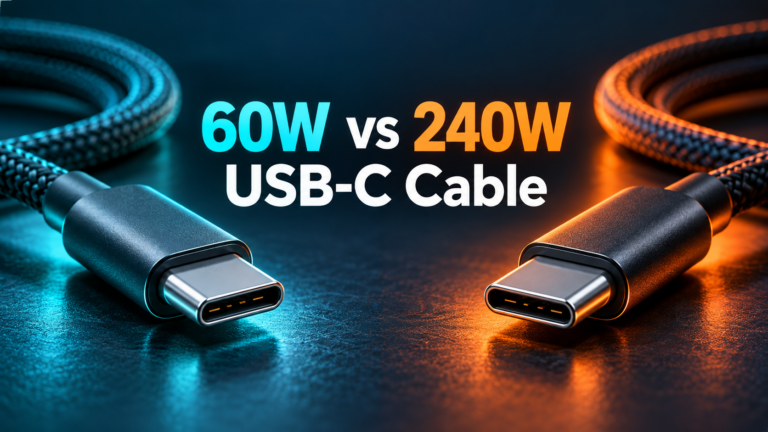
Select a USB-C cable with documented support for the power your laptop requires. For more than 60W, use an appropriate electronically marked 5A cable rated for the intended power range. A higher-rated cable supplies capability headroom; it does not increase a charger’s output or the laptop’s accepted input.
Cable length should follow the practical route from socket to secured device. Measure while parked and account for seat movement. Keep the lead away from pedals, steering, gear controls and seat mechanisms. Avoid a route that presses a connector against the console or leaves a tight cable pulling on the laptop.
Check both ends before relying on an old cable. Loose plugs, damaged insulation and intermittent connections can undermine an otherwise suitable purchase. A braided jacket or thick appearance does not confirm the electrical rating. Use the packaging or manufacturer specifications instead of guessing from looks.
See our USB-C laptop charging cable shortlist if you need to compare leads separately. Also distinguish charging ratings from data speed: a cable suitable for laptop power does not necessarily support a fast external drive or monitor.
Phone compatibility matters beyond watts
Identify the charging protocol required by your exact phone. USB Power Delivery and PPS support are separate questions from a port’s maximum wattage. A phone may charge from a compatible source without reaching its advertised fastest mode. Do not interpret a large combined adapter rating as a promise of a particular phone charging speed.
If Samsung fast charging is a priority, check the phone maker’s adapter and cable requirements for that model. Our Samsung Super Fast Charging explanation describes why the supported combination matters. For other phone families, use the same approach with their official support documentation.
Older phones may need a different cable connector at the device end. Choose a supported cable rather than adding unknown conversion adapters. If the trip includes several passengers, list their devices first and decide which connections actually need fast charging. This can make a simpler setup more practical than using every port.
Compare two-device and three-device use separately
Read the manual diagram for the exact ports that will be occupied. Individual maximum ratings describe capabilities under specified conditions; they are not always simultaneously available. A phone, camera battery accessory or other third device can change the arrangement. Check this before choosing a model for family travel.
Some chargers briefly renegotiate when another connection is added. This is different from repeated unexplained failures during steady use. If interruption would cause a problem for your equipment, investigate the manufacturer’s behavior notes before buying. A general-purpose car adapter should not be assumed to provide uninterrupted power for critical devices.
Start with the laptop alone during your parked setup check, then add the phone and any third accessory. Observe the laptop’s power warning and battery trend under a representative workload. This is a practical compatibility check, not a calibrated performance test. Change one item at a time if the result is poor.
Our multi-port power-sharing guide explains why a charger can behave differently after a second connection. Use the manual’s full configuration rather than a mental total of the port labels.
How to judge value without chasing a temporary discount
Compare the current checkout total for the exact model, including any cable you need. Consider seller identity, return terms, package contents and support availability alongside the price. A small saving does not help if the product variant lacks the charging configuration you selected.
Do not pay extra solely for a combined rating that your devices cannot use. If the laptop is the limiting device, additional total output may benefit another port but not the laptop itself. Conversely, a cheaper adapter may be poor value if its laptop port cannot sustain the supported input your work requires.
Consider whether the vehicle already provides a documented USB-C output that meets your needs. If it does, using it can avoid an unnecessary purchase. If you need stored energy away from the vehicle, compare a suitable laptop power bank instead. A power bank and a plug-in car adapter solve different travel problems.
Keep your original wall charger available for a destination with suitable mains power. A travel setup works best when each accessory has a clear purpose. Buying a car adapter should simplify your charging routine, not create an expectation that one compact device replaces every power source.
Before your first trip
Confirm the laptop model, selected charger port, cable capability, phone protocol and outlet rating. Keep the relevant manuals accessible. Arrange and secure devices before driving, and allow the driver to focus on the road. Charging equipment should never require reaching around the pedals or adjusting a laptop while the vehicle moves.
Stop using a setup with a burning smell, smoke, melting or visibly damaged connectors. Follow product instructions for operating temperature and placement, and avoid leaving electronics in a hot parked vehicle. Persistent disconnects deserve investigation rather than repeated reconnection.
Keep packaging until you have checked the intended supported configuration within the seller’s return window. If the combination does not meet your needs, document the model and connection arrangement when contacting support. Clear details are more useful than saying only that a high-watt charger is slow.
Frequently asked questions
Which of these chargers is best for a laptop and phone?
Compare Anker when the second USB-C device benefits from a higher port ceiling. Compare UGREEN when its laptop-plus-phone arrangement fits your devices. Vehicle compatibility comes first in either case.
Does 167.5W mean my laptop receives 167.5W?
No. Combined output and individual-port output are different. The laptop-capable port on each shortlisted model has a 100W ceiling; actual accepted power may be lower.
Can I use a USB-C car charger for every laptop?
No. Confirm USB-C charging input, supported power profiles, the cable and the vehicle supply. Some laptops require another supported charging method.
Should I buy a separate cable?
Only if the selected package does not include a suitable lead or its rating and length do not fit your setup. Verify the exact bundle rather than assuming all listings match.
Can the charger drain my car battery?
Accessory-socket behavior varies by vehicle. Follow the owner’s manual for engine-off use and disconnecting accessories. A car adapter is not a reserve battery.
Why are there only two product recommendations?
This is a focused shortlist for a laptop and phone. Adding more similar models would not replace the compatibility checks that determine a useful purchase.
Sources and recommendation method
Specifications checked October 16, 2026 against Anker A2737 documentation and UGREEN 90889 product details. These manufacturer ceilings inform the comparison; they are not measured performance results. Your own laptop and vehicle manuals determine compatibility.