


How Does Samsung Super Fast Charging Work?
GALAXY CHARGING GUIDE
How does Samsung Super Fast Charging work? A compatible Galaxy phone communicates with a USB-C power adapter, selects a supported power mode, and adjusts its demand as the battery fills or warms. For many supported models, Samsung’s wired Super Fast Charging uses USB Power Delivery with Programmable Power Supply (PPS). The exact charging level depends on the phone, adapter, cable, battery state, and temperature.
Quick Answer
Samsung Super Fast Charging is a wired charging mode for select Galaxy devices. The phone and compatible USB-C adapter negotiate power; PPS lets the phone request an adjustable voltage within the adapter’s supported range. A 25W adapter can enable the supported 25W mode. Certain models can use a 45W Super Fast Charging 2.0 setup with an appropriate 45W adapter and 5A cable. A higher-rated charger cannot make a phone exceed its own supported limit.
Protocol: USB Power Delivery and PPS for compatible Super Fast Charging setups
25W or 45W: determined by the Galaxy model and accessories
45W cable: commonly requires a suitable 5A USB-C cable
Actual power: changes throughout a charging session
What Does “Super Fast Charging” Mean?
Samsung uses several names that are easy to confuse: Fast charging, Super fast charging, Super fast charging 2.0, and Fast wireless charging. They are not interchangeable promises of a particular constant wattage. The on-screen label tells you that the phone recognized a charging mode, while the actual wattage can rise and fall.
Samsung says Super Fast Charging is available on select devices and distinguishes 25W and 45W adapters. Not all Galaxy devices support 45W. When you connect a higher-rated charger to a lower-rated Galaxy phone, the device chooses a supported speed rather than accepting the adapter’s entire capacity. Check your exact model on Samsung’s official specifications or charging support page before buying a new adapter.
How the Power Negotiation Works
- Connection starts at a safe level. Plugging in a USB-C cable does not immediately make the adapter deliver its maximum rating.
- The adapter advertises its power options. Its USB Power Delivery capabilities can include fixed profiles and adjustable PPS ranges.
- The phone requests a compatible mode. If the Galaxy model, adapter, and cable allow the relevant Samsung mode, the phone can request a voltage and current within the advertised PPS range.
- The adapter responds. It supplies the negotiated output. The phone’s charging circuitry and battery-management system decide how that power is used.
- Demand changes with conditions. Battery percentage, temperature, screen activity, and the phone’s protection logic can change the requested power during the session.
- Power tapers near full. A “45W” label describes a maximum capability under suitable conditions, not a continuous 45W from empty to full.
PPS means Programmable Power Supply, an optional feature within USB Power Delivery. It gives the device more flexible control than choosing only a fixed output such as 5V or 9V. See our PPS charging guide for a fuller explanation of how the negotiation works.
Fast Charging vs Super Fast Charging vs Super Fast Charging 2.0
| Samsung label | What to understand | What to check |
|---|---|---|
| Fast charging | A supported faster wired mode, below the device’s possible Super Fast Charging setup | Phone settings, adapter protocol, cable |
| Super fast charging | Samsung’s higher wired charging mode on supported models, commonly associated with 25W-compatible setups | Exact phone limit and compatible USB PD PPS adapter |
| Super fast charging 2.0 | A higher mode on select models with a suitable 45W setup | Model support, compatible adapter and 5A cable |
| Fast wireless charging | Separate wireless charging mode | Phone and wireless charger support; wired PPS rules do not directly describe it |
These labels can vary across One UI versions and models. Some phones briefly show a message when connected and then switch to a generic battery display. Do not infer a constant charging wattage from the animation or a projected completion time. Samsung’s device compatibility guide is a better starting point for model-specific requirements.
25W vs 45W: What Changes?
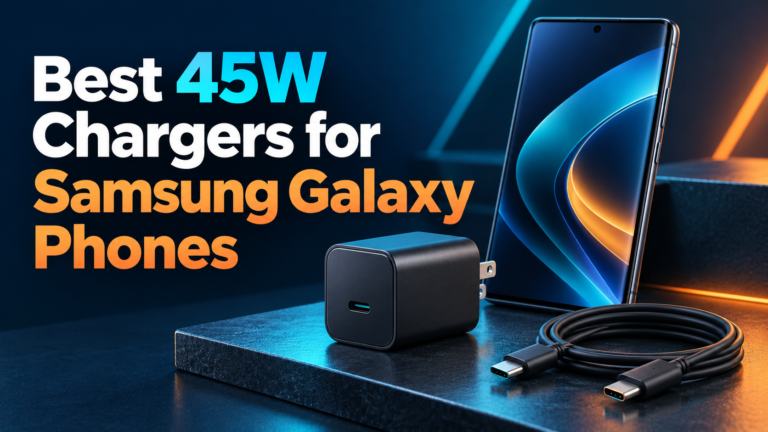
A 25W Super Fast Charging setup needs a Galaxy phone that supports the mode and a compatible adapter. Samsung’s own 25W charger specifications list adjustable PPS voltage ranges. A 45W setup needs a Galaxy model that explicitly supports that higher wired charging level, an adapter with the necessary output profile, and typically a 5A-rated USB-C cable. Samsung specifies the 45W adapter and 5A cable combination in its guidance for the relevant mode.
The numbers describe maximum supported power under suitable conditions. A 45W phone may draw less than 45W for much of a session. If its battery is already high, if it is warm, or if the screen and demanding apps are active, the phone may reduce charging power. Therefore a 45W accessory is not a guarantee of a fixed charging-time improvement over 25W in every test. Compare elapsed time from similar starting percentages and temperatures for a fair result.
Why PPS Matters for Samsung
Ordinary USB Power Delivery can offer fixed voltage profiles. PPS adds an adjustable range. The Galaxy phone can request an appropriate value as conditions change, while the charger regulates its output inside the agreed range. That can help the charging system manage power conversion and heat. PPS is not a promise that every device will charge cool or at peak wattage all the time.
Look at the adapter’s output label rather than relying on “PD,” “GaN,” or “100W” printed on the package. A PPS listing often appears as a range, such as “PPS 3.3–11V,” with a current limit. The voltage range, current limit, and selected port must match what the particular Galaxy model needs. GaN describes a semiconductor material used in many compact adapters; it does not by itself prove PPS support.
Our USB PD vs PPS comparison explains the relationship. If you have not confirmed your phone’s protocol, use the phone PPS compatibility checklist before buying.
What Charger Should You Use?
- Confirm the exact Galaxy model. A series name alone is not enough; base, Plus, Ultra, Fold, and A-series models can differ.
- Check its official wired charging limit. Note whether Samsung calls for a 25W or 45W adapter for the relevant mode.
- Choose a reputable USB-C charger with the needed PD PPS output. Check the adjustable PPS range on the specific USB-C port, not merely the total wattage on the box.
- Inspect power sharing. A multiport adapter can divide its available output when a laptop or second phone is connected. Read the manufacturer’s simultaneous-use table.
- Match the cable. A suitable 3A cable can serve many 25W modes; a mode above 3A needs an appropriate electronically marked 5A cable. Samsung recommends its genuine 5A cable for optimal results with the 45W adapter.
- Check recognized safety and condition. Use an undamaged, standards-compliant adapter and cable from a reputable seller.
Do not buy only by a charger’s maximum total wattage. A charger marked 65W might reach 65W using a fixed 20V laptop profile while exposing a lower PPS limit for phones. For a laptop and Galaxy phone on one adapter, our multi-port charger guide covers per-port output and shared power.
Does the Cable Matter?
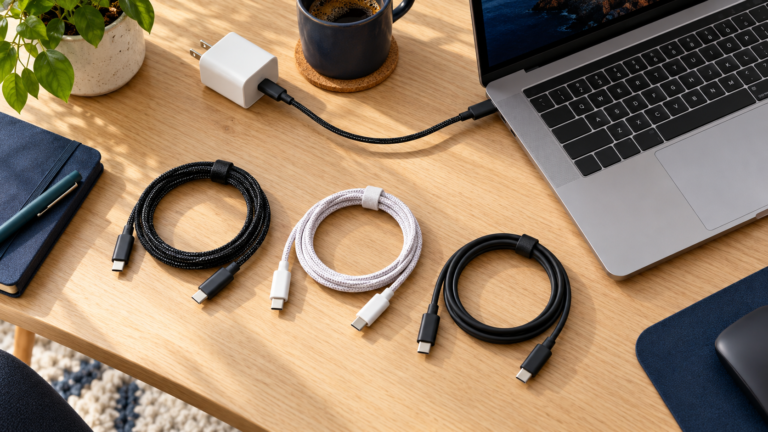
Yes. The cable carries the negotiated current and can limit which mode is available. USB-C cables with different power ratings can look nearly identical. For charging modes requiring more than 3A, use a compliant 5A e-marked cable. Samsung’s own 45W adapter guidance calls out a 5A cable for optimal results. A 5A cable alone cannot add 45W support to a phone or charger that lacks it.
Also inspect the connector and cable for wear. A loose plug, damaged conductor, lint in the port, or poor contact can cause intermittent charging or reduced performance. If a cable becomes unusually hot, discolored, frayed, or unreliable, stop using it. Do not probe or clean a powered port with metal tools.
How to Enable Super Fast Charging
On current Galaxy software, open Settings > Battery > Charging settings and look for the available fast charging controls. Samsung notes that only speeds supported by the device appear. Menu wording varies by model and One UI version; some older devices place the control under Battery and device care or More battery settings. Use the phone’s settings search if you cannot find it.
With the setting enabled, connect the phone directly to a suitable wall adapter and cable. Samsung says the phone may briefly display the charging mode and then show a normal charging status. If it does not show the expected mode, test the correct port with the phone alone and at a moderate battery level. The phone’s temperature and battery status can still reduce real-time speed even when the mode is recognized.
Why Super Fast Charging Is Not Working
| What you notice | Likely explanation | What to try |
|---|---|---|
| Only ordinary fast charging appears | Adapter lacks a suitable PPS range or phone does not support the higher mode | Check exact model specification and adapter output table |
| Expected 45W mode does not appear | Model, adapter, or cable may not meet 45W requirements | Verify model support and use the recommended 5A cable |
| Charging slows with a second device | Multiport adapter reallocates power | Test the Galaxy alone on the specified USB-C port |
| Charging slows after a few minutes | Battery taper, heat, or active use | Charge at room temperature with the screen off and compare from a lower battery level |
| No reliable connection | Damaged cable, loose connector, or port debris | Inspect safely and replace faulty accessories |
Samsung notes that heavy app use and temperatures outside a comfortable range can slow charging. A projected “time until full” is also an estimate, not a measurement of current PPS wattage. If the device overheats, shows a moisture warning, or repeatedly disconnects, follow Samsung’s device-specific support steps rather than trying to force the fast mode.
How to Compare Chargers Fairly
Start each run at the same battery percentage, let the phone reach similar room temperature, and keep screen and app activity similar. Use the same phone, port, and cable wherever possible. Record elapsed time between two useful battery levels rather than one momentary peak displayed by a USB meter. Do not claim a real-world percentage improvement based solely on the 25W and 45W labels.
A power meter can show voltage, current, and watts, but a simple meter may not identify whether the negotiated profile is PPS. A capable USB PD analyzer can reveal the negotiated power objects, though most buyers can use Samsung’s official model guidance and adapter specifications instead. Charging speed also depends on battery health and software, so a single test cannot establish a universal result.
Is Super Fast Charging Safe for the Battery?
On supported hardware, the phone controls what it requests and reduces power when conditions call for it. A higher-rated compliant charger does not force its maximum rating into the phone. Battery wear is influenced by heat, state of charge, age, and usage over time. PPS is one tool for managing incoming power, not a guarantee that fast charging has no effect on battery longevity.
Use reliable equipment, keep the phone ventilated, avoid heavy gaming during a speed test, and follow Samsung’s battery guidance. Replace damaged accessories. If your device displays a charging error or becomes abnormally hot, disconnect it and use the manufacturer’s troubleshooting advice.
Frequently Asked Questions
Is Samsung Super Fast Charging the same as PPS?
No. PPS is the USB Power Delivery feature used by compatible charging setups. “Super Fast Charging” is Samsung’s name for its supported device charging mode.
Do all Galaxy phones support 45W?
No. Samsung says 45W charging is supported only on select devices. Confirm the exact model before purchasing a 45W adapter.
Can a 65W GaN charger enable Samsung Super Fast Charging?
It can if the relevant port offers a compatible USB PD PPS output and the phone and cable meet the mode’s requirements. The 65W total rating and GaN label alone are insufficient.
Does a 45W charger always charge faster than a 25W charger?
Only a phone that supports the higher mode can use it, and charging power tapers during the session. The time difference depends on the device and conditions.
Do I need a 5A cable for 25W?
Usually a suitable 3A USB-C cable can handle a 25W mode. Check the exact phone and adapter guidance. For relevant 45W setups, Samsung recommends a 5A cable.
Why does the Super Fast Charging message disappear?
Samsung says the speed may show briefly at connection, then the display may switch to a normal charging status. Check device settings and the accessories if performance seems wrong.
Can I use the same adapter for a laptop and Galaxy phone?
Often yes, provided it has suitable fixed USB PD power for the laptop and PPS output for the phone. Check per-port and simultaneous-use specifications.
Final Takeaway
Samsung Super Fast Charging depends on a compatible Galaxy model, the right USB PD PPS adapter, an appropriately rated cable, and favorable battery conditions. Verify the exact model’s 25W or 45W capability and the charger’s PPS range. The number on the adapter is available capacity; the phone decides how much to request at each point in the session.

3 Comments