

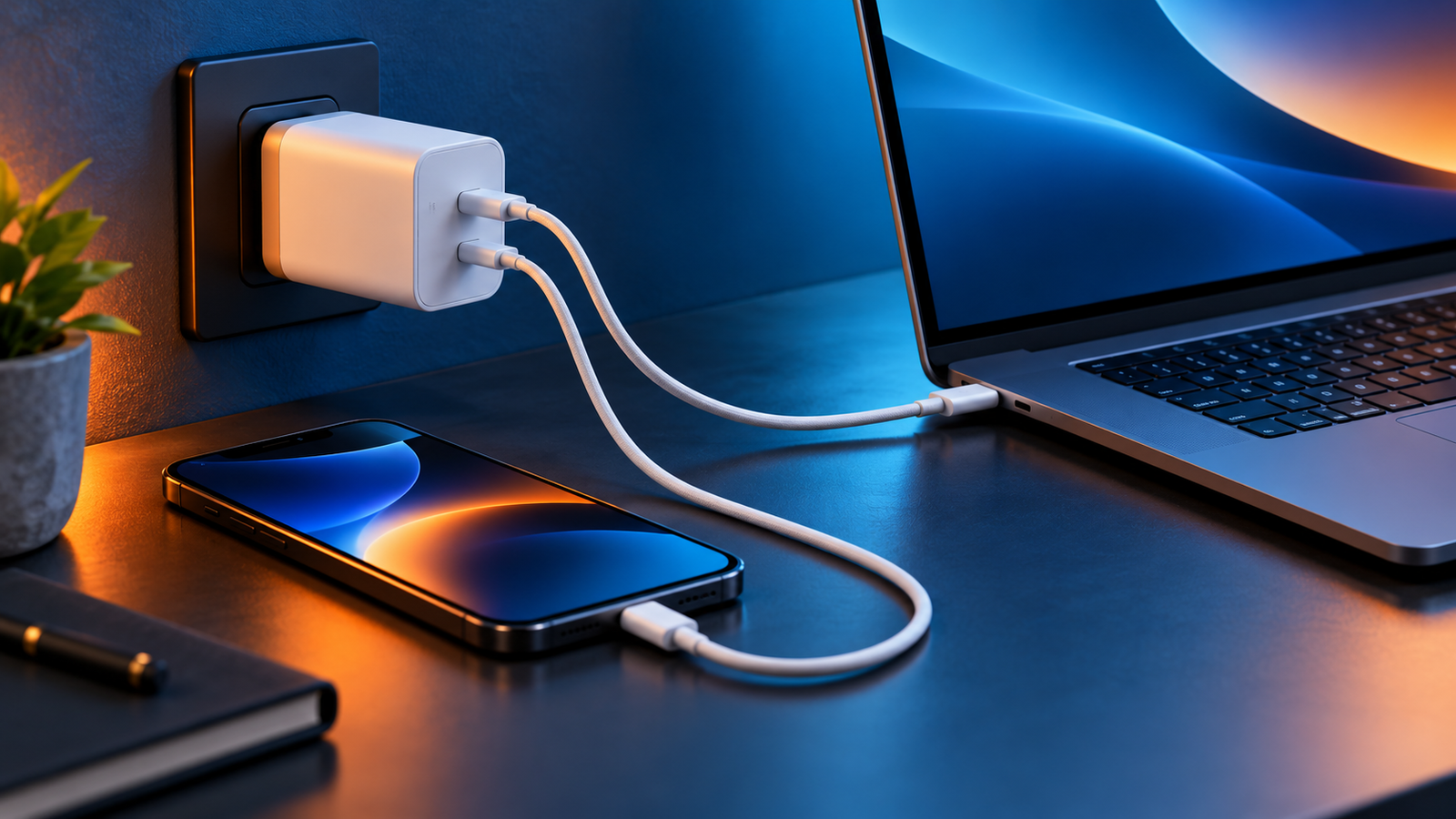
Can a Higher-Watt USB-C Charger Damage Your Phone?
Can a higher-watt USB-C charger damage your phone? If you have a 65W laptop adapter or a 100W multi-port charger beside a phone that normally charges at 20W or 25W, the larger number can seem alarming. In normal use with a compatible, reputable USB-C charger and cable, the answer is no. The charger’s wattage is its maximum available output, not an amount it forces into your phone.
How does a higher-watt USB-C charger work with a phone?
In a USB PD connection, the charger advertises the voltage and current combinations it can provide. The phone selects a compatible option, and the charger delivers power under that agreement. The number on the adapter, such as 65W or 100W, states an upper limit under supported conditions. It does not mean every attached device receives that much power. The USB Implementers Forum’s USB PD overview describes how devices use the power they need.
Actual power can vary throughout a charging session. Your phone may charge faster at a low battery level, then reduce power as the battery fills or as temperature rises. A charger’s advertised maximum and a phone’s peak charging rating are therefore different from a constant charging rate.
Can you use a 65W or 100W charger for a 20W phone?
Yes, when the charger supports a charging mode the phone accepts and the equipment is in good condition. A 20W-capable phone can charge from a 65W USB-C PD adapter without consuming all 65W. A 100W adapter can likewise serve a lower-power phone. You will not generally get a faster charge than the phone and supported protocol allow.
| Charger label | Phone capability | What to expect |
|---|---|---|
| 20W USB-C PD | Up to 20W compatible mode | Potentially up to the phone’s supported peak, subject to conditions |
| 65W USB-C PD | Up to 20W compatible mode | Similar phone limit; spare charger capacity does not force more power |
| 100W USB-C PD | Up to 25W compatible mode | Phone uses a supported mode, not the adapter’s full rating |
| 100W multi-port charger | Phone plus laptop | Available power may be divided among ports; check per-port ratings |
These examples illustrate limits rather than guaranteed measured charging speeds. Some chargers redistribute power when another device is connected, and individual port outputs can be lower than the total wattage printed on the product. See our multi-port charger guide for that distinction.
Does higher wattage charge your phone faster?
Only if your previous charger was below the phone’s supported charging capability and the new charger offers the right protocol. Replacing a slow 5W charger with a suitable 20W USB PD model can help a compatible phone. Moving from a suitable 30W adapter to a 100W model may make no difference to that same phone.
The charging protocol matters as much as the watt rating. USB Power Delivery is a common standard; Programmable Power Supply (PPS) is an optional USB PD feature that lets supported devices request more finely adjusted voltage. A phone that needs PPS for its fastest mode may charge normally but more slowly from a high-wattage adapter that lacks PPS. Read USB PD vs PPS and what watt charger do I need? for more detail.
What about iPhone, Samsung Galaxy, and Google Pixel?
Apple says compatible iPhones can use a higher-wattage USB-C power adapter, including one supplied with a Mac laptop. The phone still controls the power it takes. For specific models, follow Apple’s charging guidance and use a compatible cable.
Samsung explains that its Galaxy devices choose the best supported charging speed even when an adapter has a higher rating. A particular Super Fast Charging tier may need a matching USB PD PPS charger and suitable cable. Our Samsung Super Fast Charging guide covers those requirements.
Google’s Pixel charging guidance similarly indicates that a higher-wattage adapter helps only to the extent a Pixel supports the higher charging speed. The exact supported rate varies by phone model, battery state, and conditions. Consult the maker’s specifications for your device.
Could a higher-watt charger hurt battery health?
The adapter’s maximum rating by itself is not the cause of battery wear. Lithium-ion batteries age with use and time, while prolonged high temperatures can accelerate that aging. A phone regulates charging and may slow it to manage heat and protect the battery. Fast charging can produce more heat than slower charging, but a 100W label does not make a phone charge at 100W.
If the phone becomes unusually hot, remove a thick case if appropriate, stop using demanding apps while charging, give it airflow, and inspect the cable and adapter. Never use a damaged or swollen device. For normal warmth versus a potential problem, see why a USB-C charger gets hot.
When is charging actually unsafe?
- Damaged parts: Frayed cables, bent connectors, loose sockets, or scorch marks call for immediate replacement.
- Unreliable equipment: Choose reputable chargers with clear electrical ratings and appropriate safety approvals for your region. Avoid counterfeit adapters.
- Moisture or overheating: Do not charge a wet port or cover an adapter so tightly that heat cannot escape. Follow any phone temperature or moisture warning.
- Incompatible charging claims: A high watt rating alone does not guarantee a maker-specific fast charging mode. Confirm USB PD, PPS, cable, and port support as needed.
The useful buying question is not “Is 100W too powerful for my phone?” It is “Does this charger safely provide a compatible mode, and does the port provide enough power for every device I plan to connect?”
Do you need a special USB-C cable?
For a typical phone charging at 20W or 25W, a sound, compatible USB-C cable is the starting point. For higher-power devices or some phone fast-charging modes, cable current rating matters. A 5A USB-C cable generally has an electronic marker (e-marker) that communicates cable capability; a 3A cable may limit certain modes. Check the requirements of your specific phone, adapter, and charging mode rather than relying on a “100W” product headline alone. See 3A vs 5A USB-C cable and what is an e-marked USB-C cable?
How to choose one charger for phone and laptop
- Check each device’s charging specification. Note the phone’s supported USB PD or PPS modes and the laptop’s recommended power.
- Check the adapter’s output profiles and each port. A 100W total rating may not mean 100W from every port or while multiple devices are connected.
- Choose an appropriate cable for the highest-power device. Confirm the cable’s rated current and intended USB PD power level.
- Allow some headroom for simultaneous charging. A shared charger should meet the combined practical needs of the devices you use together.
- Watch actual behavior. A charging icon or advertised peak alone does not guarantee a sustained speed; heat and battery level can change it.
A higher-watt USB-C charger is usually a flexible choice for a lower-watt phone. The phone decides what it can use; the charger’s job is to provide a compatible, stable supply.
Frequently asked questions
Will a 100W charger force 100W into my phone?
No. With compatible USB PD equipment, the phone requests an appropriate mode. Its charging circuitry controls how much power it uses.
Can I charge a 25W phone with a 65W charger?
Generally yes, if the charger and cable are compatible. Reaching the phone’s fastest advertised speed may require the specific USB PD PPS profile the phone uses.
Is a laptop USB-C charger safe for a phone?
A reputable USB-C PD laptop adapter can usually charge a compatible USB-C phone. Check that the adapter supports standard compatible output modes and that the cable is undamaged. Apple explicitly documents use of a higher-wattage USB-C Mac adapter for compatible iPhones.
Why is my phone slow on a high-watt charger?
The adapter may lack the required protocol, the port may have a lower individual rating, another connected device may share the power budget, or the phone may reduce charging because of battery level or temperature.
Will a higher-watt adapter extend battery life?
Not by itself. Battery health depends on factors including age, temperature, and charging behavior. Use compatible equipment and avoid excessive heat.
The takeaway
You can normally plug a lower-power phone into a higher-watt USB-C charger without damaging it. USB PD negotiation and the phone’s own controls determine the power used. Match the protocol, cable, and per-port rating to your device; choose dependable hardware; and treat unusual heat or damaged connectors as a reason to stop charging.
Sources: USB-IF USB Power Delivery; Apple fast charging guidance; Samsung charging guidance; Google Pixel charging guidance.



2 Comments