


Best USB-C Chargers for a Laptop and Phone Together
Affiliate disclosure: As an Amazon Associate, MultiChargers earns from qualifying purchases. Links marked “Amazon” may earn us a commission at no extra cost to you. Check the exact model, current listing and package contents before buying.
One outlet. Two devices. The right power split.
The best charger for a laptop and phone is one that supplies enough power to both ports at the same time. A 100W label alone does not tell you whether your laptop receives 100W while your phone charges.
Compare the laptop + phone setupsThree charging setups to compare first
These are specification-based options for different needs, rather than a universal “best overall” ranking. We have not performed laboratory charging, temperature or durability tests. The products below were selected because their documented capabilities make the buying trade-offs clear. Current Amazon price, seller and availability must be checked on the listing.

Anker 735 Nano II 65W — lighter charging needs
Consider model A2667 if your laptop can charge within a 45W allocation while your phone uses the other USB-C port. This is the lower-power option in this comparison.
Check before buying: its 65W solo capability falls when both USB-C ports are used. It is not a 65W laptop + fast-phone setup.
Find Anker A2667 on AmazonAmazon search link; match model A2667. Manufacturer product image.

Anker Prime 100W — a 65W laptop plus a phone
Consider model A2688 for its documented two-USB-C allocation. It gives the laptop more headroom than the 65W option while retaining a USB-A port for other uses.
Check before buying: the laptop still cannot take 100W in that two-USB-C mode. Adding a third device changes the total again.
Find Anker A2688 on AmazonAmazon search link; match model A2688, not a different Prime generation. Manufacturer product image.

Anker Prime 160W — investigate for higher-power needs
Model A2687 offers an all-USB-C layout and a larger combined budget. Consider it when the lower-power setups leave too little room for your laptop and phone.
Check before buying: its charging mode and active-port allocation must fit your devices. We do not promise a fixed 100W + 60W split or full laptop fast charging in every configuration.
Check Anker Prime 160W on AmazonVerify A2687, U.S. plug and current package contents.
Best charger for a laptop and phone: power-sharing comparison
| Exact model | Ports | One USB-C alone | Laptop + phone consideration |
|---|---|---|---|
| Anker 735 Nano II A2667 | 2 USB-C + 1 USB-A | Up to 65W | C1 + C2: up to 45W + 20W |
| Anker Prime A2688 | 2 USB-C + 1 USB-A | Up to 100W | C1 + C2: up to 65W + 35W |
| Anker Prime A2687 | 3 USB-C | Supports compatible 140W PD 3.1 use; special 150W conditions are not a general laptop promise | Up to 160W combined; allocation depends on mode and connected devices |
Sources: A2667 specifications, A2688 output table and A2687 specifications. Checked October 11, 2026.
Start with your laptop’s real charging requirement
Before choosing a charger, find the laptop’s exact model and look at its manufacturer charging guidance. The original adapter provides a useful starting point, but its printed rating is not a guarantee that every USB-C replacement will work. Some laptops accept charging through selected USB-C ports; others use a separate connector or support lower power through USB-C than through their original adapter.
Check three things: whether USB-C input is supported, which port accepts it, and what power level is recommended for your workload. A laptop used for email may behave differently from the same laptop running a demanding task. A charger can supply enough power to show a charging icon while still leaving the battery to drain under load. “It charges” and “it replaces the original adapter for my work” are different buying requirements.
If you only need overnight charging, you may accept a lower allocation. If you want to keep the battery level steady during work, choose around the documented input requirement and the charger’s shared mode. Our charger wattage guide explains the wider decision, while the 65W vs 100W comparison helps you narrow the power class.
Why a 65W charger may not give the laptop 65W
A multi-port charger has a combined power budget and rules for distributing it. The rating advertised for one port often applies only when that port is used alone. Connecting the phone changes the configuration. This is why checking a single-device compatibility list is not enough for a laptop-and-phone purchase.
Use the exact port pair in the manufacturer’s table. A pair of USB-C ports may have a different allocation from USB-C plus USB-A. Also check what happens when you later add a watch, tablet or another cable. Extra connectors provide flexibility, but they do not create extra available watts.
For the models in this comparison, the lower-power option leaves less headroom for the laptop in shared use. The middle option is better matched to a laptop whose requirement fits its primary shared allocation. Neither becomes a simultaneous 100W laptop charger simply because one port can reach that level alone. For a deeper explanation, read why a multi-port charger slows down.
Choose for the phone’s protocol, not just its wattage
The phone may be the smaller load, but it still has compatibility requirements. Check its recommended wired charging standard, the adapter profiles and the cable. A charger described as compatible with a phone can provide ordinary charging without delivering that phone’s fastest advertised mode.
For iPhone, use Apple’s current guidance for the exact model. Older Lightning models and USB-C models need different cables. Apple lists USB Power Delivery as a requirement for suitable third-party fast-charging adapters in its iPhone fast-charging guidance. Do not assume that every iPhone has the same maximum requirement, or that a phone-side port with a particular wattage automatically reaches the fastest mode on every generation.
For Samsung and other phones that use PPS, verify the required voltage and current range. A PD label alone does not prove a particular PPS profile. The laptop occupying another port can also change what the phone-side port provides. This article does not assign a guaranteed Samsung Super Fast Charging 2.0 result to a model without that exact shared-mode evidence. Use our phone PPS support guide and Samsung charging explanation to identify what to check.
The cable can change your buying decision
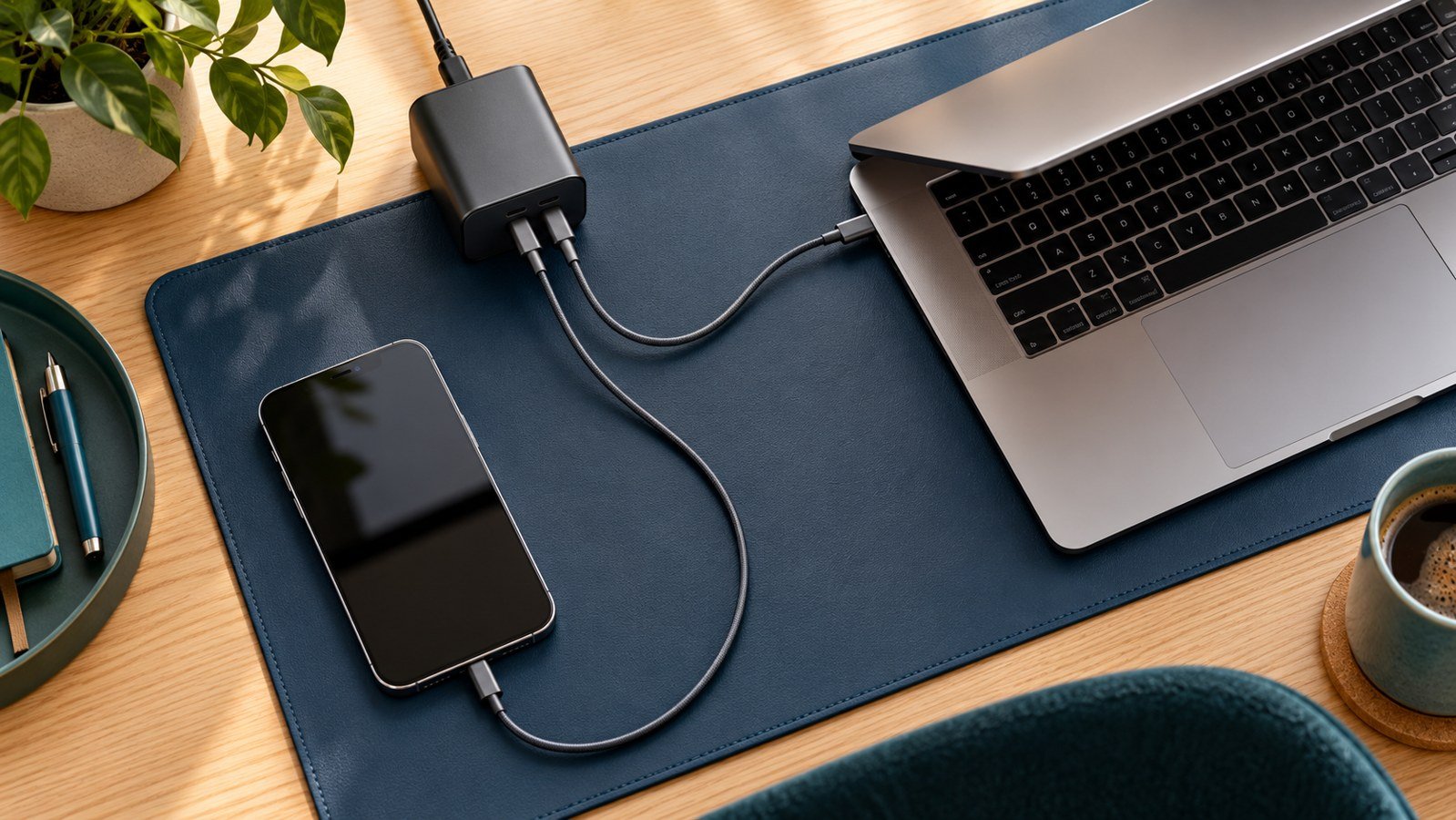
Plan the laptop cable and phone cable separately. Their connectors, power ratings and lengths may differ. An existing phone cable is not automatically suitable for the laptop’s full input requirement. Likewise, a laptop charging cable may supply power without supporting the data speed or external display features you need.
For a laptop connection above 60W, choose a correctly specified 5A electronically marked cable rated for the intended power mode. A current 240W-rated USB-C charging cable is a practical option for higher-power PD use, but the cable does not make the charger or laptop deliver 240W. Some older, properly specified 100W cables remain useful for compatible 100W setups; high-power EPR requirements need a suitable EPR cable.
USB-IF’s cable guidance distinguishes cable power capabilities. Charging power and data performance should be checked separately. For readers replacing a cable, our 60W vs 240W cable comparison and e-marked cable guide explain the relevant labels.
Choose only the length you need for the setup, while allowing comfortable movement. A cable stretched tightly across the desk puts strain on the connector. Also check that its plug fits around your phone case and laptop port. An angled connector can solve a clearance problem, but its direction should match where the cable needs to go.
Which setup fits your situation?
| Your need | What to look for | What to avoid assuming |
|---|---|---|
| Laptop that works within 45W + modest phone load | Documented 45W+20W allocation | 65W remains available to the laptop |
| Laptop requiring up to 65W + phone | At least the required laptop allocation plus compatible phone output | All 100W models share power identically |
| Laptop needs 100W while phone charges | Verified 100W laptop allocation with another port active | 100W solo output solves this |
| High-power laptop fast charging | Exact PD revision, cable, laptop input and shared mode | A 140W headline applies to any laptop or port pair |
These rows describe selection conditions, not universal device recommendations. Match the laptop manual and phone requirements to the chosen product’s chart. If your requirement sits above the documented shared allocation, move to a model with a suitable chart or keep separate adapters. Buying the smaller option and expecting its single-port output to remain unchanged is an avoidable mistake.
Wall charger or desktop station?
A wall charger makes sense when you want one compact adapter in a bag. Before purchasing, consider the outlet position, adapter dimensions and whether the device could obstruct a neighboring socket. A foldable plug is convenient for packing, but an outlet behind furniture may require a different shape or a short power extension approved for the use.
A desktop station makes sense when you charge devices from the same desk every day. Its ports can be easier to reach, and a separate AC cord can move the charging connections away from the wall. It also adds another cable and takes up desk space. More ports can be useful for a growing setup, but you still need a power-allocation table that covers the actual combination.
If your main need extends beyond one laptop and one phone, see our broader multi-device charger guide. This page focuses on simultaneous laptop-and-phone selection, so it does not rank family charging stations or international plug kits alongside the compact options.
Check these details on the listing before you buy
- Exact model: match the code, not only the brand and wattage. Different Prime or Nano generations may have different sharing rules.
- U.S. plug and input: verify the adapter variant and input rating. A travel plug adapter is a separate requirement.
- Active-port chart: find the configuration for your laptop and phone, then check any third device you plan to add.
- Package contents: confirm whether the laptop and phone cables are supplied. Do not infer a cable bundle from a product image.
- Seller and support: review the listing’s seller, return terms and manufacturer warranty information for your region.
- Total setup cost: include required cables. We do not show unverified prices or label a product the cheapest.
For the two Amazon search buttons above, select the listing matching A2667 or A2688. Search results can include similar models, accessories and bundles. The direct A2687 link should also be checked for the current selected variant. If the model or allocation cannot be confirmed, pause the purchase and use the manufacturer documentation.
Power sharing during everyday use
Some chargers briefly renegotiate power when another device is connected or removed. That can interrupt charging before the new allocation takes effect. A short change in the charging indicator does not by itself establish a fault, but persistent interruptions deserve investigation. We have not measured the reconnection behavior of every model here.
Phone charging also slows as the battery fills and can vary with temperature and device use. Maximum adapter output is a ceiling, not a constant draw. A laptop likewise requests power based on its supported profiles and current needs. Do not judge a charger solely because the device draws less than the printed maximum at one moment.
For an unexpected change after adding the phone, check the selected ports, laptop cable rating and the device requirements before replacing the charger. Our second-device charging guide covers this scenario. If you need uninterrupted power for equipment beyond ordinary device charging, do not treat a consumer multi-port adapter as a verified backup-power solution.
How we selected these chargers
We compared manufacturer-listed port layouts, single-port limits, two-device allocation and model-specific conditions. The main question was whether a reader could identify a useful laptop-and-phone configuration. We did not award “best overall,” “budget winner” or performance scores without comparative test and price evidence.
The three options are from one manufacturer because clear model documentation was available for this comparison. They are not a claim that other brands are inferior. When comparing another brand, use the same checklist: exact model, required phone protocol, shared output and cable suitability. A documented alternative that fits your devices may be a better purchase for you.
Specifications were reviewed on October 11, 2026. Manufacturer pages, firmware behavior, bundles and retail listings can change. Illustrative images show the general use case; product images are supplied by the manufacturer or linked product asset. No charging-speed, temperature or reliability result in this article is presented as our own test.
Frequently asked questions
Can one charger charge a laptop and phone together?
Yes, when it has separate suitable ports and a documented shared configuration that meets both devices’ requirements. Confirm USB-C input on the laptop and the required phone protocol. The charger’s maximum total rating is only part of that check.
Is 65W enough for a laptop and phone?
It can be enough for some combinations, but check the shared allocation. The A2667 example leaves 45W for the laptop in its two-USB-C setup. A laptop that needs 65W during your workload requires a different shared configuration.
Will a 100W charger give my laptop 100W while my phone charges?
Not automatically. The A2688’s two-USB-C chart allocates 65W to the primary port. Choose a different product if100W must remain available to the laptop with the phone connected.
Should I buy the 160W option instead?
Only if its documented mode and active-port allocation meet a need the smaller options do not. Check the current chart and device requirements; the larger combined budget does not guarantee every possible split or protocol.
Do I need a 240W cable for the phone too?
Choose each cable for its device and required power mode. A phone with a lower power requirement may not need the laptop cable’s power rating. Match its connector and manufacturer charging guidance rather than buying both cables by the largest wattage label.
Can a laptop charger force too much power into a phone?
In a compliant USB-C Power Delivery connection, the device and adapter negotiate supported power. The adapter’s rating is capacity, not an instruction to force that amount into every device. Use reputable, correctly specified equipment and undamaged cables.
Choose the shared configuration that fits
For a laptop that can work within the lower shared allocation, start by comparing the Anker 735 A2667. For a laptop requiring up to 65W alongside a phone whose needs fit the secondary output, examine the Anker Prime A2688. Investigate A2687 when you need more combined headroom, while checking its mode-specific behavior before purchase.
The best charger for a laptop and phone is the one that meets your actual simultaneous requirements. Check that combination first; size, extra ports and current cost can then decide between suitable models.



5 Comments