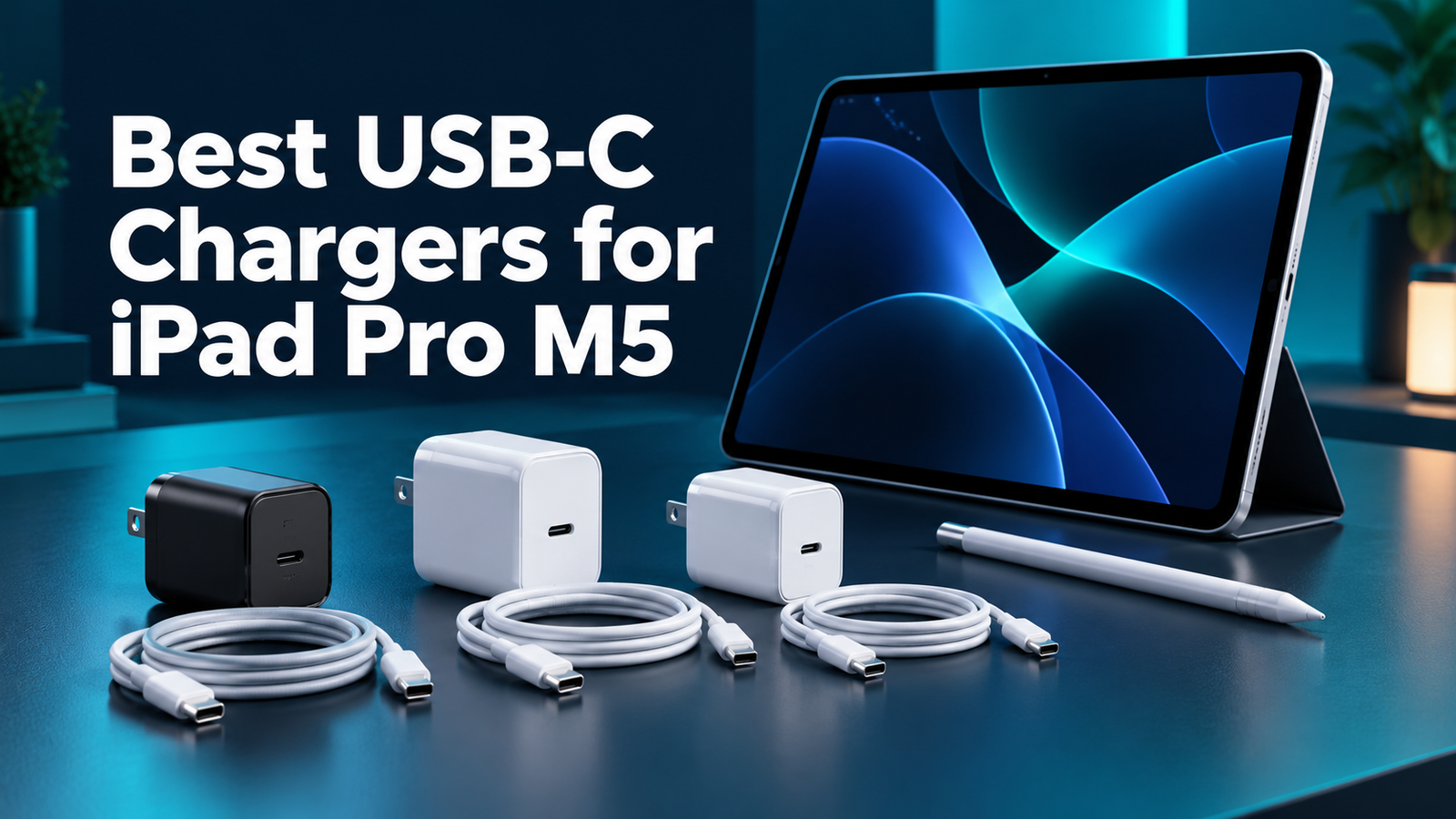
Best USB-C Chargers for iPad Pro M5: 3 Options
Affiliate disclosure: As an Amazon Associate, MultiChargers earns from qualifying purchases. Purchases through Amazon links may earn us a commission at no extra cost to you. Verify the selected product, seller and package.
Choose a charger for your iPad Pro M5.
Compare two Apple options and a compact third-party candidate, then check the cable and complete charging path.
Compare Apple’s Dynamic adapterQuick answer
The best USB-C chargers for iPad Pro M5 should match Apple’s model-specific fast-charge requirement: a USB-C compliant adapter capable of 60W or more and a suitable USB-C cable. Apple identifies its 40W Dynamic adapter with 60W Max and 70W adapter in its testing. Anker 715 is a compact 65W candidate based on its documented output, with no independent M5 performance test claimed here.
Apple 40W Dynamic Power Adapter with 60W Max
Dynamically delivers up to 60W
Check on AmazonWhat this shortlist does—and how it was researched
This is a documentation-based buying guide for people choosing a wall charger for an iPad Pro M5. We reviewed Apple’s charging guidance, product documentation and identifiable Amazon listings. MultiChargers has not measured these adapters for charging speed, efficiency, temperature or durability. The order reflects different buying preferences, not a laboratory ranking.
The two Apple options have a more direct connection to Apple’s published test setup. The third-party option is a candidate selected by its documented output and compact single-port design. That distinction helps you judge the evidence rather than assuming that every recommendation was tested in the same way. No measured tie or performance winner is claimed.
Before comparing accessories, decide whether a purchase is needed. If your current charger and cable already meet the requirement and behave well, keeping them is sensible. A spare may solve a travel or workspace problem. An upgrade should solve a real limitation, not merely replace a working adapter because its packaging looks older.
Quick comparison
| Adapter | Documented output | Why compare it? | Important check |
|---|---|---|---|
| Apple 40W Dynamic Power Adapter with 60W Max | Dynamically delivers up to 60W | Compact Apple option | 60W is a dynamic maximum, not a continuous tablet draw |
| Apple 70W USB-C Power Adapter | 70W maximum; one USB-C port | Apple higher-output option | A larger ceiling does not mean the iPad takes 70W |
| Anker 715 Nano II 65W | 65W maximum; one USB-C port | Compact third-party candidate | Documented output is not an independent M5 speed test |
1. Apple Dynamic adapter: for a compact Apple charging kit
The full name matters: Apple 40W Dynamic Power Adapter with 60W Max. Apple describes an adapter that dynamically delivers up to 60W. It should not be confused with an ordinary adapter limited to 40W. Apple’s M5 fast-charge support page names the Dynamic adapter in its test information.
Compare this option if you want a compact Apple adapter dedicated to the tablet. Its Dynamic Power behavior is a reason to read the complete specification instead of treating either number in the name as the tablet’s constant consumption. The iPad’s charging behavior changes throughout a session; a maximum is not a promise of sustained draw.
The linked listing identifies the Dynamic adapter. Check that the selected item has the complete 40W-with-60W-Max name and the plug format you need. A listing for another Apple charger is a different purchase even if the shape or white finish looks familiar. Cable and bundle contents should be checked separately.

Apple 40W Dynamic Power Adapter with 60W Max
Compact Apple option. Dynamically delivers up to 60W.
Check on AmazonVerify the complete model, plug type, cable package and seller.
2. Apple 70W: for an Apple adapter with a higher ceiling
Apple’s 70W USB-C Power Adapter is another option named in the M5 fast-charge testing information. Its higher output ceiling can also make it useful in a kit where you charge compatible USB-C devices at different times. That does not mean the iPad continuously draws the charger’s full rated power.
Compare it if you already use, or prefer, an Apple laptop-style adapter. A dedicated single connection is straightforward: you do not need to consider a second device sharing the same charger. However, one USB-C port cannot provide separate simultaneous connections for the tablet and a phone. Think about that routine before buying.
Do not buy it purely because seventy is greater than sixty. This guide does not establish that it beats the Dynamic adapter in a measured M5 charging test. The useful choice may be the adapter that fits your existing cables, other compatible devices, preferred brand and total purchase cost. The charging cable is sold separately.

Apple 70W USB-C Power Adapter
Apple higher-output option. 70W maximum; one USB-C port.
Check on AmazonVerify the complete model, plug type, cable package and seller.
3. Anker 715: a compact 65W candidate
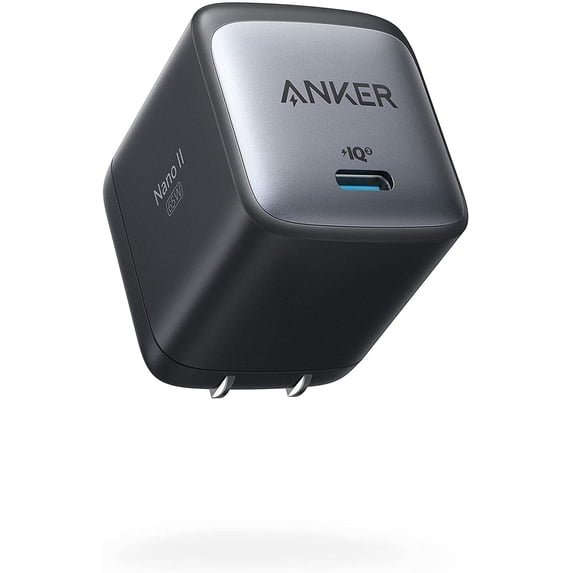
Anker’s 715 Charger, also known as Nano II 65W, is model A2663. Anker documents one USB-C port, up to 65W output and a 20V/3.25A profile. Its published dimensions are 1.65 by 1.42 by 1.74 inches. This makes it worth comparing as a compact single-port candidate with output above the general requirement.
Our recommendation is an inference from the documented adapter capability and Apple’s general requirement, not an independent confirmation of an exact M5 charge time. If your decision depends on reproducing Apple’s own test setup, choose one of the Apple options and read the current support guidance. A wattage comparison alone cannot establish equal measured performance.
Confirm the model and complete listing before checkout. Anker names can be similar across single-port and multi-port chargers. A different port arrangement means a different power-sharing question. This 715 option is for charging one connected device at a time; it does not provide a second output for your phone.

Anker 715 Nano II 65W
Compact third-party candidate. 65W maximum; one USB-C port.
Check on AmazonVerify the complete model, plug type, cable package and seller.
Confirm the tablet model before using this guide
Check the model information in Settings before shopping. Screen size alone does not identify the tablet generation. Several iPad Pro generations can look alike, and a general “for iPad” claim on a charger page does not establish the same charging behavior across them. Record the complete model name, including the chip or generation.
This guide is specifically about iPad Pro M5. Do not transfer its model-specific charging guidance to every earlier Pro, Air or mini. An older model can still have a useful compatible charger, but its charging limits and documented results need their own check. Buying a larger adapter does not add a hardware feature absent from the tablet.
Also check which accessories you actually use. A keyboard case, stand or hub can change how you route the charging connection. The simplest comparison starts with the tablet’s own USB-C port. Once that works as expected, evaluate any alternate accessory path using the accessory’s documentation rather than assuming all pass-through ports behave identically.
Understand the fast-charge requirement before replacing a charger
Apple specifies a USB-C compliant source rated for at least 60W and a suitable USB-C cable for the M5 fast-charge arrangement. This is a requirement for a particular capability, not a statement that every lower-power source is useless for ordinary charging. Separate a short top-up goal from a longer replenishment session.
For someone who draws, edits video or works between meetings, the ability to recover charge during a brief break may be valuable. Someone whose tablet usually charges during a long idle period may have less reason to buy a new adapter. Start with the use pattern and the existing equipment, then decide whether the fast-charge requirement solves a practical problem.
Avoid turning a manufacturer time claim into a personal guarantee. Apple’s support page gives its conditions and notes that settings and environmental factors affect results. Our guide does not quote a single guaranteed time for all users. Compare equipment requirements first, then observe your own normal charging routine without expecting a fixed stopwatch result.
Use the included cable when it fits the job
Apple’s guidance identifies a USB-C cable like the one supplied with the tablet. If that cable is working and reaches your charging location, there is no need to replace it automatically. A replacement should solve damage, missing equipment, routing or a clearly identified specification need. Buying a thicker-looking lead is not a technical check.
When choosing a spare, read its documented power capability and make sure both ends match the connection. A 240W rating is headroom, not a claim that an iPad will charge at 240W. Likewise, a long braided cable does not establish faster charging than a shorter suitable one. Cable appearance and electrical capability are separate questions.
If the same cable must handle a display or high-speed storage, check those functions separately. A charging-focused cable may have basic data capability without the required video or storage performance. Our USB-C charging cable guide explains why watts alone do not establish those additional functions.
A multi-port charger needs a different check
The three options here each use a single USB-C output. If you prefer one adapter for the iPad and phone simultaneously, compare a multi-port model by its occupied-port allocation. The total number on the box is not necessarily the output available to the tablet when the second device is connected.
For example, a charger may advertise a high total but distribute it across ports in a way that leaves the tablet below your intended fast-charge budget. You need the manufacturer’s table for the exact combination, not a photograph showing several connected devices. Also check whether the primary USB-C port differs from the others.
If shared charging is the main goal, use the multi-port charger selection guide before purchasing. Keeping one of these dedicated single-port adapters for the tablet can be simpler, while another arrangement may reduce the number of plugs in your bag. Choose according to the actual devices you charge together.
Direct charging and accessory charging are different paths
A wall adapter connected directly to the tablet creates a straightforward baseline. Charging through a hub, display or keyboard accessory introduces another device into the path. Its input, output and operating requirements may affect what reaches the tablet. A powerful source cannot automatically remove a limit imposed by that intermediary.
Before buying a replacement adapter for disappointing pass-through charging, test the direct connection with a suitable cable. If that behaves well, inspect the accessory documentation next. You may need a different port, a supported cable or an accessory with a more appropriate output rather than simply a charger with a bigger headline number.
Apple’s USB-C iPad guidance distinguishes charging from connecting displays and other accessories. Read the requirement for the whole workspace if one connection needs to do several jobs. A dedicated wall charger is a good comparison point; it does not by itself establish that a dock or display will supply the same charging arrangement.
Buy for the route from outlet to tablet
Think about where the tablet sits while charging. A desk stand can make the connector height different from a tablet lying flat. Leave enough slack for changing the angle without pulling on the port. Avoid a cable loop that catches on a drawer, chair or bag when you move the device.
The adapter also needs to fit the available outlet. A compact shape may be convenient, but nearby plugs and furniture matter. Check the plug format for the country where you will use it. If you travel, read the input label and the requirements for the destination rather than assuming a different wall plug alone resolves every electrical question.
A small pouch containing one identified adapter and matching cable can reduce packing errors. Store it separately from cables used only for display or storage connections. A spare for travel can be worthwhile even when it adds no charging-speed benefit; it solves the simpler problem of leaving your main desk cable behind.
Compare the complete package and seller
Check the selected item in the cart, including model, plug, quantity and cable bundle. Retail pages may combine multiple variants under one family name. A charger-only listing and a charger-plus-cable listing are different purchases. The image at the top of a page should not be your only confirmation of what will arrive.
Read seller, fulfillment, return and warranty terms at purchase time. This guide does not claim a live discount, availability or customer rating. Those details can change, and they are separate from the documented output. Compare the full purchase cost once you know which configuration fits your tablet and existing accessories.
Do not use a brand name as a substitute for a model check. Apple has several USB-C adapters, and Anker has many compact chargers with different port counts. A recommendation link helps identify a product, but the selected variant and seller still deserve review. Keep the order details until you have checked the delivered accessory.
Check the delivered charger in a simple setup
Inspect the adapter and cable for visible damage before connecting them. Confirm that the package matches the order. Start with a direct tablet connection, leaving hubs and other accessories out of the first check. This reduces the number of variables if the tablet does not show the expected charging indication.
Observe it during a normal charging session instead of repeatedly changing accessories after a few seconds. If performance is disappointing, compare with a known working cable and charger one part at a time. Keep the tablet’s workload and starting battery level in mind. A result during demanding use cannot be compared directly with an idle charging session.
Apple has an iPad charging troubleshooting guide if the device does not charge or charges slowly. Follow that guidance and use support or return options when a problem persists. Do not open the adapter or bend a connector to force it to work. Damaged plugs and intermittent connections need attention rather than repeated improvised adjustments.
Which one should you choose?
Compare Apple’s Dynamic adapter when a compact Apple charging kit is your preference. Compare Apple 70W when you want another Apple option named in the test information, perhaps for alternating use with compatible equipment you already own. Consider Anker 715 as the compact third-party candidate, with its evidence limitations kept clear.
There is no measured winner in this guide. Choose the option that satisfies the intended charging path and fits your cable, outlet, support preference and total purchase cost. If your current setup already does that, keeping it may be better value than buying another adapter. A spare is useful when it solves a second-location or packing problem.
Before checkout, confirm the model, the output requirement and the cable. If you need two devices charging together, inspect a shared-output table instead of treating this single-port shortlist as a complete answer. Those checks make the purchase more purposeful and reduce the chance of replacing an accessory that was never the limiting part.
Frequently asked questions
Does this guide apply to every iPad Pro?
No. It focuses on M5 models. Check your exact generation before applying a model-specific fast-charge requirement.
Is a 65W charger an independently tested M5 recommendation here?
No. Anker 715 is a candidate based on its documented output and Apple’s general requirement. MultiChargers has not measured its M5 charging performance.
Does 60W Max mean the tablet always draws 60W?
No. It describes an adapter capability. The charging process changes with device demand, battery state and other conditions.
Must I replace the cable that came with the tablet?
Not automatically. Apple identifies a suitable USB-C cable like the included one. Replace it for a real need such as damage or routing, with clear specifications.
Can I use a higher-output Mac charger?
Apple says a compatible higher-wattage USB-C Mac adapter can charge a USB-C iPad. Check the exact adapter, cable and desired capability.
Are prices and hands-on speed rankings included?
No. This guide compares documentation and practical choices. Current seller terms and prices should be checked on the listing.
Ready to compare your iPad Pro M5 charger?
Start with the exact tablet and a suitable cable, then review the complete adapter listing.
Check Apple’s Dynamic adapter on AmazonSources and further reading
Research checked October 14, 2026: Apple M5 fast-charge requirements and testing; Apple Dynamic adapter; Apple 70W adapter; Anker A2663 specifications; Apple USB-C iPad guidance; iPad charging troubleshooting.