

Why Is My Power Bank Charging So Slowly? 7 Causes and Fixes
As an Amazon Associate, MultiChargers.com earns from qualifying purchases. Affiliate links do not change the price you pay.
POWER BANK RECHARGE SPEED
Power bank charging slowly? Check the input limit before buying a bigger charger. The port, protocol, cable, battery level, and connected devices can all change recharge time.
You plug in your power bank before leaving home, check it later, and discover that it has barely moved through its battery indicator. Is your portable charger aging, or is the wall adapter holding it back? The answer depends on how much power the bank can actually receive and what else is happening during that session.
This guide covers a power bank recharging its own battery. A bank that accepts power normally but charges a laptop slowly has a different troubleshooting path. If the bank never starts recharging at all, use our guide to a power bank that is not charging. Here, the focus is a working recharge connection that takes longer than expected.
What counts as a power bank charging slowly?
“Slow” needs a reference point. Compare against the manufacturer’s recharge estimate for your exact model, including its specified charger, cable, input port, and conditions. A time quoted for another bank with the same capacity may have little relevance if the two products have different input electronics.
Also distinguish a full empty-to-full recharge from a brief top-up. A percentage display is an estimate of state of charge. Four lights provide even less detail. One unchanged LED over a short observation is not a precise measurement of how many watt-hours have entered the battery.
A newly slow setup is particularly useful to investigate. Note what changed: a replacement cable, a different adapter port, another device on the charger, or a hotter room. If nothing changed and recharge performance is persistently worse under the documented conditions, the manufacturer may need to investigate the bank or accessories.
7 common reasons for slow power bank charging
| Cause | Why it matters | First check |
|---|---|---|
| 1. Low input limit | The bank cannot accept the charger’s full rating | Read the bank’s input specifications |
| 2. Charger or protocol mismatch | The fastest supported mode is unavailable | Compare supported profiles and per-port output |
| 3. Cable or connection limitation | The connection may limit or interrupt power | Compare an intact compatible cable |
| 4. Shared supply or unsuitable port | Other loads or port limits change available power | Use the documented input with a dedicated supply port |
| 5. Heat protection | The bank can reduce or pause input | Follow operating conditions and allow natural cooling |
| 6. Battery level and charging taper | Recharge rate changes as the battery fills | Compare similar starting levels and full-session time |
| 7. Pass-through load or abnormal behavior | Some input serves another device, or a fault needs support | Disconnect outputs and record the result |
The table gives you a sequence to investigate. It does not diagnose a battery remotely. For an intact bank, change one variable at a time. Stop comparisons if you see swelling, leakage, damaged connectors, unusual odor, or abnormal heat.
1. Your power bank has a lower input limit than you expect
Read the casing or manual for input, not just the largest wattage on the product page. Input is power the bank receives to recharge. Output is power it can deliver to other devices. Manufacturers may advertise an impressive total output that is unrelated to the rate of a particular recharge input.
A simple calculation helps you interpret a label: 5 volts multiplied by 2 amps equals 10 watts. That rating describes a supported electrical condition, not a promise of constant 10W delivery into the cells for the entire session. It also does not become 30W merely because you connect a 30W adapter.
For a documented example, Anker’s PowerCore Essential 20000 / 325 recharge guidance specifies a 5V/2A maximum input and approximately 10–11 hours for a full recharge. It says a 30W USB-C charger does not increase recharge speed beyond that input limit. These figures apply to the documented model, not every 20,000mAh bank.
If your setup already reaches the bank’s supported input, an adapter upgrade may offer no useful improvement. To shorten recharge time beyond that limit, you would need a bank designed for a higher compatible input, rather than an accessory that the existing bank cannot fully use.
2. The charger does not provide the required charging mode
Charger wattage is only part of compatibility. The source must offer the voltage and charging protocol your bank supports. A proprietary phone fast-charge mode may not be the same as the USB Power Delivery mode needed by the bank. Similar advertised wattages do not guarantee the same negotiated result.
Look at the adapter’s individual port specifications and the bank’s input requirements. Use the manufacturer’s recommended cable arrangement. For a comparison, choose a known-working adapter that supports those requirements, keep the same input port, and disconnect other loads.
The difference can be substantial on a particular product. Anker’s 533 Wireless Power Bank documentation lists USB-C input profiles of 5V/3A and 9V/2A. It gives a 4.5–5 hour recharge estimate with a PD charger and the included USB-C cable, versus longer than 10 hours with a USB-A arrangement. This is a model-specific comparison, not a universal rule that USB-A always takes twice as long.
If the new compatible supply improves charging, check the first adapter’s profiles before declaring it broken. It may work correctly with a phone while offering a less suitable mode for your bank. Compatibility and malfunction are different findings.
3. The cable limits input power or makes a poor connection
A cable can support ordinary charging without supporting a bank’s fastest input. Connector type, current capability, condition, and the supported charging arrangement all matter. A cable’s appearance does not reveal its internal construction or establish its maximum supported power.
For a high-power example, Anker’s Prime 26K 300W FAQ calls for a 140W-capable 5A cable to achieve that model’s maximum input mode. It also distinguishes PD compatibility from proprietary protocols. Your smaller bank may need much less; follow its own requirements.
Compare an intact known-working cable while keeping the charger, charger port, and bank input the same. Our explanation of e-marked USB-C cables covers the identification used for higher-current cable support. An expensive high-wattage cable cannot raise a bank’s input ceiling.
Inspect disconnected plugs for physical damage, split insulation, discoloration, and looseness. Stop using a connection that becomes unusually hot or only works when bent into a special position. Avoid unnecessary adapter chains during the comparison because they add connections and make the result harder to interpret.
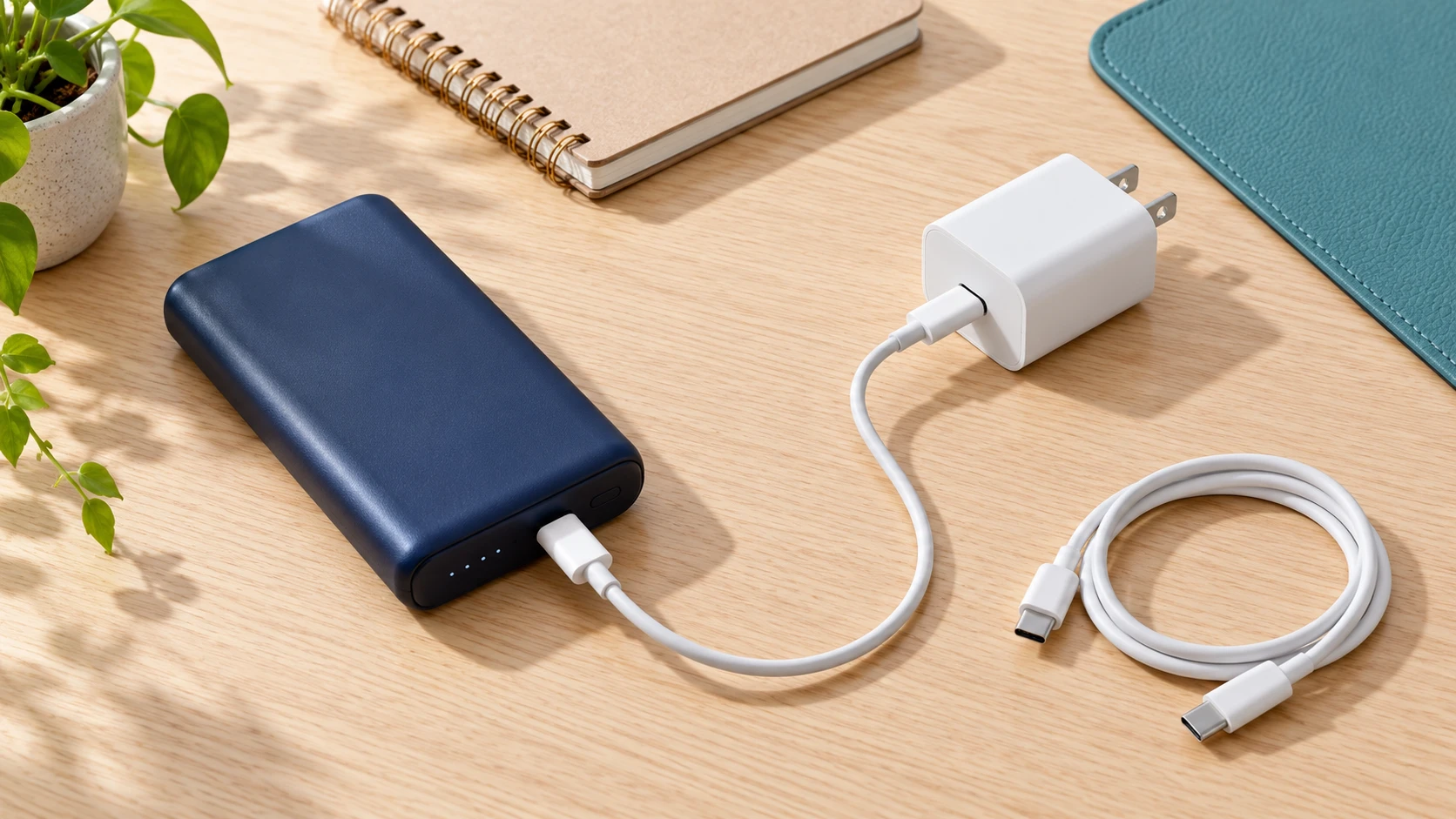
4. A shared charger or different port changes available power
A multi-port adapter’s maximum total output is not necessarily available from every socket. Power allocation can change when you connect a laptop, phone, or tablet to another port. The bank may then receive less power than it did when charging alone.
Compare the bank using one supported charger port with other devices disconnected. Then consult the adapter’s allocation table for your normal combination of devices. A bank that recharges more quickly alone may be experiencing an ordinary supply limitation rather than a battery problem.
The bank’s own input selection matters too. Multiple USB-C sockets can have different input capabilities, and some ports are output-only. Check the model manual for the intended recharge port. Do not assume that every USB-C opening offers the fastest documented input.
A computer port, hub, monitor, or travel charging socket introduces another set of power limits. Some banks allow these sources; others specify restrictions. Use a documented compatible wall adapter as your comparison rather than assuming an unfamiliar USB socket should match a dedicated supply.
5. Temperature protection reduces the recharge rate
Fast charging can change the bank’s operating temperature. Protection logic may lower charging power or pause recharge under particular conditions. In its Prime FAQ, Anker describes input power reduction during charging and delayed recharge after heavy use while the cells cool. That model’s behavior illustrates why peak input need not persist.
Follow your product’s operating conditions. Keep the setup in an open suitable location, away from direct sunlight and trapped heat. If the bank was just used heavily, disconnect it and let it cool naturally before the next supported charging attempt.
Do not use a freezer, heater, or unsupported charging method to overcome a warning. A temperature pause is information to respect. Our guide to power bank heat during charging explains how to separate bank, adapter, and connected-device observations.
6. Charging naturally changes as the battery approaches full
Recharge is not always a straight line from empty to full. Lithium-ion charging commonly includes a constant-current stage followed by voltage regulation, during which charging current can decrease. Texas Instruments’ lithium-ion charge-controller description explains this staged process. It describes charging electronics, not the specific chip or exact charge curve inside your bank.
That means the final part of a session can feel slower than the middle. Do not judge a bank solely from how long its last few percentage points take. Equally, a very low rate at a mid-level battery state is not automatically explained by normal end-of-charge taper.
For a fair comparison, use similar starting levels, a suitable environment, the same input port, and no output load. Avoid deliberately draining the bank every day just to benchmark it. Ordinary use can provide a reasonable starting level without turning troubleshooting into a repeated battery cycling exercise.
A maximum input rating is a ceiling under supported conditions. It is not the average over the session. A momentary display reading, a slow last LED, and a complete recharge time measure different things. Record which one you are using before comparing your observation with a product claim.
7. The bank is powering another device, or needs support
If the bank supports pass-through charging, some incoming power may serve the attached device. Less can remain for increasing the bank’s battery level. The balance depends on the model and load, so a steady percentage is not sufficient evidence that the bank accepts no input.
Anker’s MagGo Power Bank 2 Pro troubleshooting page specifically describes prioritizing an attached device and using the remaining power for the bank. Its recommended comparison uses a single charger port and model-specific conditions. Do not transfer its mode setting or recharge-time figure to a different bank.
Disconnect the bank’s outputs for your baseline. Our pass-through charging guide explains the compatibility and battery-care questions for everyday use. Not every bank supports simultaneous charging, so check before adopting that arrangement.
If the bank remains much slower than its documented estimate with compatible working accessories and comparable conditions, contact support. Report its model, age, starting level, full-session duration, warnings, and which comparisons you completed. Aging or a hardware fault may require service, but a slow session alone cannot identify the cause.
How to estimate recharge time without misleading yourself
Use the battery’s watt-hour figure for an energy calculation. Dividing watt-hours by watts gives hours only in an idealized constant-power example. Actual recharge includes conversion losses, changing charge rate, and any other load. A nameplate maximum does not establish the average power delivered into the battery.
For illustration, an energy requirement of 40Wh divided by a constant 20W gives two hours mathematically. This is not a forecast for a real bank: input power can change, not all input energy is stored, and a partial recharge starts with energy already present. Use the manufacturer’s specified recharge conditions for a purchasing decision.
Percentage-based extrapolation has similar limits. If a bank gains a certain percentage in one interval, multiplying that interval to predict a full recharge assumes a constant rate and a perfectly linear display. Neither assumption should be treated as guaranteed.
A practical comparison checklist
- Inspect the bank and accessories; stop if their condition is concerning.
- Find the exact model’s input rating, recharge port, supported protocol, and charging-time conditions.
- Use one compatible wall charger port and disconnect the bank’s output devices.
- Record the starting level, time, warning messages, and environment.
- Compare one intact supported cable, then another compatible adapter if needed.
- Compare similar battery levels instead of a middle-of-charge reading against a nearly full reading.
- Contact support if the difference remains large or a warning repeats.
If a cable replacement improves the same setup, you have a useful reason to replace that accessory. If disconnecting a laptop from the wall adapter restores the bank’s expected rate, check power allocation. If neither changes anything and your input already matches the manual, do not keep purchasing progressively larger chargers.
Choose an upgrade that solves the actual limitation
Match the recharge input before buying
For a bank limited by its current adapter, compare a USB-C PD wall charger with the required profiles and sufficient power from the port you will use. For a cable limitation, select the connector type and current support specified by the bank. Check the exact listing and manufacturer information.
Compare USB-C PD wall chargers
Compare compatible USB-C cables
These are shopping comparison links, not hands-on recommendations for every bank. Verify compatibility, current price, seller, and return terms. A low-input bank may gain no speed from either purchase.
Frequently asked questions
Why is my power bank charging slowly with a fast charger?
The bank may have a lower input ceiling, lack the charger’s fast-charge protocol, or be limited by the selected port or cable. Heat, battery level, and connected loads can also reduce input. Compare the exact model’s documented recharge conditions.
Will a 100W charger recharge every power bank faster?
No. A bank receives only the power its supported input and negotiated charging mode allow. If a compatible smaller charger already reaches that limit, a 100W adapter may not reduce recharge time.
Is USB-C always faster than USB-A for recharging?
No. Connector shape alone does not determine recharge speed. A bank and charger must support a suitable higher-power input mode. Some documented models recharge faster with USB-C PD, while low-input models remain limited regardless of the adapter’s larger rating.
Why do the last few percentage points take longer?
Lithium-ion charging can reduce current during the voltage-regulation stage near full. The exact curve and displayed percentage depend on the bank. Judge a complete session under documented conditions rather than assuming maximum input lasts throughout.
Can charging my phone at the same time slow the bank’s recharge?
Yes, on a bank that supports pass-through operation, input power may also serve the phone. Disconnect output devices for a recharge comparison. Follow the model’s manual because simultaneous operation and power allocation vary.
Does a slow recharge mean the battery is worn out?
Not by itself. First check input limits, charger compatibility, cable, power sharing, temperature, and starting level. Persistently worse performance under comparable supported conditions is a reason to contact the manufacturer.
How long should a 20,000mAh power bank take to recharge?
There is no single time for that capacity. Input power, charging design, accessories, battery level, and operating conditions matter. Use the exact model’s recharge estimate and the charger-and-cable conditions attached to it.

Charging technology researcher at MultiChargers.com. Reviewed October 2, 2026 using manufacturer documentation and charging-electronics guidance. Images are editorial illustrations; no hands-on product measurements are claimed.


5 Comments