Anker 737 for MacBook Air: Compatibility, Cables & Buying Guide
MACBOOK AIR • PORTABLE CHARGING GUIDE
Anker 737 for MacBook Air: buy for useful backup power
Match your Mac, cable and daily routine before paying for a high-output power bank.
Affiliate disclosure: As an Amazon Associate I earn from qualifying purchases. We may earn a commission from other retailer links. Prices, availability and sellers change. The Walmart button opens search results; verify the exact model and condition.
If you want an Anker 737 for MacBook Air, the useful question is whether it solves your time away from outlets. A commuter finishing work on the train, a student moving between rooms and someone taking a laptop on occasional trips have different needs. The biggest specification on the box does not settle that decision.
This is a compatibility and buying guide based on manufacturer documentation, not a hands-on battery rundown. For the broader shortlist, see our best power banks for MacBook Air. For the bank’s overall strengths and limitations, read the Anker 737 review. Here, we focus on using this particular bank with an Air.
Check your MacBook Air before ordering
Start with the exact model in About This Mac. A guide for a recent USB-C Air should not be applied automatically to an older Air with a different charging connector. Confirm the charging methods in Apple’s documentation for your machine, then choose the cable around that connection.
On a compatible USB-C Air, a direct USB-C connection is the simplest starting point. On models with MagSafe 3, the appropriate cable offers another route and can leave a USB-C port available for accessories. The bank itself has USB outputs; it does not have an integrated MagSafe laptop connector.
| Your setup | What to check | Practical choice |
|---|---|---|
| Air supporting USB-C charging | USB-C charge cable and model guidance | Connect directly for the first check |
| Air with MagSafe 3 | Correct USB-C to MagSafe 3 cable | Useful when USB-C ports are occupied |
| Older Air without USB-C charging | Original connector and Apple documentation | Do not assume direct compatibility |
| Air plus phone | Shared output and cable arrangement | Prioritize the laptop when battery is low |
| Desk use near an outlet | How often backup power is actually needed | A wall charger may meet the main need |
What the Anker 737 specifications actually tell you
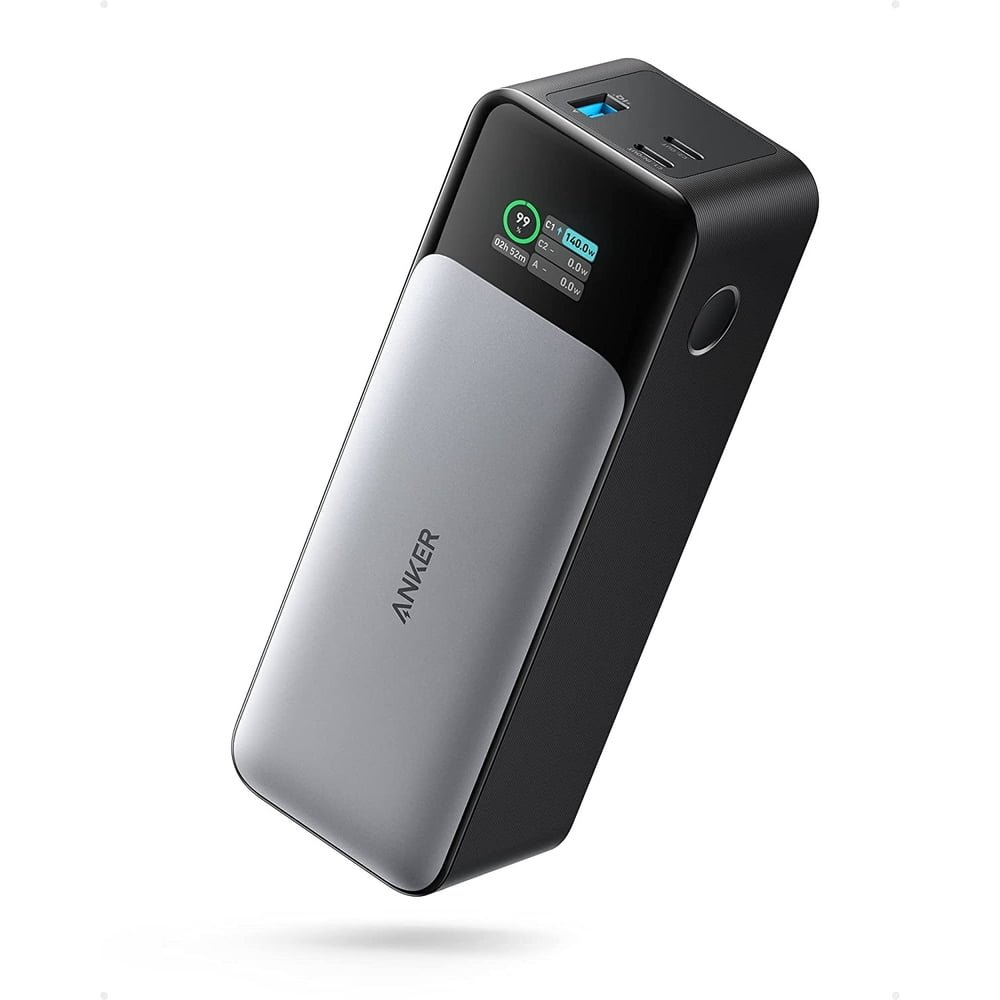
Anker’s A1289 product specification lists a 24,000mAh capacity, two USB-C ports, one USB-A port and a 140W maximum total output. These are equipment limits, not a prediction of your laptop’s charging time. The total output is shared when several devices are attached.
The official quick-start guide identifies USB-C1 as input/output and USB-C2 as output. Both USB-C outputs have listed profiles up to 140W, while USB-A is listed up to 18W. Use USB-C for the laptop and C1 when refilling the bank.
Keep maximum power and stored energy separate when comparing products. Power describes how quickly energy can move under supported conditions. Capacity describes the energy available to work with. A higher output number does not, by itself, mean a bank can keep the laptop running for longer.
Will it fast charge a MacBook Air?
Apple’s MacBook fast-charging guide lists supported adapter and cable combinations for Air models from 2022 onward. It includes 70W and higher Apple adapters, with a 67W option for the 13.6-inch models. USB-C charging and MagSafe 3 options depend on the listed combination.
Those Apple examples establish model-specific requirements; they are not a timed certification of this power bank. The Anker 737 has relevant USB-C PD capability, but a particular result depends on the negotiated connection, cable, battery level, temperature and workload. We have not measured its charging curve with every Air generation.
Why a 140W screen reading is not the goal
Do not judge success by whether the bank reaches its headline maximum. A laptop that needs less power will request less. When its battery is nearly full, charging can slow down further. A lower number can be normal even when the setup is working correctly.
For an everyday check, connect the Air alone, confirm macOS recognizes external power and observe the battery percentage over a useful interval. Compare similar starting conditions if you try a second cable. A momentary reading is less useful than whether the setup reliably supports your work.
Which cable should you buy?
For a direct connection, choose a reputable USB-C to USB-C charging cable with a clearly stated power rating. If you want to avoid a 60W cable becoming the limit in a higher-power setup, a properly specified 5A cable is the more flexible choice. A current 240W-rated cable can also serve other compatible laptop charging equipment.
The cable’s advertised ceiling does not force extra power into the Air. It simply describes what the cable is designed to support. Charging still depends on the source and laptop. A premium data-transfer specification is a separate consideration: you do not need to buy a fast external-drive cable merely to connect a power bank.
Check what is actually included with the retailer’s bundle. Listings can vary by condition, seller and package. If the included cable is absent or its rating is unclear, budget for a suitable replacement. Our USB-C laptop cable guide explains the choices.
USB-C or MagSafe 3 for daily use?
Choose based on available ports and your existing equipment. If both USB-C ports are occupied, a compatible MagSafe 3 cable may make the arrangement more convenient. If you already own a suitable USB-C cable and have a free port, start there before buying another accessory.
Keep the cable route tidy on a small café table or shared workspace. A heavy bank dangling from a cable places unnecessary strain on the connection. Set the bank on a stable surface and leave enough slack to move the laptop normally.
How many full MacBook Air charges will you get?
There is no single honest refill count for every Air. Battery capacity differs between models, and the laptop may be using energy while it charges. Conversion losses and charging overhead also mean the energy stored in the bank is not transferred to the laptop battery without loss.
A useful estimate uses watt-hours rather than directly dividing phone-style mAh figures. For illustration only, imagine a bank with 80Wh available at the cells and an assumed 80% delivery efficiency. That would leave 64Wh before accounting for laptop use. Those figures explain the calculation; they are not a measured Anker 737 result or a guaranteed efficiency.
Even the same laptop can show different outcomes on different days. Charging with the lid closed leaves more energy available for the battery than editing video while running accessories. Battery age and environmental conditions add further variation. Avoid buying on a promise of “two full laptop charges” unless the exact test conditions match your needs.
For planning, think in terms of an extra work session or a reserve for the end of the day. If you require a full empty-to-full refill plus phone charging, compare the energy requirement carefully and leave a margin. Carrying a wall charger remains useful when outlets become available.
Can you charge the Air and a phone together?
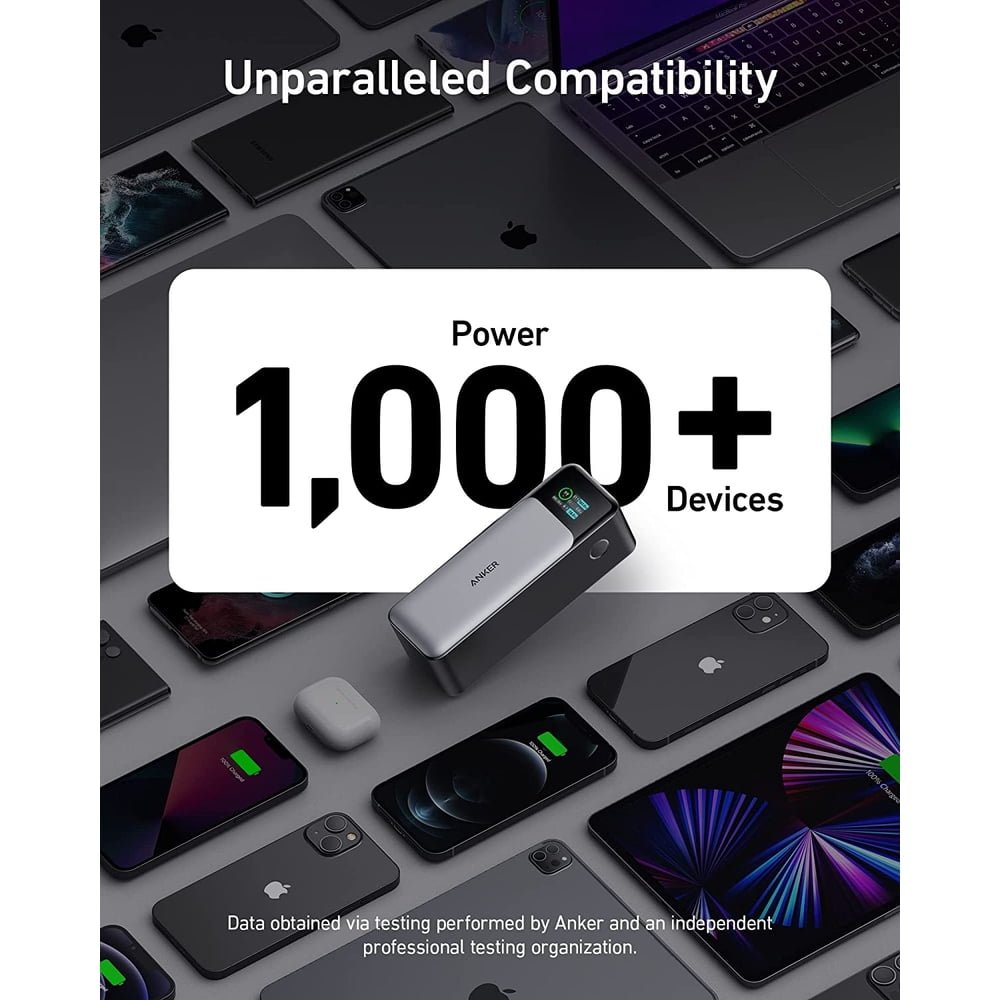
Multiple outputs make that arrangement possible, but shared output changes the power available to individual devices. Do not add each port’s standalone maximum and assume the bank provides all of those figures simultaneously. Check the allocation information for the exact combination you intend to use.
When the laptop is close to empty, connect it alone first. Add the phone after confirming the laptop is charging as expected. This makes troubleshooting easier and helps you distinguish a cable limitation from a change caused by another device.
There is an energy tradeoff too: power sent to the phone cannot also refill the Air. If the laptop must last through a meeting, delaying a nonessential phone top-up can be the more useful choice. A multi-device bank is convenient, but it does not remove the need to prioritize a finite reserve.
Who should buy the Anker 737 for MacBook Air?
Our recommendation
Consider it if you regularly work away from outlets, want a display for checking power flow and also charge other USB-C devices. Compare a smaller alternative if you only need occasional emergency power and portability matters most. Keep your wall charger if nearly all your work happens near reliable outlets.
Think about the whole kit rather than the bank alone. Include the cable, a way to recharge the bank and the space it takes in your everyday bag. A product that looks attractive in a specification table provides little value if you repeatedly leave it at home.
If you already have a working laptop power bank, identify the actual shortcoming before upgrading. Is it insufficient energy, slow refilling, unreliable cables or awkward port placement? Replacing the whole bank does not necessarily solve a problem caused by a damaged cable or an underpowered shared charger.
Compare Amazon and Walmart without misleading price claims
Open both retailer options and verify “Anker 737 Power Bank,” “PowerCore 24K” and model A1289. Similar product names can lead to a wall charger or a different power bank. Compare the same condition and package before deciding which listing offers better value.
Check the seller, shipping cost, expected delivery, returns and warranty eligibility alongside the displayed price. A low headline price may be less attractive if the listing is used, accessories are missing or returning it would be difficult. We do not display a static price because live offers can change.
For Black Friday planning, save the exact model and compare its checkout total when offers appear. A sale label alone does not establish that an offer is the lowest price. There is no assumed future discount in this guide, and neither retailer is declared cheaper without a current like-for-like check.
If the MacBook Air does not charge
- Confirm the bank has charge remaining and connect the laptop directly.
- Reseat both ends and try a known-good charging cable.
- Disconnect phones, hubs and other accessories while checking.
- Try another supported laptop charging port or cable route.
- Check macOS battery information and compare with your usual wall charger.
If the normal charger works but the bank does not, the comparison narrows the problem to the bank, cable or negotiated connection. If neither works, consult Apple’s model-specific support guidance. A brief low-power reading by itself is not enough to diagnose a faulty laptop battery.
Before the next outing, also confirm that you can refill the bank reliably. Our Anker 737 charging-time guide covers its input port and adapter selection. A backup battery is useful only when your routine includes putting energy back into it.
Frequently asked questions
Is the Anker 737 too powerful for a MacBook Air?
The maximum rating does not mean the laptop receives that power continuously. A compatible USB-C PD connection negotiates power. Match the cable and charging method to your Mac.
Will every MacBook Air charge at 140W?
No. The laptop’s own limits and current charging conditions determine what it accepts. The bank’s ceiling is not a universal Air charging rate.
Can I use USB-C instead of MagSafe?
Yes, on an Air supporting USB-C charging. Check Apple’s instructions for your exact model. MagSafe 3 is another option on compatible models with the correct cable.
Does 24,000mAh guarantee two full laptop charges?
No. Compare energy in watt-hours and account for losses, laptop use and the battery size of your specific Air.
Should I buy it only because Black Friday is approaching?
Buy when the exact product meets your needs and the verified checkout offer is worthwhile. Do not assume a future discount or let a sale badge replace a model and seller check.