Can You Charge a Power Bank With Another Power Bank? 7 Checks
You can sometimes recharge one power bank from another. The important checks are compatible ports, the intended charging direction, and realistic expectations about speed and usable energy.
As an Amazon Associate, MultiChargers earns from qualifying purchases. We may also earn a commission through other retailer links. Shopping buttons open Amazon or Walmart search results. Compare the same model, seller, condition, shipping and returns; confirm specifications and checkout prices before buying.
Quick answer: can you charge a power bank with another power bank?
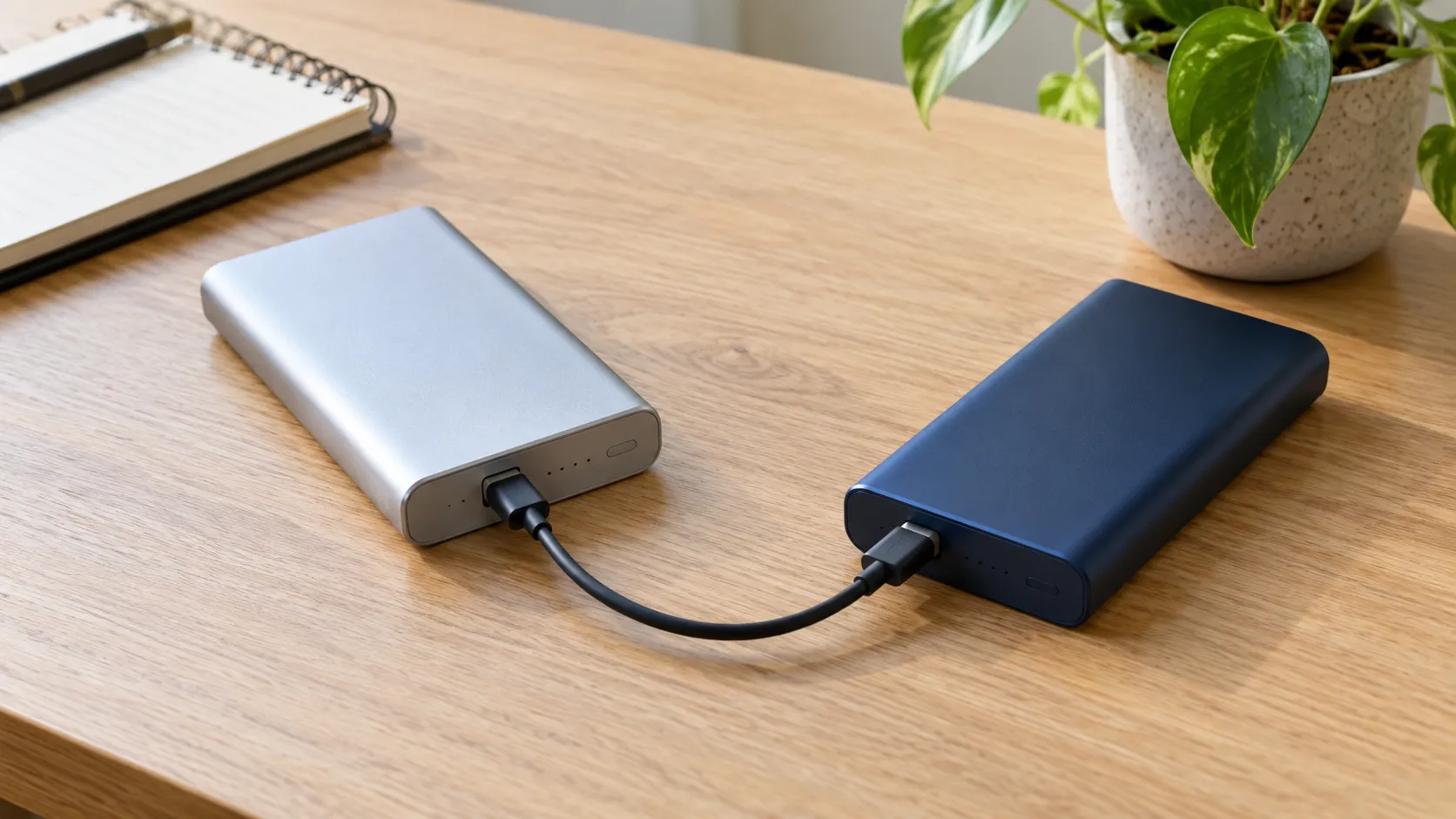
Yes, if the donor provides a compatible output and the receiving bank accepts that connection as an input. With dual-role USB-C ports, verify which bank is receiving power rather than assuming battery percentage determines direction.
This transfers stored energy; it does not increase total capacity. Use a single supported cable, monitor the receiving bank, and follow both manuals. For charging a phone, using the charged bank directly usually avoids an intermediate battery-charging stage.
Choose a bank that directly fits your device
Compare documented USB-C input and output separately. A suitable direct output and cable can remove the need to recharge an intermediate bank.
Why would you transfer charge between two banks?
Imagine that your larger power bank still has energy, but the compact unit you want to carry on a short walk is empty. Transferring some energy can make sense when taking the larger unit is inconvenient. Another practical reason is an accessory connection: your smaller bank may have the cable or port you need, while the charged bank does not.
Start by identifying the actual goal. If you only need to charge a phone and it accepts the larger bank directly, connect the phone to that bank. Moving energy into an intermediate battery adds a charging stage before the phone receives it. It also means waiting for a second battery to recharge when you could already be charging the device you need.
Treat this as a compatibility task rather than a way to increase capacity. Two connected banks do not create additional energy. One loses stored energy while the other gains a smaller amount after conversion losses. Keeping both available separately is usually simpler when you can carry them and both already have useful charge.
1. Identify the source output and the receiving input
Find the model numbers and official manuals for both units. The donor bank needs a supported output, and the receiving bank needs a compatible input. Read the port diagram as well as the printed electrical ratings. A connector that physically fits does not tell you whether that socket accepts charge, supplies charge, or can do both.
An input-only USB-C socket receives energy to recharge its bank. An output-only USB-C socket supplies connected equipment. A socket marked IN/OUT can support both functions, subject to the manufacturer’s design. Older banks may have a dedicated Micro-USB input and USB-A outputs, which makes the intended direction easier to identify.
Do not assume every socket on a multi-port bank has the same capabilities. A USB-C port beside another identical-looking USB-C port may have a different input limit or no input function at all. Built-in cables can also have their own ratings. Make a short note of the exact source port and receiving port before connecting anything.
2. Understand USB-C power direction
USB-C distinguishes the device supplying power, called the source, from the device receiving it, called the sink. A dual-role power port can perform either function. USB-IF’s system overview describes these roles. When two banks use dual-role ports, the resulting direction depends on their implementations and the connection behavior they support.
Do not assume the bank with the higher battery percentage will always charge the one with the lower percentage. The percentage display describes each bank’s estimated state of charge; it is not a universal instruction for assigning USB-C roles. Different capacities also mean that the same percentage can represent very different quantities of stored energy.
After connecting the cable, inspect the receiving bank’s documented input indicator. A display showing input watts is useful when available. If the wrong bank begins receiving energy, disconnect the setup and consult both manuals for supported ways to control the direction. A power button may only wake the bank or show remaining charge; it is not automatically a role-selection control.
3. Compare output power with input power
Read the source port’s output specifications and the receiving port’s input specifications separately. A power bank advertised as 100W may supply that power from one output while accepting a lower maximum input. Alternatively, the headline figure may describe combined output across several ports. Neither number alone establishes how quickly another bank can recharge it.
The transfer needs a mutually supported charging mode. For USB-C Power Delivery, the available source capabilities and the receiving bank’s supported requests determine the agreed operating point. A larger advertised wattage does not force extra power into a smaller input. Charging can occur below either product’s headline rating when their supported modes do not align.
For a hypothetical example, a donor output with a 30W ceiling connected to a receiving input with a 20W ceiling cannot deliver more than 20W into that input. The actual rate may be lower because of supported voltage profiles, cable limits, temperature, battery level, or shared output. These are illustrative limits, not a measured result for a particular product.
For cable ratings, see 3A vs 5A USB-C cables and our e-marked cable guide.
4. Choose a suitable cable
Use the connector type and cable rating required by the two manuals. USB-C to USB-C is appropriate when both selected sockets support the required roles. A standard USB-A output connected to a supported USB-C or Micro-USB input can be an option for compatible older equipment. Expect its charging capabilities to differ from a full USB-C Power Delivery connection.
A higher-rated cable does not create a charging protocol that the banks lack. Likewise, a cable that works for a low-power accessory may not support the operating conditions needed for a demanding recharge. For higher-power USB-C connections, check the cable’s current and power marking against the selected mode rather than guessing from its thickness.
Inspect connectors and strain relief before use. Avoid loose sockets, visibly damaged insulation, bent contacts, and cables that become unusually hot. Do not connect two standard USB-A output sockets with an improvised cable. Do not use passive splitters to combine outputs or attempt to feed two inputs unless the manufacturer explicitly documents that arrangement.
5. Confirm that stored energy is actually increasing
An illuminated LED is not enough evidence of successful charging. Some lights show remaining capacity when a button is pressed, while others indicate incoming power. Check the manual for the receiving bank’s charging pattern, then observe whether its percentage or documented charge indicator progresses during a reasonable supervised session.
At the same time, check that the donor is behaving as a source. A display may show output watts, but not every product offers that information. You do not need to empty either bank to perform a useful test. A short top-up can establish whether the intended connection works without adding an unnecessary full discharge and recharge cycle.
Percentage changes are estimates rather than laboratory energy measurements. The receiving display can pause, update in steps, or change its rate near full charge. The donor can lose more displayed percentage than the receiver gains because the two packs differ in capacity and the transfer has losses. Compare behavior with the manuals before diagnosing a fault.
6. Account for heat and automatic stopping
Place both banks on a dry, firm, uncovered surface with space around them. Avoid charging inside a closed bag, under bedding, or in direct sunlight. Follow the operating-temperature limits of both products. The donor’s output electronics and the receiver’s charging electronics can generate heat during the same session.
Some warmth can occur in ordinary operation, but stop for unusual heat, swelling, leakage, a burning smell, or damaged connectors. Do not continue a test simply because a display still shows charging. Disconnect safely and seek the manufacturer’s guidance for equipment that looks or behaves abnormally.
If the session stops, check the donor’s remaining energy, the receiver’s charge level, connection stability, and published automatic-shutoff behavior. Near the end of charging, demand can fall. A shutdown after the receiving bank is full has a different meaning from repeated interruption while it is mostly empty. Repeated faults need diagnosis rather than continuous reconnection.
Read using a power bank while it charges before adding a second connected device.
7. Keep the connection simple
Begin with one donor, one receiver, and one cable. Leave other outputs unused while you establish basic compatibility. Adding a phone, wireless charging pad, or laptop can change power allocation and introduce extra behavior that makes a failed session harder to interpret.
Charging a phone from the receiving bank while that bank is being replenished is a separate pass-through question. Do not assume that input/output labeling guarantees simultaneous input and output. The receiving model must explicitly support the intended combination, and its operating limits may change in that mode.
Never connect the banks to one another using two cables to form a loop. It does not improve efficiency or provide endless charging. Also avoid chaining several banks together as an everyday charging station. A supported wall charger with suitable outputs is usually easier to understand, monitor, and use for replenishing multiple banks.
Our mAh vs Wh guide explains capacity labels in more detail.
How much charge can you transfer?
Use watt-hours when reasoning about stored energy. Milliamp-hours are meaningful only alongside the voltage at which they are specified. Comparing the labels of two banks without that voltage context can mislead you, especially if you compare internal cell capacity with a USB output rating.
For a purely mathematical illustration, suppose the donor has 20Wh of usable stored energy available for this session. If 80% of that energy ultimately becomes stored energy in the receiving bank, the receiver gains 16Wh. The missing 4Wh is not created elsewhere as extra capacity; it is consumed by losses and operation. The 80% figure is an assumed example, not a universal efficiency claim.
After the receiving bank later charges a phone, another conversion stage occurs. That is why using the donor directly for the phone can avoid an intermediate storage stage. You should not promise a fixed number of phone charges from this example. Real outcomes depend on both banks, the phone, temperature, operating mode, cables, and the amount of energy available.
See why a power bank charges slowly for related checks.
How long will it take?
A useful rough calculation is energy to add divided by average input power. If a hypothetical receiver needs 10Wh and averages 10W into its input, that energy-transfer portion takes about one hour. This estimate does not establish a real full-charge time, because input energy is not identical to stored energy and the rate usually changes through the session.
Charging can slow as the receiver approaches full. The donor may also change its output as its own battery level or temperature changes. A headline maximum is a ceiling under supported conditions, not a guarantee of constant power from empty to full. Manufacturer recharge estimates normally specify the source and cable used; compare those conditions with your actual setup.
When the transfer is unexpectedly slow, first compare input and output ratings, then check cable suitability and any shared-port restrictions. Replacing a cable cannot overcome a receiving bank’s own input ceiling. Our existing slow-charging guide provides a wider diagnosis if a supported wall charger produces the same problem.
A practical troubleshooting sequence
First test the receiving bank with its usual supported wall charger. If it cannot charge there, bank-to-bank testing is unlikely to resolve the underlying input, cable, or battery problem. Next test the donor with a known-compatible phone to establish that its selected output works.
Reconnect only the two banks with a known-good cable and verify the intended direction. Change one variable at a time: the cable, supported port, or source. Record what the displays show and when charging stops. That is more useful for manufacturer support than saying both banks have large capacities.
If both products work separately but the combination fails, their USB-C role behavior or supported modes may be incompatible for this use. Contact the manufacturers with the exact model numbers and port choices. Do not modify firmware, wiring, or protective controls to force a connection that the manuals do not support.
What to buy if your current setup is inconvenient
Choose equipment around the device you actually need to power. For an everyday phone kit, a bank with the correct direct output and enough usable energy can remove the reason for transferring charge. For laptop use, prioritize the required per-port output and suitable cable, then check capacity and recharge input separately.
If recharging several banks at home is the problem, compare a suitable multi-port wall charger and its power-sharing chart. Ensure each bank receives an appropriate input when other ports are occupied. A large combined wattage is useful only when the allocation matches the connected equipment.
The shopping links below open Amazon search categories rather than tested product rankings. Confirm the exact model’s official input/output documentation, supported cable, seller, and current availability before buying. We do not claim hands-on testing, fixed prices, or a guaranteed bank-to-bank transfer rate for search results.
Connection checklist at a glance
| Connection | What to establish | Next step |
|---|---|---|
| USB-C output to USB-C input | Compatible charging modes and cable | Confirm the receiver shows input |
| Two dual-role USB-C ports | Supported direction and role behavior | Check both manuals and indicators |
| USB-A output to supported input | Compatible input and standard cable | Expect model-specific charging limits |
| Two input-only ports | No supplying port | Use a supported output instead |
| Receiver also powering a phone | Explicit pass-through support | Check combined-mode limitations |
For home recharging: check power sharing
A multi-port wall charger can replenish banks independently. Compare its allocation when several outputs are occupied against each bank’s input requirements.
For a compatible connection: check cable ratings
Buy a cable that supports the selected connector types and operating conditions. A high power marking alone does not change the banks’ charging capabilities.
Frequently asked questions
Can one power bank charge another?
Yes, when the donor has a compatible output and the receiving bank supports the connected input. Verify power direction and the exact manuals.
Will the bank with more battery always be the source?
No. Battery percentage alone does not universally determine USB-C power roles. Check the receiving input indicator after connection.
Does connecting two banks increase total capacity?
No. Energy is transferred from one to the other, and some is lost during conversion and operation.
Can I connect them using two cables?
Do not form a charging loop. Use one supported source-to-input connection.
Can I charge a phone from the receiving bank at the same time?
Only if that bank explicitly supports the intended pass-through arrangement. Input/output support alone does not establish simultaneous operation.
Why is the transfer slow?
Possible limits include the source output, receiving input, supported charging mode, cable, shared ports, temperature, and battery level.
Before you connect the banks
Identify the output and input, check their compatible operating modes, and verify the receiving indicator. Keep the connection to one cable and two banks during the initial test. Use direct device charging when that already meets your goal, and use the exact manuals to resolve model-specific behavior.
Official references
- USB-IF: USB Type-C System Overview — source, sink, and dual-role power terminology.
- Anker 733: USB-C input-port guidance — a model-specific example of different port functions.

Charging Technology Researcher
Daniel explains charging compatibility and practical troubleshooting using official documentation and clearly marked examples. This guide does not report hands-on bank-to-bank measurements.