


Anker Prime 200W Power Bank Review: Amazon vs Walmart
Affiliate disclosure: As an Amazon Associate, MultiChargers earns from qualifying purchases. We may also earn a commission through Walmart links, at no extra cost to you.
Compare the same power bank before checkout
Anker Prime A1336 is the 20,000mAh, 200W model. Compare the exact item, seller and delivered cost at both stores.
Quick answer
This Anker Prime 200W Power Bank review is a specification-based buying assessment, not a hands-on test. Consider A1336 for a compatible USB-C laptop and additional devices. Check the per-port limits before buying. Our store check found Walmart at $134.99; an Amazon numeric offer could not be verified, so there is no confirmed lowest-price winner.
Amazon vs Walmart price comparison
| Store | Price check | Seller / fulfillment | Compare |
|---|---|---|---|
| Amazon — B0BYNZXFM2 | Numeric price not verified; check available offers | Verify the selected offer | View Amazon |
| Walmart — 5000419492 | $134.99 observed | AnkerDirect / Walmart | View Walmart |
Checked October 16, 2026, approximately 12:20 UTC. Walmart observation uses the displayed U.S. shipping location; your offer may differ. Prices, availability, sellers, shipping and taxes can change. Verify the final checkout total. The Amazon offer is unverified, not assumed to be free, unavailable everywhere or more expensive.
What this review evaluates
The main question is whether this type of portable charger fits your working routine and whether the store offer is worth buying. A power bank can be useful for travel, shared charging or a desk away from an outlet. It is less compelling when you usually sit beside a suitable wall charger and rarely need stored energy.
We checked identifiable retailer listings and Anker support documentation. We have not measured battery capacity, temperature, charging time or long-term durability. There are no independent test scores here. Product capabilities below are manufacturer specifications; the buying recommendations are our editorial judgment.
A useful review should help you reject a poor fit as readily as choose a suitable one. Start with your laptop and phone requirements, then compare the complete package. A premium brand or a large headline number does not remove the need for those checks.
Documented specifications that matter
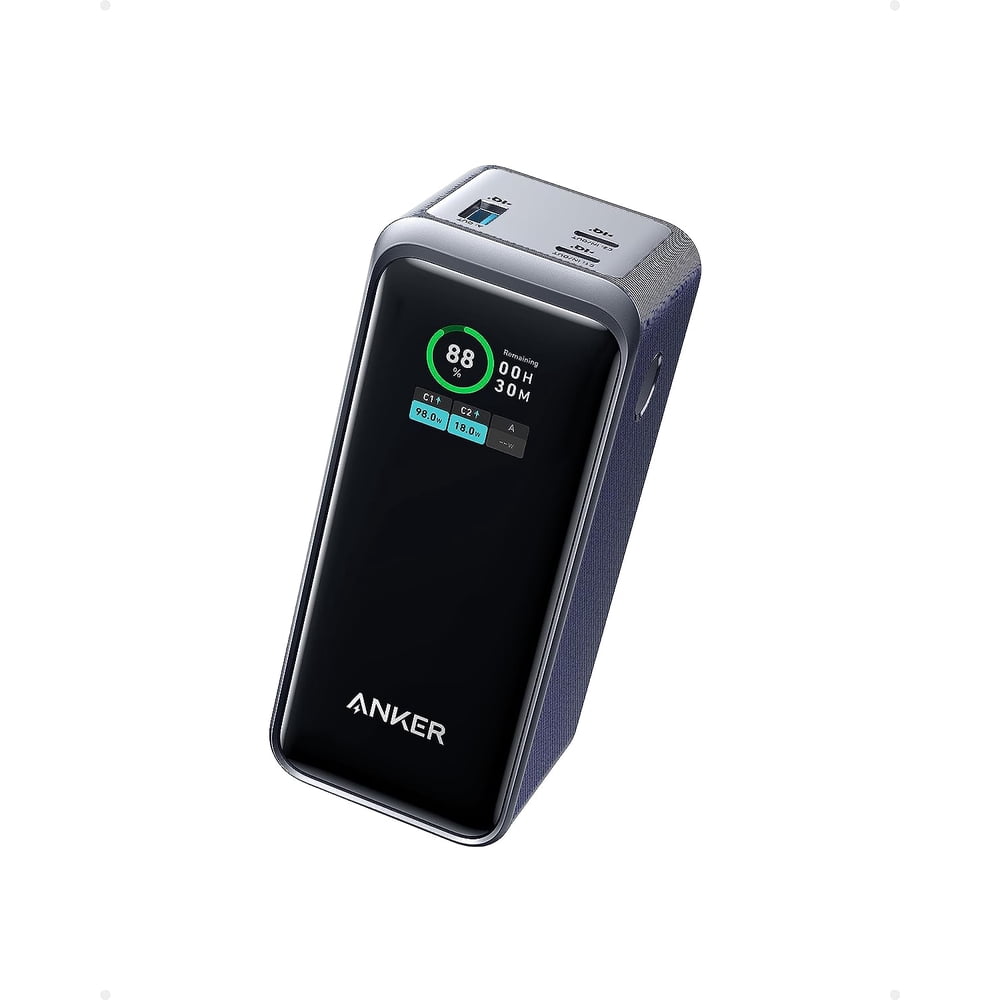
Anker lists two USB-C ports and one USB-A port, with a 200W combined ceiling. Each USB-C port has a 100W maximum. USB-C input supports up to 100W. The display reports remaining battery level and input/output information. These are capability limits rather than guaranteed power delivered to every device.
Anker also states that output is disabled while the bank recharges. Do not choose this model expecting ordinary pass-through charging. Check the exact manual and package before purchase, including whether an optional charging base is included.
Who should consider it?
Consider this category when a compatible laptop needs portable USB-C power and you also carry a phone or another accessory. It can reduce dependence on finding a wall outlet during a work session. The benefit depends on your charging pattern, not simply how many devices appear in the product photograph.
A buyer who moves between meeting rooms, shared desks and travel stops may value a separate reserve battery. Someone who only needs an emergency phone top-up may prefer a smaller, simpler option. Decide what problem you want to solve before accepting extra bulk or paying for capabilities you will rarely use.
Think about how you carry and recharge the bank. A dedicated pocket, accessible cable and reliable charging point at your destination make a portable battery more useful. Buying a capable bank without a plan for recharging it can leave you with another accessory that is empty when needed.
Check laptop compatibility before store prices
Look up the exact laptop model and confirm that it accepts power through USB-C. A USB-C-shaped port can serve different functions. Do not assume data or display support means the same socket is a supported power input. Use the computer maker’s charging instructions as the deciding reference.
Compare the laptop’s supported USB-C charging requirement with the selected power-bank port. A combined power figure does not describe the output available to a single laptop. If the computer requires a different charging method or greater supported power, a large total rating does not correct that mismatch.
Separate charging while asleep from powering demanding work. A source may replenish the battery during a break yet fail to keep pace with a heavy workload. The battery trend matters alongside the charging symbol. See our laptop power-bank wattage guide for a device-based starting point.
How to compare the two stores fairly
Open both listings and confirm the complete model identifier. Do not compare this older 200W model against a similarly named newer Prime bank, another capacity or a charging-station product. Similar branding can hide a different purchase. Match the model before deciding that one price is a better deal.
Compare new with new, or clearly identify a different condition. A refurbished, used or open-box offer may have different accessories and terms. That does not automatically make it unsuitable, but it changes what you are buying and makes a simple price-only comparison incomplete.
Check the package contents next. A bank-only listing and a bundle with a base or wall adapter are different offers. If you already own a suitable charger, a bundle may add little value. If you need one, compare the full setup cost rather than assuming the cheapest item page is the cheapest working solution.
Why there is no confirmed lowest-price winner
The Walmart amount in the table is an observed offer, not a permanent price promise. The Amazon source did not provide a numeric price we could verify. Without matching, current amounts from both stores, a savings calculation would be speculative. We therefore provide direct offer links instead of inventing a discount.
A missing verified amount should not be interpreted as a stock claim. Retailer pages can vary with location, seller selection and purchase conditions. Check the available offer yourself before deciding. A headline elsewhere on the web may describe a past promotion rather than the item you can order today.
If both offers are available, compare the delivered totals and the seller details at the same time. Treat the result as a decision for your checkout session. Avoid assuming that a familiar store always wins or that a marketplace listing necessarily comes directly from the store operator.
Seller, delivery and returns belong in the comparison
Read the sold-by and fulfilled-by fields separately. They describe different roles. A marketplace seller can offer a product while the retailer handles fulfillment. The observed Walmart arrangement is recorded in the table; confirm it again when ordering because the selected seller can change.
Review the return conditions for your exact offer. Look for the applicable window, condition requirements and how to start a return. Do not assume that a general store policy covers every seller or that a warranty and a return window mean the same thing.
Check the expected delivery date for your own address. An accessory arriving after a trip is not the most useful bargain, even if its item price is lower. Compare shipping charges and delivery certainty alongside the product cost. Do not add membership or protection-plan costs unless you actually intend to buy them.
Choose a suitable cable and recharge plan
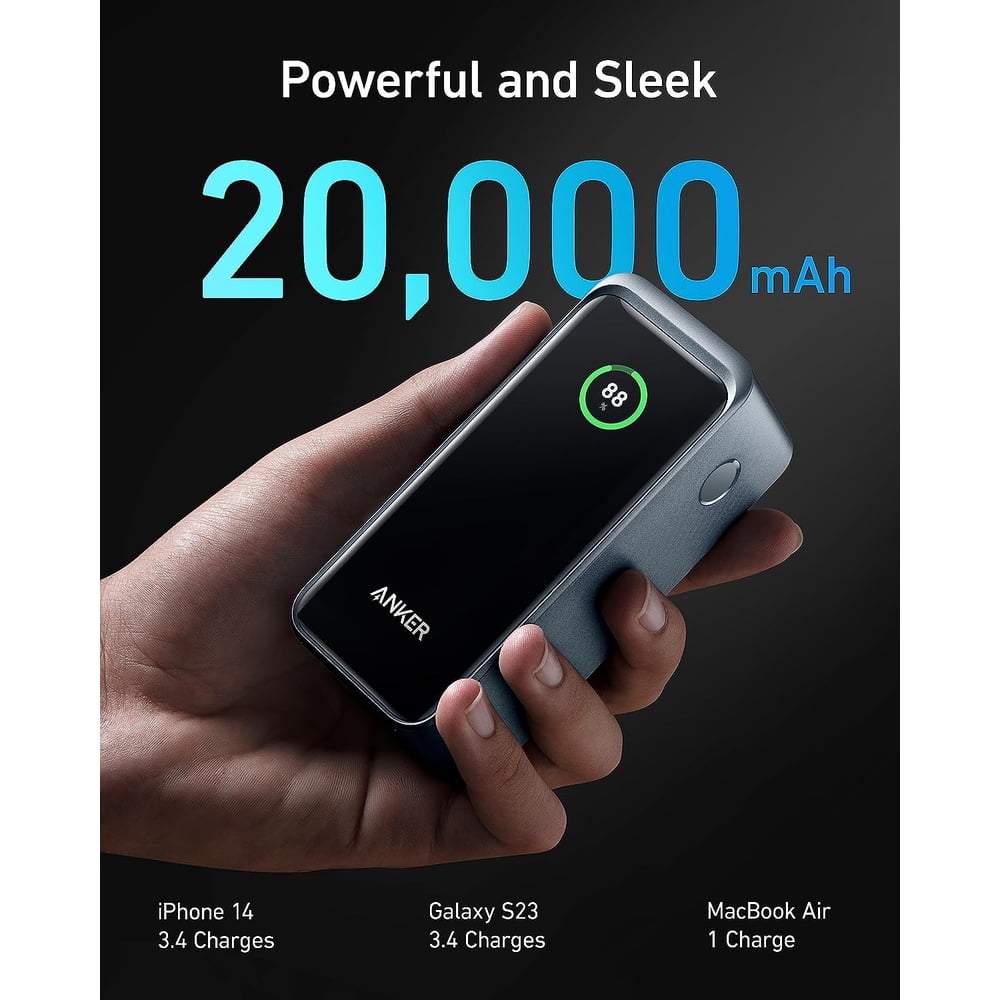
Use a documented cable suitable for the intended power range. Cable appearance, braid thickness and connector color do not establish capability. Match the bank, cable and device together, and inspect the lead for damaged insulation or loose connectors before relying on it.
Choose a practical length for the way you carry the equipment. A short lead can suit a bank placed next to a laptop. More reach may be useful at a shared desk, but excess cable can catch or pull on a port. See our laptop charging cable guide.
Plan how the bank will be recharged at home or your destination. Input and output specifications answer different questions. A high output rating does not mean every wall adapter will recharge the bank quickly. Check your existing adapter before adding another accessory to the cart.
Capacity and runtime: avoid misleading promises
A power-bank capacity number is not a guarantee of a particular number of full laptop charges. Devices have different battery sizes and operating demands, and energy is used in the conversion process. A simple comparison of battery percentages can be misleading when the laptop is also working.
Decide whether you need a top-up, a longer work session or several independent recharges. These are different goals. If you need a specific runtime for important work, use documented equipment guidance and a realistic backup plan rather than relying on an unmeasured review estimate.
Our power-bank delivered-capacity explanation covers this distinction. This review does not publish an invented efficiency percentage or a promised charging count. Your complete setup determines the practical result.
When you should choose something else
Skip this model if your main requirement is charging a device from the bank while the bank itself recharges. Its documented behavior makes that a poor match. Choose a product with explicit support for the intended arrangement rather than trying to infer it from the number of ports.
Also consider a different category if you need a very light phone-only reserve or your laptop does not support the intended USB-C input. A product can be capable and still be inconvenient for your use. Buy around the task instead of treating a higher combined rating as an automatic upgrade.
If you mostly charge at an outlet, a compatible multi-port wall charger may solve the actual problem. If you need portable energy, compare suitable alternatives in our MacBook Air power-bank guide, checking your exact device rather than assuming universal compatibility.
Arrival checks before the first trip
Confirm that the received model, condition and accessories match the order. Keep packaging and purchase information until the intended setup works. Inspect the bank and cable for visible damage, and follow the manufacturer instructions for the initial charging procedure.
Try a known compatible device directly before adding more connections. Observe its charging indication and normal behavior under a representative workload. If a problem appears, change one variable at a time. This helps distinguish a cable issue, source limitation or incompatible device from a faulty bank.
Stop using damaged or abnormal equipment, and follow the manufacturer’s support process when necessary. Store and carry the bank according to its instructions. For air travel, check your airline and the relevant authority’s current rules before departure; a retailer’s travel description is not a substitute for them.
Buying verdict
Compare A1336 if you need portable USB-C laptop power plus additional connections and its documented behavior fits your routine. Check both stores for the same model and package. Walmart’s observed $134.99 offer provides one reference point; Amazon needs a current offer check before you can decide which costs less.
Frequently asked questions
Is this a hands-on review?
No. It is a specification-based buying assessment using manufacturer documentation and identifiable retailer listings. We have not measured performance.
Does 200W mean one laptop receives 200W?
No. That is a combined ceiling. The individual USB-C limit is separate, and your device can accept less.
Is Amazon cheaper than Walmart?
We could not verify an Amazon numeric offer, so there is no confirmed price winner. Compare the current matching offers and final totals.
Does the Walmart link go to this product?
Yes. The Walmart comparison button targets the identified A1336 listing using an affiliate redirect. Confirm the item and selected seller after opening it.
Can I assume a charging base is included?
No. Check the exact package and listing. Compare bank-only offers separately from bundles.
Should I buy solely for phone charging?
Consider whether a smaller bank meets your needs. Laptop-oriented capability can be unnecessary for occasional phone top-ups.
Sources and update notes
Checked October 16, 2026: Anker model documentation, Amazon model listing and Walmart model listing. Retail offers may change. The price comparison distinguishes an observed amount from an unverified offer; it does not promise future savings.


2 Comments