Anker 737 Charging Time: Which Charger and Cable Do You Need?
ANKER 737 • RECHARGING GUIDE
Get the charging setup right before buying another adapter
A large wattage number on a charger does not tell you how quickly it will refill your power bank. The port, cable and available USB Power Delivery profile matter together.
Affiliate disclosure: As an Amazon Associate I earn from qualifying purchases. We may also earn a commission through other retailer links. Prices, stock and sellers can change. Walmart opens a search page; confirm the exact model before ordering.
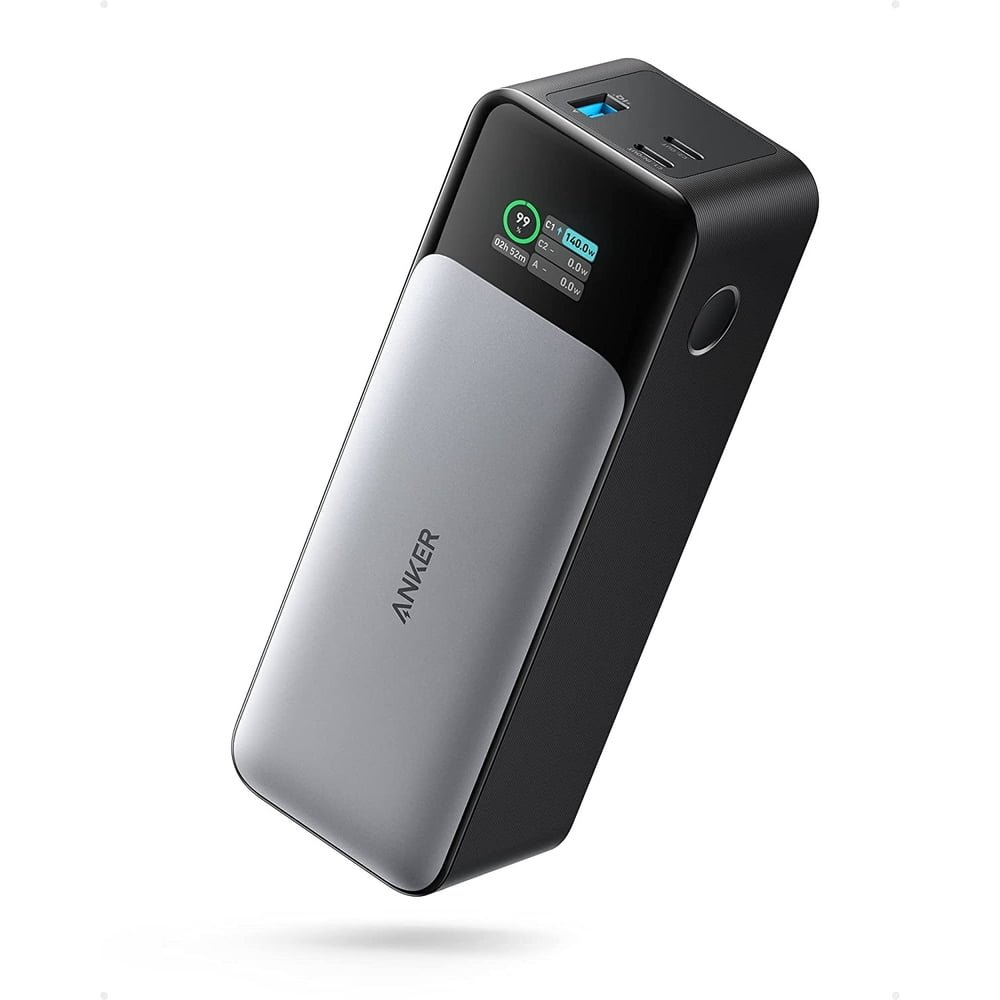
This guide focuses on refilling the Anker 737 Power Bank (PowerCore 24K), model A1289. It does not cover the similarly named Anker 737 wall charger. It also does not replace our Anker 737 power bank review, which covers whether the power bank itself is a good purchase. Here, the buying decision is simpler: can you use the charger you already own, or would a different adapter solve an actual problem?
Anker 737 charging time: what should you expect?
The most useful starting point is the manufacturer’s estimate. Anker’s A1289 support guide describes an approximately one-hour full recharge with a 140W PD wall charger and around 1.5–2 hours using a 96W MacBook Pro PD adapter. These are reference figures, not measurements taken by MultiChargers.
Your starting percentage, battery temperature and connected equipment affect the result. A short top-up from a partly charged battery cannot be compared directly with a full recharge. Likewise, seeing a high input number for a moment does not mean the bank will maintain it until the display reaches 100%.
Use a repeatable comparison if you are deciding whether to buy an adapter. Note the starting percentage, connect only the power bank, use the same cable and stop at the same ending percentage. Comparing a short lunch-break top-up with an overnight refill tells you little about the difference between two chargers.
| Charger setup | What it means | Best fit |
|---|---|---|
| 140W PD with the required higher-voltage profile | Manufacturer’s fastest reference setup; compatible cable required | Short turnaround between outings |
| 96W or 100W USB-C PD laptop adapter | Lower peak input; often worth trying before replacing | Existing laptop charger and longer breaks |
| 65W USB-C PD adapter | Cannot supply 140W; recharge takes longer under comparable conditions | Routine charging when speed is secondary |
| Small phone adapter | Available output may be far below the bank’s capability | Occasional refill with plenty of time |
| Multi-port charger sharing power | The connected port may have less power than the charger’s headline total | Desk use after checking the allocation chart |
Use USB-C1 to recharge the A1289
Before blaming the cable or wall charger, check the socket on the bank. The A1289 quick-start guide identifies USB-C1 as the input/output connection. USB-C2 and USB-A are shown as outputs. Similar-looking connectors do not automatically have the same role.
Unplug accessories, find the C1 label and connect the wall adapter directly. A hub, docking station or monitor adds another piece of equipment and can make it harder to identify where the limitation sits. Once direct charging works, you can investigate whether a more complicated desk arrangement is worth keeping.
Read the direction of power on the display as well as the number. If you use a laptop as the source, USB-C power direction can introduce confusion because the laptop and bank may both be able to supply power. For a straightforward recharge check, use a wall adapter rather than another battery-powered device.
Which charger should you use?
Keep your existing laptop adapter when it meets your schedule
Start with equipment you already own. If a reputable USB-C PD laptop adapter refills the bank before you need to leave, buying another charger may provide little everyday benefit. The important question is whether the current setup meets your routine, rather than whether it reaches the largest possible number.
Someone who returns home in the evening and leaves the next morning has a different need from someone charging during a short stop between client visits. Both can use the same power bank successfully. Paying extra for the fastest setup makes more sense when recharge time repeatedly limits your work or travel.
Consider 140W PD when quick refills solve a real problem
For the fastest supported input, look beyond a product title that says “140W.” The charger must offer the compatible output profile on the actual port you intend to use. Check its technical specification and power-sharing diagram before buying. An adapter’s combined output across several sockets is a different specification.
One current example to investigate is the Anker 140W four-port PD 3.1 charger. It illustrates why a multi-port model needs a closer look: its available output changes with the number of connected devices. Treat it as a candidate to match against your equipment, not a promise that every connection arrangement delivers the same power.
Our practical buying recommendation
Already own a suitable laptop PD charger? Try it first with a known-good cable. Frequently need a fast turnaround? Compare a 140W PD adapter with the required profile and include a compatible cable in the total cost. Shopping for the bank too? Match A1289 listings, condition, seller and included accessories across retailers.
These buttons compare shopping options; they do not establish which retailer has the lower delivered price.
Which USB-C cable do you need?
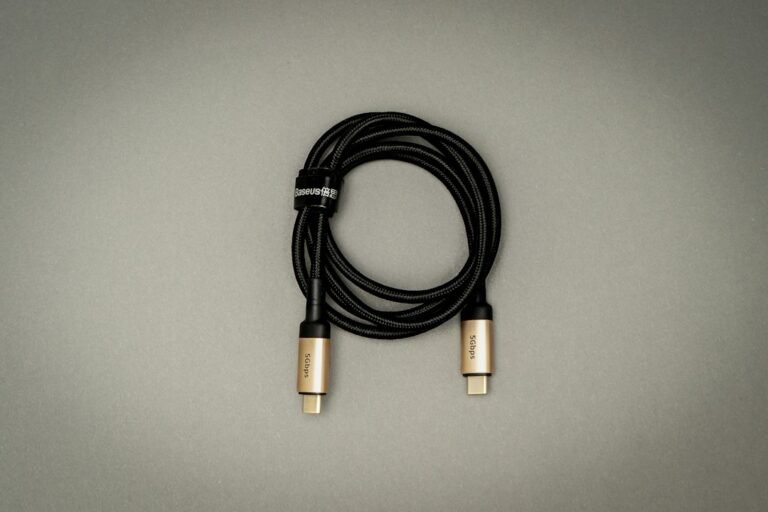
A cable can fit both sockets and still limit power. The cable’s supported power level and construction matter more than its color, thickness or braided finish. Look for clear manufacturer documentation and identifiable power markings instead of assuming every USB-C cable is a laptop charging cable.
For a new cable intended for this high-power setup, choose a properly specified 240W EPR USB-C to USB-C cable from a reliable supplier. USB-IF’s cable guidance describes 60W and 240W power markings used in its compliance program. A higher-rated cable allows compatible equipment to negotiate supported power; it does not force that wattage into the battery.
An older cable marked 100W can still be useful for compatible charging up to its rating, but that marking does not establish support for the bank’s 140W mode. If your goal is maximum input, verify the cable’s EPR capability rather than treating all 5A cables as interchangeable. Our 60W vs 240W USB-C cable guide explains the shopping distinction.
Choose length for the actual outlet location. A cable that reaches comfortably without pulling the adapter sideways is more practical than one selected solely for its advertised wattage. Avoid tight bends at the plug and stop using a cable with exposed conductors, a damaged shell or a loose connector.
Why does the input stay below 140W?
The adapter is sharing its output
Disconnect the phone, tablet and watch from the wall charger during your first check. A charger with several ports may redistribute its total budget when another device is attached. The bank can only draw what is available from the connected port under that arrangement. Read more about multi-port charger power sharing if the number changes when you plug in another device.
The cable is the limiting part
Swap one component at a time. If changing the adapter and cable together improves charging, you still do not know which item caused the restriction. First try a documented, compatible cable with the original charger. Then keep that cable connected while testing a different adapter. This avoids buying two replacements when one would have solved the issue.
The battery is already close to full
Do not judge maximum charging capability at the last few percent. Recharge power can taper as a battery approaches its target charge. A low figure near completion is different from unexpectedly low input early in a refill. Compare behavior over a reasonable interval rather than relying on one display reading.
The setup is warm or poorly ventilated
Place the bank and adapter on an open, firm surface. Avoid charging inside a packed bag or under bedding. If equipment becomes unusually hot, pause charging and investigate the location, cable and power supply. Do not try to force a higher reading by repeatedly reconnecting warm equipment.
How to check charging time without guessing
- Confirm the model. Read A1289 on the product label rather than relying on a store listing title.
- Record the starting percentage. Note the time and whether the bank has just finished powering a demanding device.
- Simplify the connection. Use a wall charger, one suitable cable and USB-C1. Leave other outputs unused.
- Check the display after connection. Confirm that power is entering the bank and allow the reading to settle.
- Record the endpoint. Use the same ending percentage for later comparisons and note any interruptions.
- Change one item. Compare a cable or adapter while keeping the rest of the arrangement consistent.
You do not need a laboratory to decide whether your charging setup is convenient. You do need enough consistency to avoid mistaking a warmer battery, different starting percentage or shared adapter for a product fault. Keep your notes descriptive: “this setup finished before departure” is useful even without making a universal performance claim.
If the bank still charges much more slowly than expected with a direct, suitable connection, gather the adapter model, cable rating, starting percentage and display behavior before contacting support. Those details are more useful than reporting that a “fast charger” seems slow. See our broader slow power bank charging troubleshooting guide for the next checks.
Compare complete-kit cost, not just a sale price
A discounted bank can become a more expensive purchase if you also need an adapter and cable to achieve your preferred refill time. Write down what you own, what the listing includes and what remains to be purchased. Do this before deciding that one retailer has the better offer.
Compare the same model and condition. A refurbished unit, a marketplace bundle and a new bank sold alone are different offers. Check the seller, return terms, warranty information, shipping and tax. Retailer search results can include wall chargers or other Anker power banks because their names overlap.
Use the Amazon and Walmart links as starting points for that comparison. We are not quoting a live price or declaring a cheapest seller. If the faster adapter costs more than the benefit you would get from shorter refill stops, keep your existing setup and spend the difference elsewhere.
Frequently asked questions
Can I recharge the Anker 737 with a 65W charger?
A compatible USB-C PD adapter can provide a lower-power refill. It cannot deliver the bank’s 140W maximum. Check that the resulting charging time fits your schedule before buying a faster adapter.
Does a 140W charger guarantee a one-hour recharge?
No. Anker’s estimate assumes a suitable setup. The cable, starting charge, temperature and available power from the connected port can change your result.
Can I use USB-C2 as the input?
The A1289 manual identifies USB-C1 as the recharging input. Use C1 when connecting your wall charger.
Will a 240W cable charge the bank at 240W?
No. The cable rating is its supported capability. The source and power bank negotiate an operating level within their limits.
Should I buy a new charger immediately?
Try your existing suitable PD laptop adapter first. Upgrade if its charging time repeatedly interferes with your routine, after confirming that the cable or shared-port arrangement is not the problem.
Choose the setup that fits your day
For a bank you refill with plenty of time available, a suitable existing PD charger can be the sensible choice. For short stops, investigate a compatible 140W PD setup and matching cable. In either case, start with the correct input port and a direct connection before spending money to fix an assumed speed problem.
Sources checked October 24, 2026: Anker A1289 product documentation and support guide, Anker A2697 product information, and USB-IF cable guidance linked above.