

65W vs 100W Charger: Which One Do You Need?
Affiliate disclosure: MultiChargers may earn a commission from qualifying purchases made through links on this page, at no additional cost to you.
Choosing between a 65W vs 100W charger comes down to the power your devices can accept and how many you charge at once. A 65W USB-C charger is enough for most phones, tablets, handheld consoles, and many thin-and-light laptops. A 100W charger is the better choice for more demanding laptops, docking stations, or charging a laptop and phone simultaneously without reducing laptop power as sharply.
Quick verdict
Choose 65W if you mainly charge one MacBook Air-class laptop, phone, tablet, Steam Deck, or similar device and value portability.
Choose 100W if your laptop can use more than 65W, you charge several devices together, use a USB-C dock, or want more headroom for future devices.
65W vs 100W charger comparison
| Feature | 65W charger | 100W charger |
|---|---|---|
| Maximum power | Up to 65 watts | Up to 100 watts |
| Best for | Phones, tablets, ultraportable laptops | Larger laptops, docks, multi-device charging |
| Typical size | Smaller and lighter | Usually larger and heavier |
| Multi-port flexibility | Limited headroom when power is shared | More useful shared power budget |
| Cable requirement | A 100W/240W-rated cable for full 65W is safest | A 100W or 240W e-marked cable |
| Future flexibility | Good for moderate-power devices | Better for higher-power upgrades |
Actual charging power is negotiated by the charger, device, and cable. A charger’s printed wattage does not mean every device will draw that amount.
What does 65W charging mean?
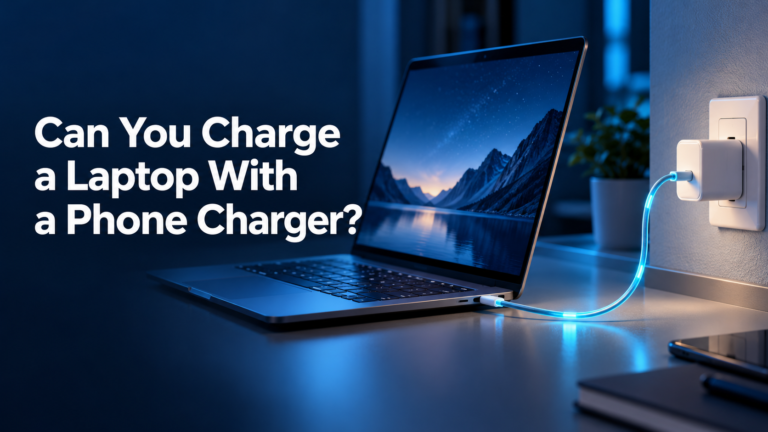
A 65W charger can provide a maximum of approximately 65 watts through a compatible port and charging protocol. In a single-port USB-C Power Delivery setup, that is enough for many everyday laptops, including numerous ultrabooks, business notebooks, and lightweight creator machines. It also offers far more power than most phones need.
The key phrase is up to. A phone that accepts 25W will not suddenly draw 65W simply because the charger can supply it. USB Power Delivery allows the device and charger to agree on a supported voltage and current. The lowest relevant limit among the charger, port, cable, and device determines the result.
What does 100W charging mean?
A 100W charger provides a larger power budget. It can be useful for laptops designed around 90W, 96W, or 100W adapters and for multi-port charging where the total output is divided between devices. A 100W charger does not necessarily charge a 65W-limited laptop faster than a good 65W charger, but it gives you more headroom.
This extra capacity matters most when a second or third device is connected. For example, a 100W multi-port charger may allocate approximately 65W to a laptop and the remaining capacity to a phone or tablet. The precise split depends on the charger’s design, so always check its power-distribution table.
The real charging-speed difference
If your laptop can accept only 65W, both chargers may deliver essentially the same maximum charging speed when one device is connected. The 100W model becomes faster only when the device can request more power or when its larger total budget prevents a significant drop during simultaneous charging.
Battery temperature, current charge level, system workload, and manufacturer charging controls also affect speed. Many devices charge rapidly at lower battery levels and reduce power near full capacity. A larger charger cannot override those protections.
Which devices are a good match for a 65W charger?
Phones and tablets
A 65W USB-C PD charger can easily cover most phones and tablets, provided it supports the correct protocol. Many phones use considerably less than 65W under USB PD. Compatible Samsung and other devices may need PPS support to reach their preferred fast-charging mode.
Thin-and-light laptops
Many ultraportable laptops are designed for adapters in the 45W to 70W range. For these machines, a compact 65W GaN charger offers an excellent balance of size and performance. It can often replace a bulky original adapter without sacrificing normal charging speed.
Handheld gaming systems
Devices such as handheld PCs and gaming consoles commonly work well with chargers around this class, although docks and demanding gameplay can raise the power requirement. Confirm the device and dock specifications before replacing the supplied adapter.
Travel setups
A 65W charger is usually smaller and lighter than a comparable 100W unit. For a traveler carrying one laptop and one phone—but rarely charging both at maximum speed together—it is often the most practical option.
When is a 100W charger worth it?
Your laptop expects more than 65W
Some larger laptops ship with 90W, 96W, 100W, 130W, or higher adapters. A 65W charger may still charge certain models while they are sleeping or under light use, but the battery can charge slowly—or even continue to drain—during demanding workloads. A 100W charger is a better match when the laptop supports it.
You charge multiple devices simultaneously
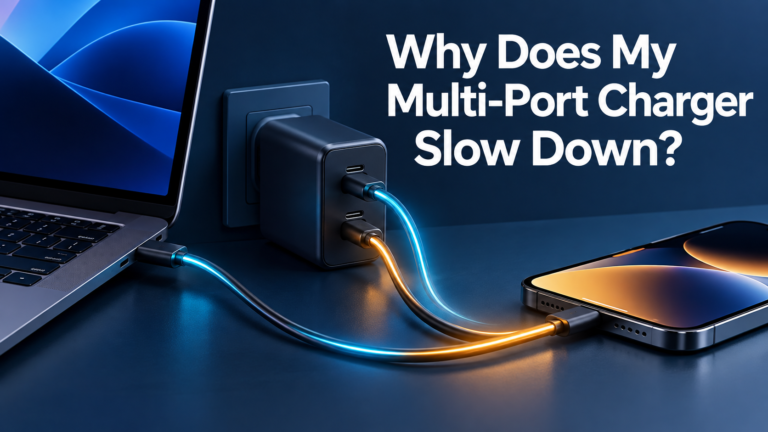
This is the most common reason to choose 100W. A charger’s total wattage is shared across active ports. A 65W three-port charger may reduce the laptop port to 45W when another device is connected. A 100W model has more room to keep the laptop near 65W while supplying useful power to a phone.
You use a USB-C dock
A dock consumes some power for its own electronics and connected accessories before passing the remainder to the laptop. If a dock advertises 100W input, the computer may receive less than 100W after overhead. A higher-capacity charger can make a docked workstation more stable, but you must check both the dock’s maximum input and its host charging limit.
You want one charger for future devices
A 100W model costs and weighs more, but it may prevent another upgrade if your next laptop or multi-device setup needs additional power. The advantage is capacity, not automatically better quality.
65W vs 100W for MacBook
MacBook charging needs vary by model. Many MacBook Air configurations pair well with chargers around the 65W–70W range. Higher-performance MacBook Pro models can benefit from 96W, 100W, or even higher-power Apple adapters and appropriate cables. Apple documents different fast-charge combinations by model, so check the exact year and screen size.
A 100W third-party USB-C PD charger can be an excellent single-charger solution for a MacBook and phone, but maximum fast charging on certain models may require more than 100W and a compatible MagSafe or USB-C cable.
65W vs 100W for Windows laptops
Windows laptop requirements vary widely. Lightweight models often use 45W or 65W, while performance laptops may request 90W, 100W, 130W, or much more. Some manufacturers restrict full performance or display a slow-charger warning when a lower-powered third-party adapter is used.
Check the wattage printed on the original adapter and the laptop’s USB-C charging specification. If the original adapter is 65W, a quality 65W USB-C PD replacement is generally the logical starting point. If it is 90W or 100W, choose the 100W charger unless the manufacturer specifies otherwise.
65W vs 100W for phones and tablets
For one phone or tablet, a 100W charger usually offers no speed advantage over a compatible 65W charger because the device sets its own input limit. Protocol compatibility matters more. A charger with USB PD PPS can outperform a higher-wattage model that lacks the mode your phone expects.
The 100W model becomes useful if it powers a laptop and phone together. For phone-only charging, a smaller 30W or 45W adapter may be even more portable.
Single-port power vs total charger power
Marketing specifications can be confusing. A charger described as “100W” may deliver 100W only from its primary USB-C port when no other ports are active. With two devices connected, it might split output as 65W + 30W, 70W + 30W, or another combination. A 65W model might divide into 45W + 20W.
These are examples, not universal allocations. Read the diagram printed on the charger, packaging, or manufacturer page. Connect the highest-power device to USB-C1 unless the manual states otherwise. Our multi-port charger buying guide explains power sharing in more detail.
Do you need a special USB-C cable?
Yes, the cable must support the intended power. USB-IF’s current labeling distinguishes USB-C cables by 60W or 240W power capability. Because 65W and 100W exceed the 60W category, use a properly rated 100W/5A or 240W e-marked cable for full output. The cable connector fitting into the port does not prove that it supports the required wattage.
A 240W-rated cable is backward-compatible with lower-power USB-C PD charging. Data-transfer speed is a separate capability, so a high-wattage charging cable is not automatically a high-speed data or video cable.
Is a 100W charger safe for a 65W device?
Yes, when the charger, device, and cable correctly implement USB-C Power Delivery. The device requests a supported power profile; the charger does not force 100W into a 65W laptop or a phone. The same principle allows a high-power USB-C charger to serve devices with very different requirements.
Safety still depends on product quality. Choose a reputable manufacturer, clear electrical specifications, appropriate certification for your region, over-current and temperature protection, and a correctly rated cable. Stop using a charger or cable that becomes unusually hot, buzzes, discolors, or has damaged connectors.
Efficiency, heat, and size
Higher wattage does not mean the charger constantly consumes 100W. It supplies only what connected devices request, plus normal conversion losses. Both 65W and 100W GaN chargers can be efficient and compact, although the 100W model generally needs more thermal capacity.
Warmth during high-output charging is normal; excessive heat is not. Small chargers may feel warmer because the heat is concentrated in a smaller enclosure. Avoid covering the charger and allow airflow, especially during sustained laptop charging.
Recommended 65W and 100W options
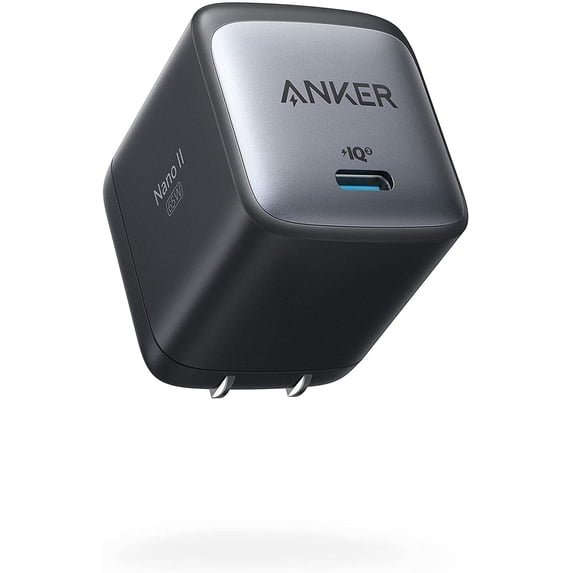
65W pick: Anker Nano II
A compact GaN option for many ultraportable laptops, tablets, phones, and travel setups. Confirm the exact port configuration and included cable before ordering.
100W pick: UGREEN Nexode 4-Port
Three USB-C ports and one USB-A port make it useful for a laptop, phone, tablet, and legacy accessory. Check its port-allocation chart for your combination.
For more options across several wattage classes, see our roundup of the best USB-C chargers for multiple devices.
Which one should you buy?
Buy a 65W charger if:
- Your laptop’s original adapter is 45W, 60W, 65W, or around 70W.
- You mainly charge one larger device at a time.
- Portability and a smaller plug matter most.
- Your phone, tablet, or handheld is your highest-power device.
- You do not need to run a power-hungry dock.
Buy a 100W charger if:
- Your laptop supports or ships with 90W–100W charging.
- You charge a laptop and phone or tablet simultaneously.
- You use a USB-C dock or several peripherals.
- You want more headroom for future devices.
- You accept a slightly larger charger for additional capacity.
Common buying mistakes
- Looking only at the total wattage: verify the maximum from each individual port.
- Ignoring power sharing: connecting another cable can reduce laptop output.
- Using the wrong cable: a basic 60W cable can prevent 65W or 100W delivery.
- Assuming USB-C guarantees fast charging: confirm USB PD and PPS support.
- Buying more power for a phone-only setup: protocol support can matter more than headline wattage.
- Expecting 100W to replace every laptop adapter: some performance laptops require proprietary or higher-power chargers.
Frequently asked questions
Will a 100W charger charge faster than a 65W charger?
Only if the device can accept more than 65W or the larger power budget improves simultaneous charging. A 65W-limited device will not normally charge faster from 100W.
Can I use a 65W charger instead of a 100W charger?
Sometimes. The device may charge more slowly, warn about insufficient power, or lose battery during heavy use. Check the manufacturer’s minimum recommendation.
Can I use a 100W charger instead of a 65W charger?
Generally yes with a standards-compliant USB-C PD device and properly rated cable. The device negotiates the power it accepts.
Is 65W enough for two devices?
It can be enough for a moderate-power laptop plus a phone, but the charger may divide output—for example, reducing the laptop below 65W. Check the exact allocation.
Is 100W enough for two laptops?
It depends on both laptops and the charger’s split. Two 45W ultraportables may work well, while two 65W laptops cannot both receive full power from a 100W total budget.
Does a 100W charger use more electricity?
Not simply because it is rated for 100W. It draws power according to the connected load plus conversion losses. Efficiency and standby consumption vary by model.
Final verdict
For most people with one ultraportable laptop and a phone, a good 65W charger is the best balance of power, size, and portability. Choose a 100W charger when your laptop can use the extra output, you regularly charge several devices, or you need more capacity for a dock and future hardware.
Before buying, identify your device’s input limit, examine the charger’s multi-port power allocation, and select a cable rated for the wattage. If you are still unsure, start with our guide to what watt charger you need.
Bottom line
65W: best for portability and one moderate-power laptop. 100W: best for higher-power laptops and multiple devices.
Specifications and compatibility can change. Confirm the latest device requirements, charger port allocation, cable rating, and package contents before purchasing.


9 Comments