


Why Does My Power Bank Get Hot While Charging?
POWER BANK HEAT & CHARGING
If your power bank gets hot while charging, check the charging direction, connected load, and environment first. Some warmth can accompany normal power transfer. Unusual heat, damage, or a warning message deserves a different response.
You pick up your portable charger after a charging session and notice that its casing feels warmer than expected. Is that ordinary operating warmth, a poor cable connection, or something that needs manufacturer support? The answer starts with what the bank is doing and whether anything else has changed.
This guide explains why a power bank gets hot while charging, how to separate the bank from the phone and wall adapter in your observations, and which checks are appropriate for an undamaged product. It also explains why a temperature number from the internet is not a universal pass-or-fail test for every bank.
Recharging the bank and charging a phone are different setups.
The phone can pause charging because of its own temperature.
Follow the manual’s environment and ventilation guidance.
Damage or unusual heat calls for a stop-use response.
Is it normal for a power bank to feel warm?
A little warmth during charging does not automatically establish a fault. Anker’s portable charger heat guidance distinguishes mild operating warmth from excessive heat and suggests different checks depending on whether the bank is recharging, powering a device, or charging wirelessly.
However, “power banks get warm” should never become permission to ignore a new or concerning change. A bank that feels unusually hot, shows physical damage, or develops a smell needs a pause and assessment. The absence of an error light is not proof that a damaged bank is safe to use.
Surface feel also differs with materials and construction. Two banks doing similar jobs may not feel identical in your hand. Rather than assuming one is better because its shell feels cooler, consider the model’s documentation, charging arrangement, and any warnings. A casing observation cannot tell you the temperature of every internal component.
Why your power bank gets hot while charging: common patterns
| Situation | What to consider | First useful action |
|---|---|---|
| The bank warms while plugged into a wall charger | Input charging, adapter compatibility, cable, and surroundings | Check its input specifications and keep the setup open |
| The bank and phone warm during fast charging | Power transfer plus the phone’s activity | Pause demanding phone use and read any charging message |
| Wireless charging feels warmer than a cable setup | Alignment, case compatibility, and wireless operating conditions | Follow the wireless bank’s placement and case guidance |
| Warmth increases with several devices attached | The bank’s workload and shared output limits | Compare one supported device on one output |
| A plug or port is unusually hot or discolored | A connection or accessory problem may be present | Stop using the affected connection and contact support |
| The bank is swollen, leaking, or hot without use | A possible battery or hardware fault | Stop using it; do not conduct charging comparisons |
The table gives you a starting point, not a diagnosis. A phone that warms during gaming and a bank that warms while recharging can look like one issue when they are actually separate observations. Note which component changes and when.
1. Recharging the bank involves power transfer
When the wall adapter is connected to the bank’s input, the bank is replenishing its own stored energy. Its charging electronics and battery are active. If you are investigating this direction, start with the specified input port, a compatible adapter, and the cable recommended for that charging level.
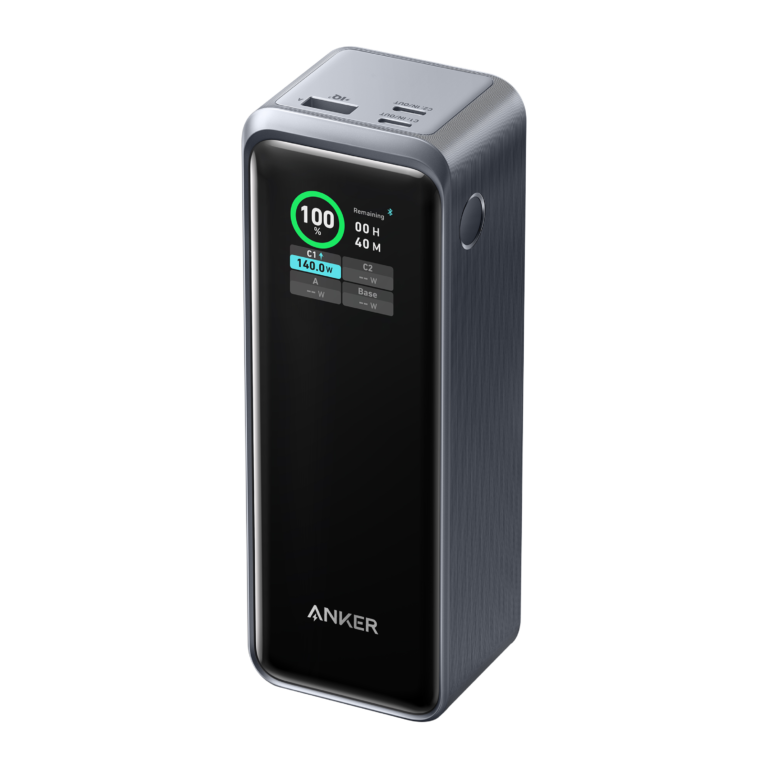
Do not assume that a high maximum input rating means the bank must maintain that rate throughout the entire session. For the Anker Prime 26K 300W, the manufacturer specifically explains that recharging power may decrease after some time as part of temperature management. That is a documented example, not a claim that every unexpected slowdown on every bank is normal.
Check whether the observation appears only while recharging or also while powering a device. For an undamaged bank that has cooled and has no stop-use signs, a comparison with another compatible charger and cable can help narrow down the setup. Change one item at a time; otherwise you will not know which change affected the result.
Do not keep repeating a test that produces unusual heat. A charging comparison is useful only while the product remains in an ordinary, supported operating condition. If the problem returns or you are unsure about its condition, involve the manufacturer.
2. Fast charging and connected devices change the workload
Powering a phone is different from powering a laptop or several devices. The connected equipment, negotiated charging mode, and selected ports all matter. A bank’s maximum total output is not automatically the output available to each port at the same time.
Start your comparison with one compatible device connected directly. Remove hubs, splitters, and extra devices so you can observe a simpler arrangement. This does not prove the multi-device arrangement was unsafe; it gives you a baseline against which to compare the manual’s supported port combinations.
For a laptop, verify the required USB-C Power Delivery output profile and cable capability. A large capacity number alone does not establish the right output. Our laptop power bank wattage guide explains how to match the device’s charging requirements to a bank’s per-port specifications.
Do not solve a heat concern by adding an arbitrary adapter or forcing an unsupported charging mode. If the model provides a documented input or output limit setting, consult its instructions. Otherwise, a normal pause and a supported simpler setup are more useful than trying to manipulate the charging circuit.
3. The phone is generating heat too
A phone can warm while charging, playing a game, navigating, recording video, or handling another demanding task. When it sits against a magnetic bank, it can be difficult to judge which device produced the warmth you feel. Look at each device’s status rather than treating the entire stack as one battery.
Apple’s temperature guidance states that an iPhone or iPad can slow or stop charging when its internal temperature is outside the normal operating range. A Charging On Hold notification can therefore identify a phone-side pause even when the power source still has energy available.
Pause intensive phone activity, move the arrangement away from direct sun, and allow the devices to return naturally to normal conditions. Do not interpret a rising phone percentage as proof that an unusually hot bank needs no attention. Successful charging and acceptable product condition are separate questions.
If the phone stops near a configured battery limit without a temperature message, check its charging settings as well. That may be a deliberate battery-care behavior rather than a thermal event. Our guide to a power bank that keeps turning off covers device charge pauses, low-current accessories, and connection checks in more detail.

4. Wireless charging adds placement and case questions
Wireless power banks need the phone and charging surface positioned as the manufacturer specifies. A compatible magnetic attachment can help placement, but the presence of magnets alone does not prove that a case, phone, or accessory combination is supported.
Inspect the setup for an attached wallet, card holder, metal plate, or another object between the charging surfaces. Follow the product’s instructions about removing accessories and choosing a suitable case. Do not wedge an object into the gap or try to keep charging through an error indication.
Indicators are model-specific. The Anker MagGo 6.6K A1643 manual, for example, says a rapidly flashing white wireless indicator can signal an abnormal object or excessive temperature. That light pattern should not be assumed to mean the same thing on another bank.
For an undamaged compatible product, compare its supported wired output after the devices have cooled. If the issue occurs only wirelessly, placement, case compatibility, or that wireless operating mode becomes a useful lead for support. This comparison does not prove that any temperature is acceptable just because a cable charges successfully.
5. An enclosed or hot environment changes the situation
A bank on an open desk is in a different environment from a bank inside a tightly packed bag, beneath bedding, or in direct sunlight. Check what surrounds it. Do not cover the device during use or stack other warm electronics around it.
Anker’s safety guide calls for a cool, dry, ventilated charging area and warns against high-temperature environments, covering the bank, and extended charging on soft surfaces. Apply your bank’s own instructions if they differ.
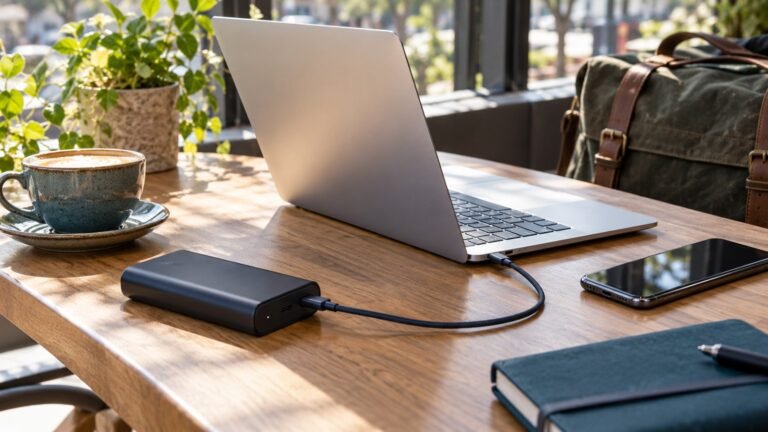
For ordinary use, choose a firm surface with clear space around the equipment. Keep the cable from pulling on a port and avoid trapping the phone underneath the bank when that arrangement is not part of the product’s intended design. A supported magnetic phone attachment is different from casually piling devices together.
Do not leave charging equipment in a parked car and assume the dashboard reading or outdoor weather describes its environment. Direct sunlight and enclosed spaces can change conditions substantially. If you need mobile power outdoors, follow the model’s environmental limits and stop if abnormal heat or a warning appears.
6. A cable or port problem needs a separate check
Heat concentrated at a connector deserves attention, particularly when there is discoloration, damage, poor fit, or intermittent charging. Stop using the affected connection instead of holding the plug at an angle to keep it working. Do not force a connector into a socket.
After everything has cooled, inspect an undamaged setup without opening any casing. Look for exposed conductors, bent connector housings, debris preventing normal seating, or a phone case interfering with the plug. For port cleaning, follow the device manufacturer’s instructions; avoid metal tools and liquid poured into the socket.
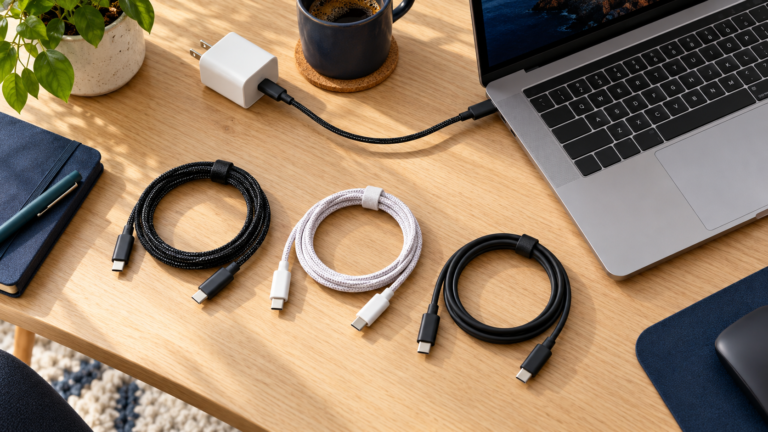
If there are no stop-use signs, an intact known-good cable suitable for the same device and power level can provide a useful comparison. A cable that charges a low-power accessory is not necessarily the right cable for high-power laptop charging. Our e-marked USB-C cable guide explains why connector shape alone does not tell you every cable’s capability.
Retire a visibly damaged cable rather than repeatedly testing it. If the bank’s port is damaged, unusually hot, or unreliable with several suitable cables, ask the manufacturer about service. Changing the cable is not a repair for a damaged socket.
7. Pass-through charging makes diagnosis harder
When a bank recharges itself while supplying another device, both input and output are involved. This arrangement requires explicit support. Some models do not support it; others impose different output limits or operating instructions compared with ordinary battery-powered use.
Disconnect the bank’s input charger for the initial output comparison. Separately observe normal recharging with no output devices attached. These two checks help you describe whether the concern belongs to the input setup, output setup, or simultaneous operation.
Do not conclude that a bank has pass-through support just because you briefly see charging icons on both devices. Use the exact model’s documentation. Our guide to pass-through charging and battery care explains the relevant compatibility questions.
If simultaneous use repeatedly produces unusual heat or interruptions, stop that arrangement and contact support. Buying a more powerful wall adapter is not a universal heat fix, and a higher rating should not be used to override the bank’s instructions.
How hot is too hot? Avoid a universal temperature rule
Ambient operating temperature, casing surface temperature, and internal battery temperature describe different things. A manual’s room-temperature range is not a promised maximum surface temperature. Do not compare an infrared reading on the shell directly with an ambient limit and assume the product failed—or passed—a safety test.
Manufacturer guidance can also vary by model. Anker’s general safety guide lists an environment of 32–95°F (0–35°C), while its Prime 26K 300W FAQ recommends a cooler 32–77°F (0–25°C) environment for the described charging conditions. These are contextual instructions, not universal casing-temperature thresholds.
If your bank has a temperature display, consult the manual to understand what it reports and what any alert requires you to do. A number without a defined sensor location or stated limit is not enough to certify safe operation. Touch alone is also not a calibrated internal temperature measurement.
You do not need to establish an exact failure temperature before pausing a concerning setup. Stop for unusual heat or damage, follow any warning, and ask the manufacturer when the condition remains unexplained. Do not reopen, modify, or bypass the protection circuit to investigate it yourself.
A practical checklist for an undamaged bank
- Pause and inspect. If heat is abnormal or there is damage, swelling, leakage, or a concerning odor, stop using the bank and contact support.
- Identify the direction. Note whether the bank was recharging itself, charging a device, or doing both.
- Read messages. Check the bank’s indicator instructions and the phone’s charging or temperature notification.
- Check the surroundings. Use the documented environment and a firm open surface, away from sun and coverings.
- Simplify the arrangement. For an undamaged product without warning signs, compare one compatible device, one supported port, and an intact suitable cable.
- Change one variable. Compare a cable, adapter, or device as appropriate to the charging direction. Stop if abnormal heat returns.
- Record and escalate. Give support the exact model, accessories, port, conditions, and result rather than repeating a concerning test.
Keep the support record brief. Note the starting charge levels, whether the phone was doing a demanding task, the approximate time before the concern, and any error. A photo of the labels and supported setup can be helpful. Do not send account passwords or unrelated personal information.
When to stop using the bank and arrange disposal
A bank that becomes unusually hot while idle also deserves support attention. Do not treat that as ordinary charging warmth when no charging is happening. For less concerning percentage changes during storage, our guide to charge loss when a power bank is unused explains a disconnected observation process; it is not a testing procedure for a hot or damaged battery.
For U.S. disposal, the EPA’s lithium-ion battery guidance says these batteries and devices should not go into household trash or municipal recycling bins. Ask the manufacturer or a suitable battery collection service about damaged-product handling. Do not place a swollen bank in an ordinary collection bin without confirming acceptance and instructions.
Replace equipment only when the checks point to it
A new cable can address a damaged cable; a new bank will not fix a phone’s temperature pause or a poorly placed wireless case. If replacement is appropriate, match the exact input/output specifications, device compatibility, and documented operating guidance. Check the seller and model number rather than choosing solely by maximum watts.
Compare USB-C power banks on AmazonThis is a shopping search, not a verified product shortlist or a claim of hands-on testing. Confirm each listing’s manual, seller, compatibility, and return terms. Prices and availability change.
Frequently asked questions
Why does my power bank get hot while charging my phone?
Power transfer, phone activity, wireless placement, or the environment can affect warmth. Identify which device warms and read its warnings. Mild warmth can occur during use, but unusual heat or damage calls for stopping and contacting support.
Is warmth while recharging the power bank normal?
Some warmth can accompany recharging. Use the specified input, compatible adapter and cable, and documented environment. A new or abnormal heat condition should not be dismissed solely because charging is happening.
Why does a wireless power bank feel warmer?
Wireless operation introduces placement and case-compatibility questions, while the phone may also be generating heat. Follow the exact product’s guidance about alignment, objects between surfaces, and supported cases. Pause for unusual heat or an error.
Can heat make charging slow down or stop?
Yes, supported products may manage temperature by reducing or pausing charging. Check the manufacturer’s explanation for your model and the phone’s own notification. Repeated unexplained interruptions still deserve investigation or support.
Should I put the bank in a refrigerator to cool it?
No. Pause charging and let the devices return naturally to a normal environment. Do not use ice, water, or a freezer, and do not resume charging a damaged bank.
Does a cooler casing mean a power bank is safer?
No single surface observation establishes safety. Materials, design, load, and surroundings differ. Use the model’s instructions and condition checks rather than ranking safety by how two shells feel in your hand.
When should I replace a hot power bank?
Stop using a damaged, swollen, leaking, or unusually hot bank and ask the manufacturer about service or replacement. For an undamaged product, supported comparisons can help identify an accessory or environment issue before an unnecessary purchase.
Our practical recommendation
When your power bank gets hot while charging, begin with the direction of power flow and the condition of the equipment. Check the bank, phone, cable, and environment separately. Use a simple supported arrangement for an undamaged product, and stop when abnormal heat or warning signs appear.
Model-specific instructions matter more than a universal temperature claim. Keep the setup open, avoid forcing a charging mode, and report a repeatable concern to the manufacturer. That gives you a clearer answer than either ignoring all warmth or replacing every bank that feels slightly warm.

Charging Technology Researcher
I help readers understand chargers, power banks, and compatibility so they can make informed choices.
Editorial note: Manufacturer and EPA documentation checked October 1, 2026. This guide does not claim hands-on thermal testing, measured casing temperatures, or a safety certification for any individual device.

6 Comments